Source-backed analysis8
Review basis
Research-based review: the AppDuo Editorial Team compiled it from official pages, documentation, app stores, press and user feedback, without hands-on testing. Every claim links to a source with the date it was checked.
8 reference sourcesInformation updated Nov 10, 2026
How we review
Microsoft OneNote Review
Microsoft's free-form digital notebook, free to use
By AppDuo Editorial Team · Updated
- Web
- Windows
- macOS
- iOS
- Android
On this page
Decide at a glance
Our verdict
OneNote suits people who want a free-form notebook with handwriting support and already use Microsoft's apps, at no cost. The trade-offs are its reliance on OneDrive and a string of Windows app changes that has confused users.
Best for: Students who want a free notebook with handwriting and document scanning
Skip it if: People who need end-to-end encrypted or self-hosted notes
Pros
- Free with a Microsoft account, on web, Windows, macOS, iOS and Android
- Strong store ratings: 4.7/5 on the App Store and 4.5/5 on Google Play
- Handwriting, document scanning, voice dictation and audio transcription
Cons
- OneNote for Windows 10 reached end of support on 14 October 2025, so users must move to OneNote on Windows
- The Email to OneNote feature was discontinued in March 2025
All pros and cons · Who is it for?
Cons
- Notebooks live in OneDrive and count against the account's storage
- Some Google Play reviews complain about notes failing to sync on Android
Best for
- Microsoft 365 users who want notes alongside Word, Excel and Outlook
Skip it if
- People who prefer database-style or backlink-based note tools
Problems it solves
Experience & key features
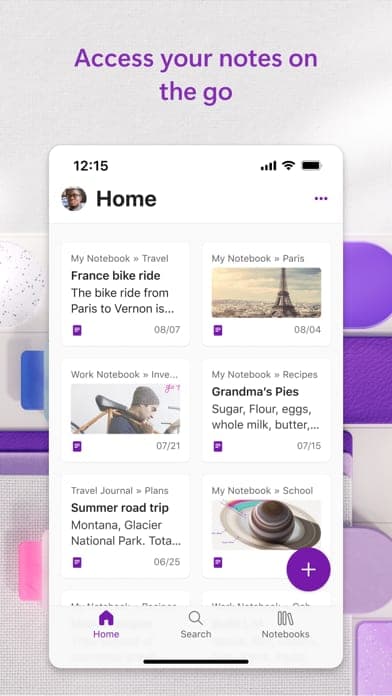
OneNote is Microsoft's note-taking app, first released in 2003. Notes are organised into notebooks, sections and pages, and text, images and ink can go anywhere on a page. It runs on the web, Windows, macOS, iOS and Android.
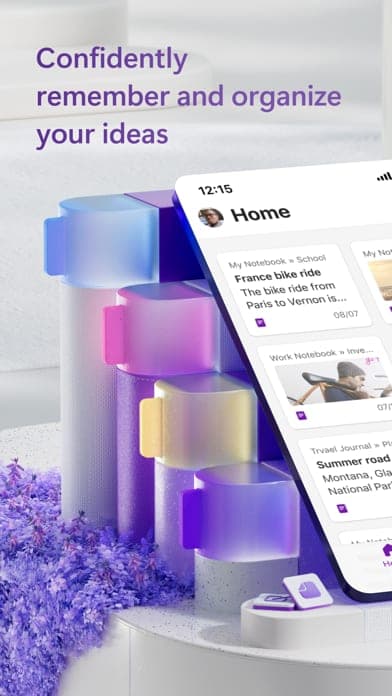
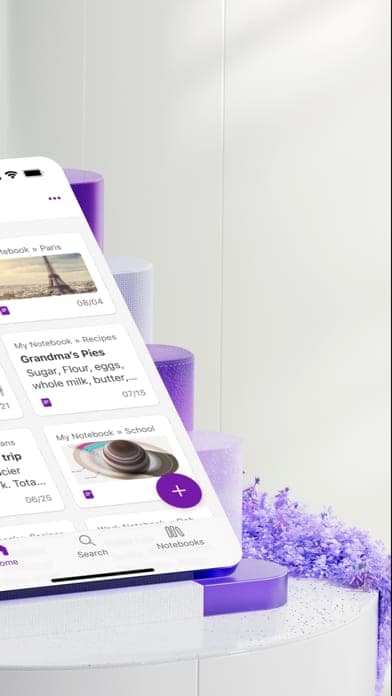
According to the App Store and Google Play listings, the mobile app supports pen handwriting, document scanning with text extraction, voice dictation and transcription of audio files. The Google Play listing also describes Copilot notebooks for summarising meetings and classes. Microsoft's product page says Copilot in OneNote uses your prompts to draft plans, generate ideas, create lists and organise information.
Pricing and value
OneNote is free with a Microsoft account. For more storage, Microsoft lists Microsoft 365 Basic at $19.99 per year (or $1.99 per month) with 100 GB, and Microsoft 365 Personal at $99.99 per year (or $9.99 per month) with 1 TB plus the Word, Excel, PowerPoint, Outlook and OneNote desktop apps with Copilot. Because notebooks live in OneDrive, account storage matters as they grow.
Windows versions and caveats
Microsoft long maintained two Windows apps: desktop OneNote and OneNote for Windows 10. The Windows 10 app reached end of support on 14 October 2025 and is now read-only: existing notes can be opened and copied out, but not created, edited or synced. Microsoft points users to OneNote on Windows. According to Wikipedia, the Email to OneNote feature was also discontinued in March 2025.
More analysis
Compared with alternatives
OneNote is strongest as a free-form notebook at zero cost. For database-style or backlink-based notes, Notion, Obsidian or Logseq fit better, while Evernote and Google Keep lean towards quick capture.
Screenshots
Plans & pricing
Prices last verified Nov 10, 2026
Free
PersonalFree
Free with a Microsoft account; the mobile app only requires a free Microsoft account.
Microsoft 365 Basic
Personal$1.99/mo
$1.67/mo billed yearly
100 GB of cloud storage for one person; $19.99 per year or $1.99 per month.
Microsoft 365 Personal
Personal$9.99/mo
$8.33/mo billed yearly
One person, 1 TB of cloud storage, and the Word, Excel, PowerPoint, Outlook and OneNote desktop apps with Copilot; $99.99 per year or $9.99 per month.
- Free plan limits
- Notebooks are stored in OneDrive, so they share the account's cloud storage. A Microsoft 365 plan is only needed for extra storage or higher Copilot usage.
- Free trial
- 30-day free trial · credit card required
Cancellation & refunds
OneNote itself is free, so there is nothing to refund. For Microsoft 365, the pricing page only says subscriptions auto-renew until cancelled in your Microsoft account; refund terms sit in Microsoft's terms. The one-month trial requires a credit card and converts to a 12-month paid subscription unless cancelled.
Privacy
Microsoft handles data under its Privacy Statement, linked from the Google Play listing. Notes sync through a Microsoft account and OneDrive. The Google Play listing mentions locking notes behind security features, but none of the sources reviewed describe end-to-end encryption.
Microsoft OneNote alternatives

Frequently asked questions
Is OneNote free?
Yes. Per the Google Play listing, the mobile app only requires a free Microsoft account. A paid Microsoft 365 plan is only needed for extra storage or higher Copilot usage.
Can I still use OneNote for Windows 10?
Only to view. Since 14 October 2025 it is read-only; Microsoft recommends OneNote on Windows, available from the Microsoft Store and included with Microsoft 365.
What if a large notebook is slow on my iPad?
Microsoft says opening and syncing a very large notebook created on a PC or Mac for the first time on iPad or iPhone can cause performance and stability issues. Its workaround is to turn off automatic attachment sync in the notebook's sync settings and sync again.
Does OneNote work on iPhone and Android?
Yes. It is on the App Store and Google Play; the Android app requires Android 9.0 or later.
Review evidence & sources8
Scores
- Ease of use
- 7.5
- Features
- 8.0
- Value for money
- 8.8
- Performance
- 7.0
- Support
- 6.5
- Privacy & security
- 6.3
Why this score
A familiar notebook-section-page layout, but several Windows versions over the years add confusion.
Why this score
Handwriting, scanning, transcription, collaboration and Copilot appear in the store listings.
Why this score
Free with a Microsoft account, with paid plans only adding storage and Copilot usage; large notebooks eventually run into OneDrive storage limits.
Why this score
Store ratings of 4.5 to 4.7, but Microsoft support notes performance and stability issues when very large notebooks are first opened on iPad and iPhone, and some Android reviews report sync failures.
Why this score
Official documentation only, including migration guidance for the retired Windows 10 app; the sources reviewed list no direct support channel for free users.
Why this score
Data sits in OneDrive under Microsoft's privacy statement; the sources reviewed do not mention end-to-end encryption.
What users say
- App Store (US)4.7/5 · 1,072,072
- Google Play4.5/5 · 1,500,000
Sources
- Vendor-providedOfficial product page (Microsoft 365 OneNote)Nov 10, 2026
- Vendor-providedMicrosoft Support: what is happening to OneNote for Windows 10Nov 10, 2026
- Vendor-providedMicrosoft OneDrive plans and pricingNov 10, 2026
- Vendor-providedMicrosoft Support: OneNote on iPad/iPhone large notebooksNov 10, 2026
- storeApp Store listingNov 10, 2026
- storeGoogle Play listingNov 10, 2026
- Community-reportedWikipedia: Microsoft OneNoteNov 10, 2026
- pressThe Register (2025-08-22)Nov 10, 2026
Specs & compatibility
- Developer
- Microsoft
- Headquarters
- United States
- Launched
- 2003
- Category
- Productivity
Capabilities
- Works offline
- Real-time collaboration
- AI features
- Mobile app
- Integrations
Platforms
- Web
- Windows
- macOS
- iOS
- Android
Interface languages
- English
- Vietnamese
- Japanese
- Chinese
- Spanish
- French
- Korean
- German
- Portuguese
- Russian
- Thai
- Indonesian
Integrations
- Microsoft 365
- OneDrive
- Outlook
- Word
- Excel
- Samsung Notes
Support
- Help center
Change history
- Update.OneNote for Windows 10 reaches end of support and becomes read-only.
- Feature.The Email to OneNote feature is discontinued.
- Feature.The Verge reports new pen and ink gestures in OneNote.
Full change history (7)
- Launch.OneNote for Windows 10 is released.
- Price.Microsoft releases OneNote for Mac; OneNote has been free on all platforms since 2014.
- Feature.OneNote 2007 is released.
- Launch.OneNote 2003 ships as a standalone Windows product.
About the author
Reviews & comments
Written by readers with a verified email address.
No reviews yet. Have you used Microsoft OneNote? Share your real experience.
Reader reviews are counted separately and do not affect the Editorial Team’s score.
No comments yet. Be the first to share your experience.
Comments are readers’ opinions, not content from the AppDuo Editorial Team.