Source-backed analysis12
Review basis
Research-based review: the AppDuo Editorial Team compiled it from official pages, documentation, app stores, press and user feedback, without hands-on testing. Every claim links to a source with the date it was checked.
12 reference sourcesInformation updated Nov 10, 2026
How we review
Android Studio Review
Google's official IDE for Android apps, built on the IntelliJ platform
By AppDuo Editorial Team · Updated · Fact-checked
- Windows
- macOS
- Linux
On this page
Decide at a glance
Our verdict
Android Studio is the default choice for native Android development: the emulator, APK analyzer, profilers and Compose tooling come built in, from the platform's own maker. The trade-offs: it is specialised for Android, so it is a poor fit for general coding, and the free AI tier may use your data for training, so read those terms first.
Best for: Developers building Android apps in Kotlin or Java who want the official emulator, profilers and debugging tools
Skip it if: Developers who want a lightweight editor for many languages beyond Android
Pros
- The official Android IDE, released alongside Android Gradle plugin versions
- A full toolset: emulator, profilers, Layout Inspector, APK Analyzer, lint and Logcat
- Built on IntelliJ IDEA, with Gradle, inline debugging and C++/NDK support
Cons
- The download is about 1.5 GB on Windows and macOS, plus SDKs and emulator system images
- On the free Gemini tier, code typed into chat may be used to train the model
All pros and cons · Who is it for?
More pros
- Built-in AI agents, free with Gemini or via an API key or Google One, generate Compose previews, fix build errors and analyse crashes
More cons
- AI features work only on the latest stable version and major versions from the previous 10 months
Best for
- Teams using Jetpack Compose who want previews and Live Edit inside the IDE
- People migrating iOS, Flutter or React Native apps to native Android
Skip it if
- Developers targeting Apple platforms, since Android Studio is aimed at Android
Problems it solves
Experience & key features
What is Android Studio?
Android Studio is the official IDE for Android app development, built on IntelliJ IDEA's code editor and developer tools. Per Wikipedia, Google announced it at Google I/O on 16 May 2013, version 1.0 reached stable in December 2014, and at the end of 2015 Google dropped Eclipse ADT support, leaving Android Studio as the only officially supported IDE. The current stable release on the download page is Android Studio Rabbit 2 (2026.2.2 Patch 1), with builds for Windows, macOS (Intel and ARM), Linux and ChromeOS.
Key features
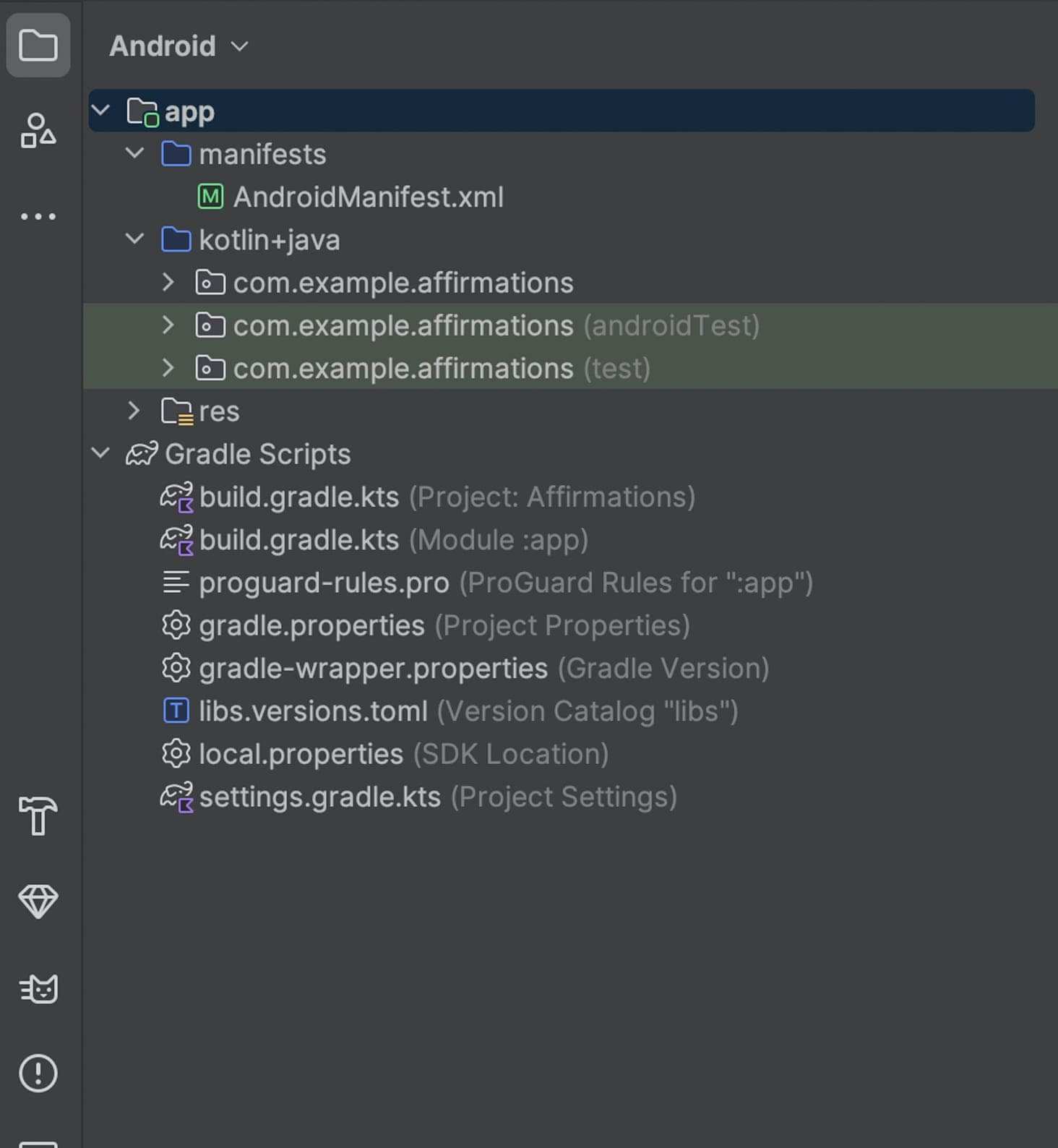
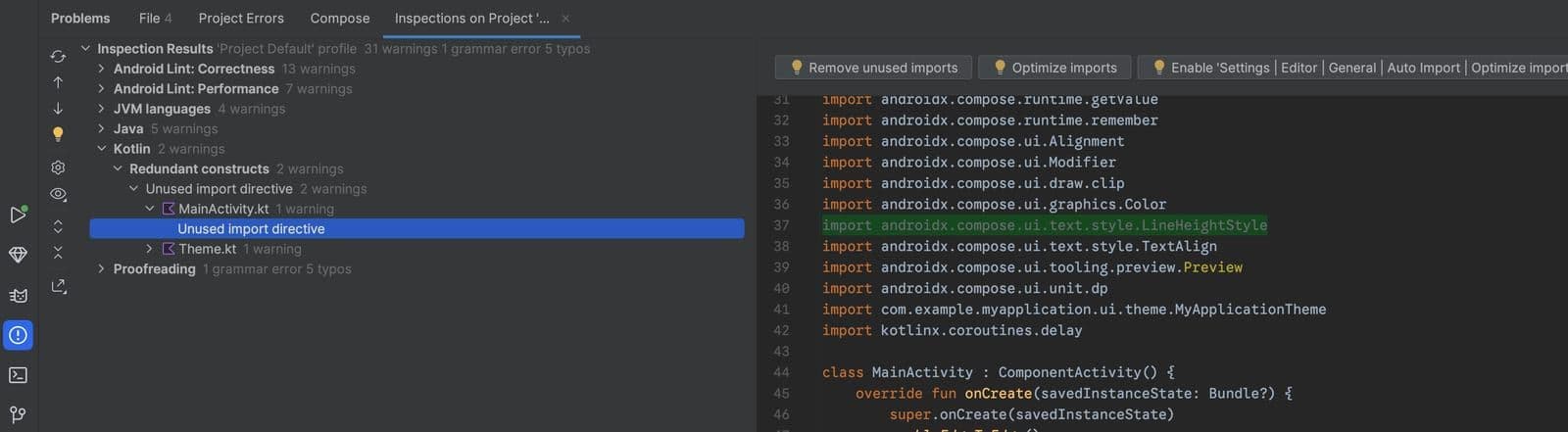
The build system is Gradle-based and can produce several build variants from one project. The tooling includes the Android Emulator for phones, tablets, foldables, Wear OS, TV and ChromeOS, an APK analyzer, lint, Layout Inspector and CPU, memory and network profilers. For Jetpack Compose there is Live Edit and preview tooling. Rabbit 3, currently in the Canary channel, adds Compose screenshot testing, per-task AI model assignment, migration of iOS, Flutter and React Native apps to Android and uploading test builds to Google Play Console.
AI in Android Studio and cost
AI agents can write code, fix Gradle build errors, mock up and troubleshoot Compose UIs and analyse crashes through Logcat and App Quality Insights. For Gemini there is an individual tier (free, a pay-per-token API key, or Google One) and a business tier via Gemini Enterprise or the Google Developer Program. The free tier has a small context window; for Gemini Pro's full 1M-token window you add an API key. Google's own docs also recommend Google Antigravity as the coding agent for Gemini users, citing more quota. The IDE itself has no listed price on the download page.
More analysis
Who it's for and how it compares
In the 2025 Stack Overflow survey, 15% of respondents used Android Studio (21.9% among those learning to code), behind VS Code at 75.9%, IntelliJ IDEA at 27.1% and Cursor at 17.9%. IntelliJ IDEA is the broader option for Java/Kotlin beyond Android; VS Code and Cursor are lighter and multi-language. If native Android is the main goal, Android Studio's built-in toolset is hard to replace; for cross-platform or multi-language work, the alternatives are worth weighing.
Screenshots
Plans & pricing
Prices last verified Nov 10, 2026
Android Studio
PersonalFree
The download page lists no price or paid tier for the IDE itself; it only requires accepting the Android Software Development Kit License Agreement. The AI features have their own tiers: free, a pay-per-token API key, Google One, or a business tier via Gemini Enterprise.
- Free plan limits
- The free Gemini tier has lower rate limits and a small context window; an API key or Google One AI Pro/Ultra raises them.
- Free trial
- No free trial
Cancellation & refunds
Not applicable to the IDE. Google One plans and API key charges follow Google's own terms.
Privacy
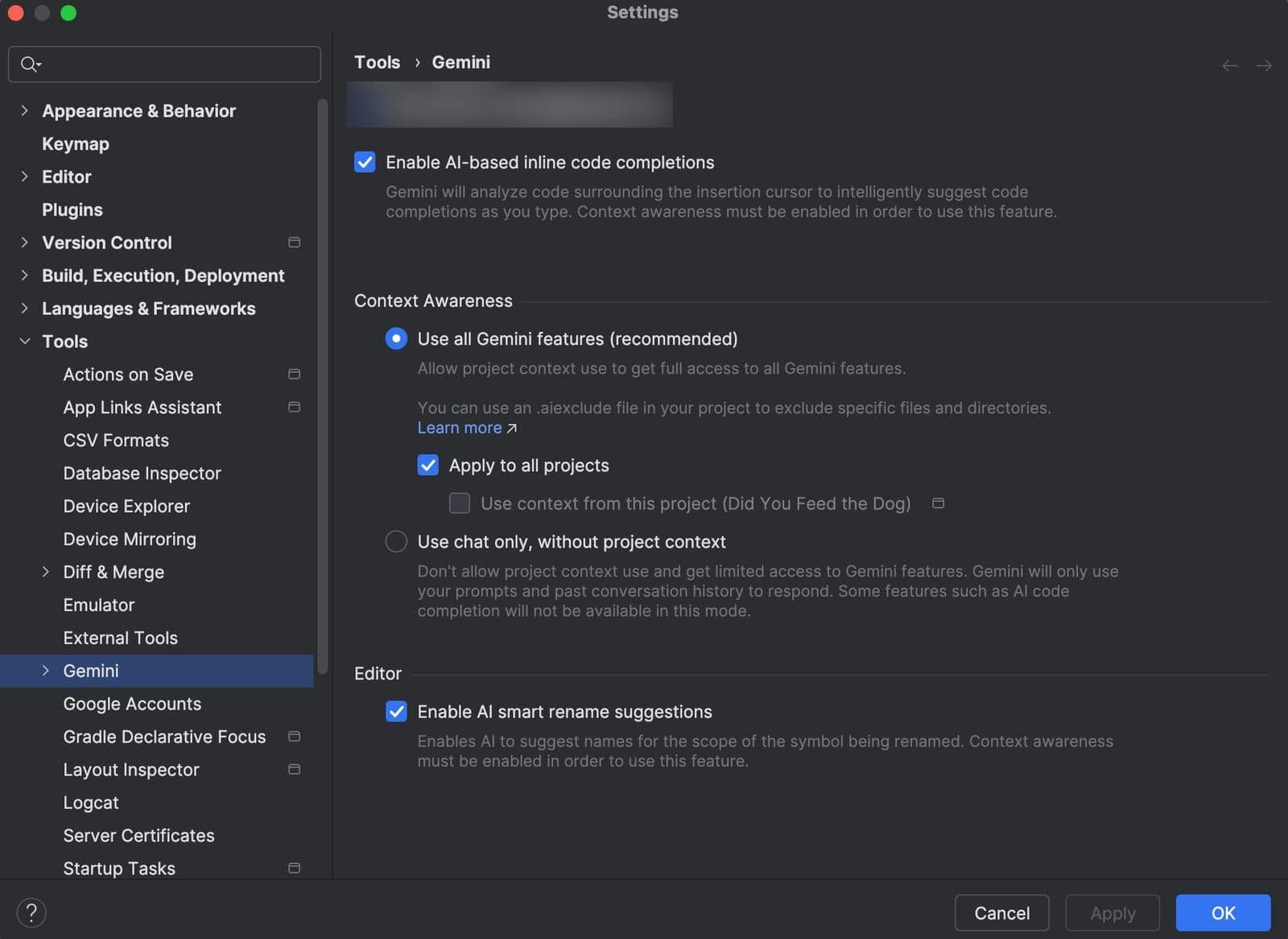
According to Google's Gemini data and privacy page, your code is not shared with Gemini without consent; by default Gemini only sees prompts and conversation history. You can opt in to context sharing globally or per project and exclude files with .aiexclude. On the free tier, code entered into chat may be used to train Gemini, and if you opt in to context sharing the collected data, including code, may be used to improve Google's products; with a personal API key, Google One or Gemini Enterprise neither applies. Thumbs-up and thumbs-down feedback may also be used for training. This data is stored without identifying you, cannot be deleted on request and is retained for up to 18 months. Sharing of usage statistics can be switched on or off in Settings.
Android Studio alternatives
 8.0/10
Visual Studio Code
Microsoft's free code editor, extended by add-ons, with built-in AI agents
 7.4/10
IntelliJ IDEA
JetBrains' Java and Kotlin IDE, now a single product for Community and Ultimate
Frequently asked questions
Is Android Studio free?
The official download page lists no price for the IDE and only requires accepting the Android SDK License Agreement. For AI there is a free Gemini tier, plus a pay-per-token API key, Google One and a business tier.
Which operating systems does Android Studio run on?
The download page offers builds for 64-bit Windows, macOS (Intel and ARM), 64-bit Linux and ChromeOS. Exact minimum requirements change by release, so check the official download page.
Does Gemini read my source code?
Not by default: Gemini only sees your prompts and conversation history. Relevant code is sent only if you opt in to context sharing, globally or per project, and you can exclude files with .aiexclude.
What do release names like Rabbit or Panda mean?
Each cycle is named after an animal. The first release in a cycle (such as Panda 1) is a merge release picking up the matching IntelliJ version; later ones (such as Panda 2) are Feature Drops with new Android Studio features.
Review evidence & sources12
Scores
- Ease of use
- 7.3
- Features
- 8.8
- Value for money
- 9.0
- Performance
- 6.8
- Support
- 7.2
- Privacy & security
- 6.5
Why this score
Wizards and project templates set up default emulator and system-image settings. As a full IDE with Gradle, the SDK Manager and many tool windows, though, it has a steeper learning curve than a lightweight editor. The interface is English-only.
Why this score
Emulator, profilers, Layout Inspector, APK Analyzer, lint, Compose previews, Live Edit, Firebase and Play integrations, plus AI agents. Held below 9 because it focuses on Android; 15% of respondents in the 2025 Stack Overflow survey use it, versus VS Code (75.9%) and IntelliJ IDEA (27.1%).
Why this score
The download page lists no price for the IDE, and there is a free Gemini tier. Few rivals offer this much Android-specific tooling at no charge; the free AI tier comes with lower limits and data-use terms.
Why this score
The official docs include a section on low-memory machines (reduce heap to 512 MB, enable Power Save Mode) and warn that antivirus software can slow builds on Windows. The default maximum heap is 1280 MB. No independent benchmarks appeared in the sources opened, so the score is cautious.
Why this score
Broad official documentation, detailed release notes, a bug-report channel and a release blog. The pages opened mention no direct email or chat support for individual users, so the score sits level with other free IDEs that rely on docs and community.
Why this score
Code is not sent to Gemini without consent, with per-project settings and .aiexclude. Marked down because on the free tier chat code may be used for training, and the data is kept up to 18 months and cannot be deleted on request.
Sources
- Vendor-providedOfficial download pageNov 10, 2026
- Vendor-providedOfficial introduction to Android StudioNov 10, 2026
- Vendor-providedOfficial release notesNov 10, 2026
- Vendor-providedOfficial preview features (Rabbit 3)Nov 10, 2026
- Vendor-providedOfficial release namesNov 10, 2026
- Vendor-providedAI in Android Studio overviewNov 10, 2026
- Vendor-providedAI in Android Studio feature comparisonNov 10, 2026
- Vendor-providedGemini data and privacyNov 10, 2026
- Vendor-providedService integrations and permissionsNov 10, 2026
- Vendor-providedStudio configuration (memory, performance)Nov 10, 2026
- Community-reportedWikipedia: Android StudioNov 10, 2026
- pressStack Overflow Developer Survey 2025: TechnologyNov 10, 2026
Specs & compatibility
- Developer
- Headquarters
- United States
- Launched
- 2013
- Category
- Development
Capabilities
- Works offline
- AI features
- Integrations
- Templates
Platforms
- Windows
- macOS
- Linux
Interface languages
- English
Integrations
- Gradle
- Android Emulator
- GitHub
- Firebase
- Google Play Console
- Gemini
- Logcat
- MCP servers
Support
- Help center
- Community forum
- Video tutorials
Change history
- Update.Google makes Kotlin its preferred Android language over Java; Java and C++ remain supported.
- Feature.Android Studio 3.0 adds Kotlin support.
- Company.At the end of 2015 Google drops Eclipse ADT support, making Android Studio the only officially supported Android IDE.
Full change history (5)
- Launch.The first stable release, version 1.0, ships.
- Launch.Google announces Android Studio at Google I/O; early access version 0.1 follows that month.
About the author
Reviews & comments
Written by readers with a verified email address.
No reviews yet. Have you used Android Studio? Share your real experience.
Reader reviews are counted separately and do not affect the Editorial Team’s score.
No comments yet. Be the first to share your experience.
Comments are readers’ opinions, not content from the AppDuo Editorial Team.