Source-backed analysis10
Review basis
Research-based review: the AppDuo Editorial Team compiled it from official pages, documentation, app stores, press and user feedback, without hands-on testing. Every claim links to a source with the date it was checked.
10 reference sourcesInformation updated Nov 10, 2026
How we review
Adobe Acrobat Review
The industry-standard PDF suite for editing, signing and converting, sold by subscription
By AppDuo Editorial Team · Updated
- Windows
- macOS
- iOS
- Android
- Web
- Browser extension
On this page
Decide at a glance
Our verdict
Acrobat suits office, legal and admin users who handle PDFs daily and want editing, redaction and e-signatures in one tool. For occasional merging or compressing, the subscription price and cancellation terms are the main things to weigh.
Best for: Frequent PDF users who need text editing, forms and redaction of sensitive data
Skip it if: Occasional users who only merge, compress or convert PDFs, since free or cheaper web tools exist
Pros
- Broad toolset: text and image editing, page organising, forms, e-signatures, redaction and OCR of scans
- Available on Windows, macOS, iOS, Android, web and as browser extensions
- Integrates with Microsoft 365, Google Drive, Dropbox, OneDrive and Box
Cons
- Subscription price is high next to web PDF tools; AI Assistant is only in Studio or as a paid add-on
- The yearly plan billed monthly has an early-cancellation fee; in 2024 the US FTC sued Adobe alleging poor disclosure of it (Adobe disputes this)
All pros and cons · Who is it for?
Pros
- The Reader app holds 4.6/5 from more than 667,000 ratings on the US App Store
- Adobe's terms commit to not using your content to train generative AI
Cons
- Wikipedia records an emergency patch in April 2026 for the CVE-2026-34621 zero-day, which had been exploited
Best for
- Teams already on Microsoft 365 or Creative Cloud who want built-in integration
- People who need e-signatures with status tracking and reminders
Skip it if
- Anyone who doesn't want a yearly commitment with an early-cancellation fee
Problems it solves
Experience & key features
What is Adobe Acrobat?
Acrobat is Adobe's PDF software suite, launched on 15 June 1993 according to Wikipedia. Document Cloud branding and Acrobat DC arrived in April 2015. Today there is the free Acrobat Reader for viewing PDFs and paid Standard, Pro and Studio plans for editing, converting and signing. It runs on Windows, macOS, iOS, Android, the web and as browser extensions.
Key features
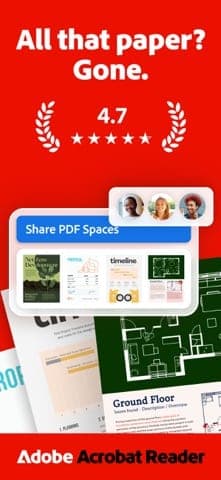
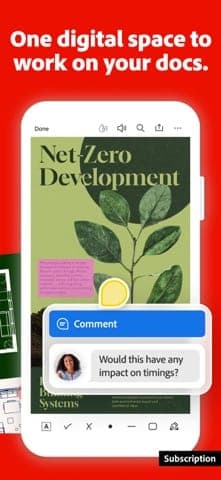
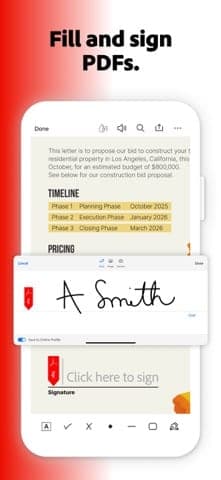
According to the product page: editing text and images, organising pages, creating PDFs from Microsoft files and images, converting PDFs to other formats, requesting e-signatures with status tracking, turning scans into searchable and editable PDFs, and adding passwords and permanent redaction. Studio adds AI Assistant (Q&A, summaries and edits in plain language), PDF Spaces and Adobe Express tools. Adobe says it does not use your documents to train AI models.
Pricing and value
On Adobe's US Acrobat pages, Standard costs $24.99/month without commitment or $14.99/month on a yearly commitment; Pro is $29.99 ($19.99); Studio is $34.99 ($24.99). The pricing page says paid memberships include 100 GB of cloud storage. The yearly plan billed monthly carries a fee of up to half the remaining commitment if cancelled after 14 days; the US FTC sued Adobe in 2024 over how that fee was disclosed, and Adobe said it would contest the claims in court. There is also Acrobat Pro 2024, a one-time purchase with three years of desktop access, though the product page gives no price. Next to web PDF tools, this is a high cost unless you work with PDFs regularly.
More analysis
Who it's for and how it compares
Acrobat fits heavy PDF users and businesses that want the full feature set in one place. For simply reading PDFs, the free Foxit PDF Reader is a lighter option. For quick web-based merging, compressing and converting, iLovePDF and Smallpdf are common choices, and WPS Office bundles PDF tools in its office suite. Try the free reader or a web tool before committing to a subscription.
Screenshots
Plans & pricing
Prices last verified Nov 10, 2026
Acrobat Reader
PersonalFree
Free PDF reader; Adobe's pricing page lists Reader as the free individual option.
Acrobat Standard
Personal$24.99/mo/user
$14.99/mo billed yearly
US pricing: $24.99/month with no commitment; $14.99/month on a 1-year commitment billed monthly, or $179.88/year prepaid. Covers editing, converting, e-signatures and password protection.
Acrobat Pro
Personal$29.99/mo/user
$19.99/mo billed yearly
$29.99/month with no commitment; $19.99/month on a 1-year commitment billed monthly, or $239.88/year prepaid. Adds 70+ PDF tools, redaction, web forms and scan-to-editable conversion.
Acrobat Studio
Personal$34.99/mo/user
$24.99/mo billed yearly
$34.99/month with no commitment; $24.99/month on a 1-year commitment billed monthly, or $299.88/year prepaid. Everything in Pro plus AI Assistant, PDF Spaces and Adobe Express Premium.
- Free plan limits
- Acrobat Reader is free for viewing PDFs. The Acrobat Pro page offers a free trial without stating its length; individual Standard has no trial. Adobe doesn't detail the free version's limits.
- Free trial
- No free trial
Cancellation & refunds
Per Adobe's US Acrobat plan pages: monthly plans can be cancelled anytime with no fee; annual prepaid plans are refundable within 14 days and not after; the 1-year commitment billed monthly carries a fee of up to half the remaining commitment if cancelled after 14 days. Terms may vary by country, so check them at checkout.
Privacy
Adobe's privacy policy (updated 24 Oct 2025) says it collects contact, payment, device and usage data plus content you send or store, including documents and AI prompts. Adobe's general terms state it will not use your local or cloud content to train generative AI models (except content submitted to Adobe Stock), and the Acrobat page says the same. Adobe can still run content analytics on cloud content to improve its products, which users may opt out of. Contract and transaction records are kept for 10 years after your last interaction. The policy lists rights to access, correct, delete and port data, and gives a DPO email ([email protected]) for non-North American users.
Adobe Acrobat alternatives
 7.7/10
iLovePDF
About 30 web PDF tools: merge, split, compress, convert and sign, with a free tier
 7.3/10
Smallpdf
Web-based PDF toolkit: compress, convert, merge, edit and sign
Frequently asked questions
Is Adobe Acrobat free?
Acrobat Reader is free for viewing PDFs. Editing, converting and signing require a paid Standard, Pro or Studio plan.
What is the difference between Standard, Pro and Studio?
Standard has core PDF tools. Pro adds 70+ advanced tools, redaction, web forms and scan conversion. Studio adds AI Assistant, PDF Spaces and Adobe Express Premium.
Does Adobe train AI on my documents?
Adobe's terms say it will not use your local or cloud content to train generative AI models, except content submitted to Adobe Stock. It may still analyse cloud content to improve products, which you can opt out of.
Is there a fee to cancel Acrobat?
It depends on the plan. Per Adobe's US plan pages, monthly plans can be cancelled anytime with no fee. Annual prepaid plans are refundable within 14 days and not after. The 1-year commitment billed monthly carries a fee of up to half the remaining commitment if cancelled after 14 days.
Review evidence & sources10
Scores
- Ease of use
- 7.6
- Features
- 9.2
- Value for money
- 5.8
- Performance
- 7.2
- Support
- 6.8
- Privacy & security
- 6.8
Why this score
Reader's App Store scores are very high (4.6 US, 4.8 Vietnam). Marked down because the multiple plan tiers and many advanced tools make it more complex than simple web tools.
Why this score
Pro has 70+ PDF tools, redaction, web forms and OCR; Studio adds AI Assistant and PDF Spaces. One of the most complete PDF feature sets available.
Why this score
Pro is $19.99/month on a yearly commitment and $29.99/month without one, far above free web tools or iLovePDF's paid plan (from $4/month), and there is an early-cancellation fee.
Why this score
Frequently updated (Reader iOS 26.10.00). No independent speed data; Wikipedia records an exploited zero-day in 2026.
Why this score
Documentation is extensive; the Acrobat page lists 24x7 tech support only for business plans. Support for individual plans wasn't confirmed, and the FTC complaint cites obstacles to cancelling. Scored in line with Adobe's Photoshop.
Why this score
Clear commitment not to train generative AI on user content, with rights and a DPO listed. Marked down for broad collection (including third-party sources), cloud content analytics (opt-out available) and 10-year transaction record retention.
What users say
- App Store (United States), Acrobat Reader app4.6/5 · 667,839
- App Store (Vietnam), Acrobat Reader app4.8/5 · 10,299
Sources
- Vendor-providedAdobe Acrobat product pageNov 10, 2026
- Vendor-providedAdobe Acrobat pricing page (plan comparison, cloud storage)Nov 10, 2026
- Vendor-providedAdobe Acrobat Pro page (US pricing, cancellation terms)Nov 10, 2026
- Vendor-providedAdobe Acrobat Standard page (US pricing)Nov 10, 2026
- Vendor-providedAdobe Privacy PolicyNov 10, 2026
- Vendor-providedAdobe General Terms of UseNov 10, 2026
- storeiTunes Lookup API: Acrobat Reader (US)Nov 10, 2026
- storeiTunes Lookup API: Acrobat Reader (Vietnam)Nov 10, 2026
- Community-reportedWikipedia: Adobe AcrobatNov 10, 2026
- pressCBS News: FTC lawsuit against Adobe (2024-06-17)Nov 10, 2026
Specs & compatibility
- Developer
- Adobe
- Headquarters
- United States
- Launched
- 1993
- Category
- Productivity
Capabilities
- AI features
- Integrations
- Real-time collaboration
- Mobile app
- Templates
Platforms
- Windows
- macOS
- iOS
- Android
- Web
- Browser extension
Interface languages
- English
- French
- German
- Japanese
- Korean
- Portuguese
- Russian
- Chinese
- Spanish
Integrations
- Microsoft 365
- Google Drive
- Dropbox
- OneDrive
- Box
- Adobe Creative Cloud
Support
- Help center
- Live chat
- Phone
Change history
- Update.Adobe releases an emergency patch for the CVE-2026-34621 zero-day, which had been exploited before disclosure.
- Company.The US FTC sues Adobe and two executives alleging the early-termination fee on yearly plans billed monthly was not clearly disclosed; Adobe says it will dispute the claims.
- Feature.Adobe adds Liquid Mode, a phone reading mode that uses its Sensei AI.
Full change history (6)
- Update.Acrobat XI gets its final update, 11.0.23, after support ended in October 2017.
- Feature.Adobe introduces Document Cloud branding and Acrobat DC; the Acrobat.com service is discontinued.
- Launch.Adobe launches Acrobat alongside the PDF format.
About the author
Reviews & comments
Written by readers with a verified email address.
No reviews yet. Have you used Adobe Acrobat? Share your real experience.
Reader reviews are counted separately and do not affect the Editorial Team’s score.
No comments yet. Be the first to share your experience.
Comments are readers’ opinions, not content from the AppDuo Editorial Team.