Source-backed analysis7
Review basis
Research-based review: the AppDuo Editorial Team compiled it from official pages, documentation, app stores, press and user feedback, without hands-on testing. Every claim links to a source with the date it was checked.
7 reference sourcesInformation updated Nov 10, 2026
How we review
Smallpdf Review
Web-based PDF toolkit: compress, convert, merge, edit and sign
By AppDuo Editorial Team · Updated
- Web
- iOS
- Android
On this page
Decide at a glance
Our verdict
Smallpdf suits people who need quick PDF jobs in a browser or on a phone, and it rates well on both the app stores and Trustpilot. The trade-offs are a limited free tier, no refunds on amounts already paid, and some reviewers complaining about unexpected charges.
Best for: Individuals who occasionally need to compress, merge or convert PDFs
Skip it if: People handling sensitive documents who do not want to upload files to an outside server
Pros
- 30+ PDF tools in the browser, plus iOS and Android apps
- Trustpilot 4.8/5 (5,492 reviews), App Store 4.8/5, Google Play 4.4/5
- Vendor states ISO/IEC 27001 certification, servers in Ireland and 1-hour deletion for free-tool files
Cons
- The Free plan caps daily downloads and limits mobile app access
- Cancelling does not refund amounts already paid, per the vendor's terms
All pros and cons · Who is it for?
Pros
- Pro has a 7-day trial and includes Sign.com Premium
Cons
- Some Trustpilot reviewers report unexpected charges
- Pro costs 12 USD billed monthly versus 9 USD per month billed yearly
Best for
- Small teams wanting a PDF tool with e-signing at a per-seat price
Skip it if
- People who need fully offline desktop software
Problems it solves
Experience & key features
What is Smallpdf?
Smallpdf is an online PDF toolkit from Smallpdf AG, based in Zürich, Switzerland. Per Wikipedia, Manuel Stofer, Mathis Büchi and Lino Teuteberg founded it in August 2013, starting with a PDF compression tool. The pricing page claims "trusted by 1.7 billion people since 2013", a figure that has not been independently verified.
Key features
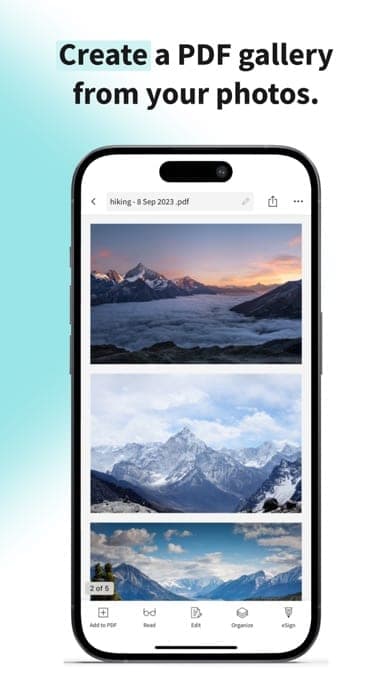
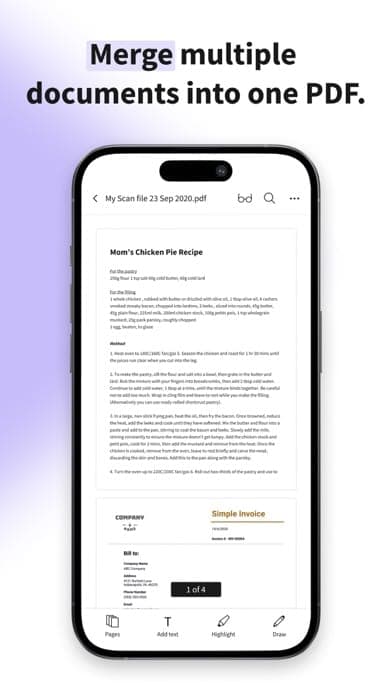
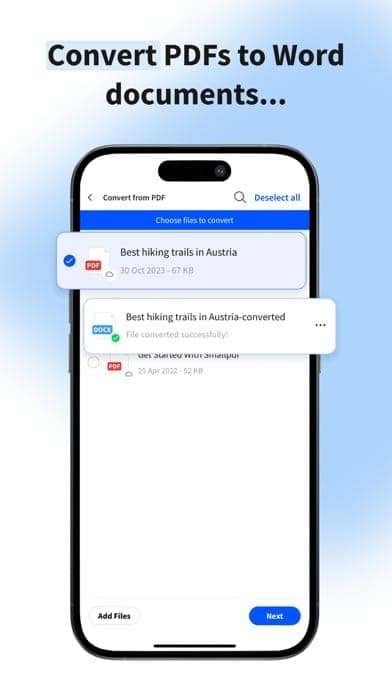
The pricing page lists 30+ tools: compression, PDF conversion to and from Word, Excel, PowerPoint and images, OCR, merge, split, rotate, delete and extract pages, annotation, text editing and AI tools. Paid plans include Sign.com Premium for e-signing. Beyond the web, there are iOS and Android apps.
Pricing and value
The Free plan has a daily download limit. Pro is 12 USD per month billed monthly or 9 USD per month billed yearly (108 USD per year). Team, for 2 to 19 seats, is 10 USD per seat per month or 7 USD billed yearly. Business, for 20+ seats, is quoted individually. The 7-day trial requires payment details and, per the terms, amounts already paid are not refunded after cancelling.
More analysis
Compared with alternatives
Among web PDF tools, Smallpdf's direct rival is iLovePDF. Adobe Acrobat is a heavier option aimed at authoring and professional document workflows, and Foxit PDF Reader is an installed reader. This review is compiled from public sources.
Screenshots
Plans & pricing
Prices last verified Nov 10, 2026
Free
PersonalFree
Per the pricing page: 30+ document tools, with a daily download limit and limited mobile app access. The free Sign.com account is limited to 2 documents a month. The page does not give the limit figure.
Pro
Personal$12/mo/user
$9/mo billed yearly
12 USD per month billed monthly; 9 USD per month billed yearly (108 USD per year). Unlimited tools, downloads, mobile app access and AI tools; includes text editing, OCR, strong compression and a Sign.com Premium subscription.
Team (2-19 seats)
Business$10/mo/user
$7/mo billed yearly
10 USD per seat per month billed monthly; 7 USD per seat per month billed yearly (168 USD per year for the 2-seat minimum). Everything in Pro plus priority support, centralized billing and member access management.
Business (20+ seats)
BusinessContact sales
Custom quote through sales, with dedicated customer support and flexible payment options.
- Free plan limits
- The Free plan has a daily download limit and limited mobile app access. Neither the pricing page nor the terms give the exact number.
- Free trial
- 7-day free trial · credit card required
Cancellation & refunds
Per Smallpdf's terms, cancelling stops future billing but gives no refund of amounts already paid, except where the law requires or the terms provide. The 7-day trial requires payment details and must be cancelled within the trial to avoid charges.
Privacy
Smallpdf's "Is Smallpdf Safe?" article states that files are protected with 256-bit TLS in transit, servers are in Ireland, files from free tools are deleted after 1 hour, and files stored in an account are kept until you delete them and then removed within 1 hour. The pricing page says Smallpdf is ISO/IEC 27001 certified and GDPR, CCPA and nFADP compliant. These are the vendor's own claims; none of these pages links an independent audit report. On Google Play the developer declares the app may share location, personal info and four other data types with third parties.
Smallpdf alternatives
 7.7/10
iLovePDF
About 30 web PDF tools: merge, split, compress, convert and sign, with a free tier
 7.4/10
Docusign
A widely used e-signature service expanding into AI contract management, at a high price
Frequently asked questions
Is Smallpdf free?
Yes. The Free plan has 30+ tools but a daily download limit and limited mobile app access; the pricing page gives no exact number. Unlimited use needs Pro (9 USD per month billed yearly).
When does Smallpdf delete my files?
According to the vendor, files from free tools are deleted after 1 hour. Files stored in an account are kept until you delete them, then removed from servers within 1 hour. The servers are in Ireland.
Does the trial charge me automatically?
The Pro trial lasts 7 days and needs payment details. Per the terms, the regular price is charged when the trial ends unless you cancel. The pricing page says cancelling during the trial means no charge.
Does Smallpdf have mobile apps?
Yes. "Smallpdf: Scanner & PDF Editor" is on iOS (4.8/5) and Android (4.4/5), and the iOS listing includes Vietnamese among its languages.
Review evidence & sources7
Scores
- Ease of use
- 8.5
- Features
- 7.5
- Value for money
- 6.8
- Performance
- 7.6
- Support
- 6.5
- Privacy & security
- 7.0
Why this score
Tools run directly in the browser with no install. The score rests on public descriptions and reviews.
Why this score
30+ tools including compression, conversion, OCR, merge, split, text editing, AI tools and e-signing. Broad for everyday work, but not a deep PDF authoring suite.
Why this score
Pro at 9 USD per month yearly (12 USD monthly) and Team at 7 USD per seat. The Free tier is limited and the terms give no refund after payment.
Why this score
There are no independent benchmarks. The score rests on ratings of 4.8/5 on the App Store (6,897 ratings) and 4.4/5 on Google Play (about 125K reviews).
Why this score
Documentation and guides exist and the Team plan includes priority support. Trustpilot notes the company has not replied to negative reviews.
Why this score
The vendor states 256-bit TLS, Ireland servers, 1-hour deletion and ISO 27001. But these are its own claims, files are still uploaded to a server, and the Android app declares possible third-party data sharing.
What users say
- App Store (US)4.8/5 · 6,897
- Google Play (US)4.4/5 · 125,000
- Trustpilot4.8/5 · 5,492
Sources
- Vendor-providedOfficial pricing pageNov 10, 2026
- Vendor-providedSmallpdf Terms and ConditionsNov 10, 2026
- Vendor-providedSmallpdf blog: Is Smallpdf Safe?Nov 10, 2026
- storeApp Store listing (US)Nov 10, 2026
- storeGoogle Play listingNov 10, 2026
- Community-reportedWikipedia: SmallpdfNov 10, 2026
- review-siteTrustpilot: smallpdf.comNov 10, 2026
Specs & compatibility
- Developer
- Smallpdf AG
- Headquarters
- Switzerland
- Launched
- 2013
- Category
- Productivity
Capabilities
- AI features
- Mobile app
- Integrations
Platforms
- Web
- iOS
- Android
Interface languages
- Vietnamese
- English
- Japanese
- Chinese
- Spanish
- French
- Korean
- German
- Portuguese
- Russian
- Thai
- Indonesian
Integrations
- Dropbox
- Sign.com
Support
- Help center
Change history
- Company.Sells PDF Tools to Apryse and focuses on its own PDF platform.
- Company.Acquires Zürich-based PDF Tools for 30 million USD.
- Feature.Announces Dropbox integration through Dropbox Extensions.
Full change history (4)
- Launch.Smallpdf is founded, starting as a PDF compression tool.
About the author
Reviews & comments
Written by readers with a verified email address.
No reviews yet. Have you used Smallpdf? Share your real experience.
Reader reviews are counted separately and do not affect the Editorial Team’s score.
No comments yet. Be the first to share your experience.
Comments are readers’ opinions, not content from the AppDuo Editorial Team.