Source-backed analysis12
Review basis
Research-based review: the AppDuo Editorial Team compiled it from official pages, documentation, app stores, press and user feedback, without hands-on testing. Every claim links to a source with the date it was checked.
12 reference sourcesInformation updated Nov 10, 2026
How we review
Zen Browser Review
Open-source Firefox-based browser with vertical tabs, workspaces and split view
By AppDuo Editorial Team · Updated
- Windows
- macOS
- Linux
On this page
Decide at a glance
Our verdict
Zen suits people who want a free, Arc-style browser that runs Firefox extensions and pledges no data collection. The trade-offs are its beta status, a volunteer-run project, and no DRM playback for services like Netflix on Windows and macOS.
Best for: People who like vertical tabs, workspaces and split screens inside the browser
Skip it if: Anyone who needs to watch Netflix, Spotify, Disney+ or Prime Video in the browser
Pros
- Free and open source under MPL-2.0, on Windows, macOS and Linux
- Workspaces, Compact Mode, Glance and a split view of up to 4 tabs
- Firefox base means Firefox extensions and Mozilla account sync work
Cons
- No Widevine license, so DRM-protected content does not play on Windows and macOS
- Still beta; the 1.24.1b notes still fix Windows crashes with some antivirus software
All pros and cons · Who is it for?
More pros
- Very frequent updates: 1.24b on 28 October 2026 and 1.24.1b on 5 November 2026, per the release notes
More cons
- No Android or iOS version, and the FAQ says none is planned
- No company behind it; support comes through the community and GitHub
Best for
- Firefox users who want to keep their extensions and Firefox Sync
Skip it if
- Anyone needing a mobile version or vendor-backed support
Problems it solves
Experience & key features
What Zen Browser is
Zen is a free, open-source browser, a fork of Firefox that runs the Gecko engine under the MPL-2.0 license. According to Wikipedia, the first release came out on 11 July 2024. The download page says Zen is currently in beta, with builds for macOS, Windows and Linux (including Flathub on Linux). The About page describes a group of developers and designers, with Mauro V. listed as creator.
Key features
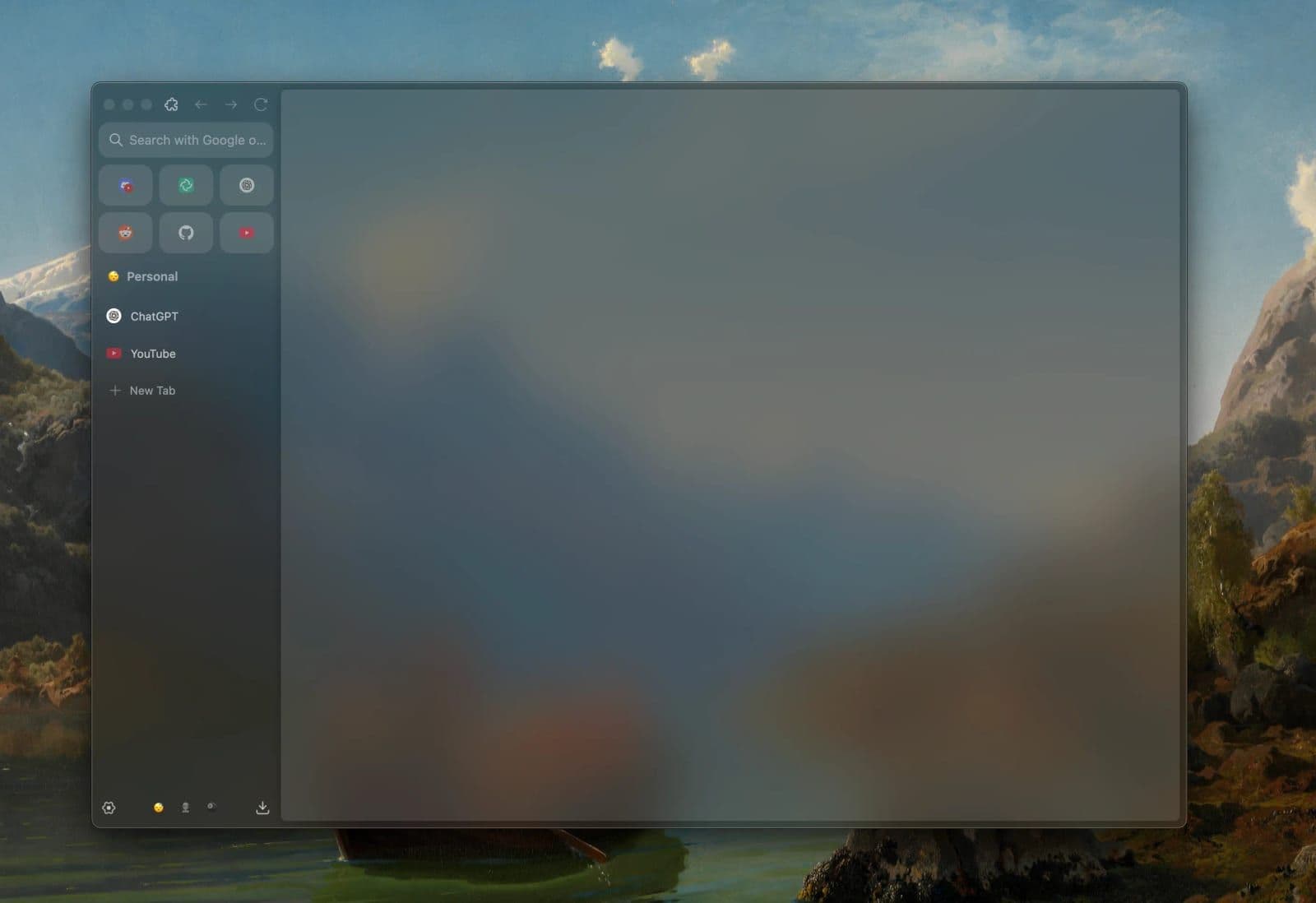
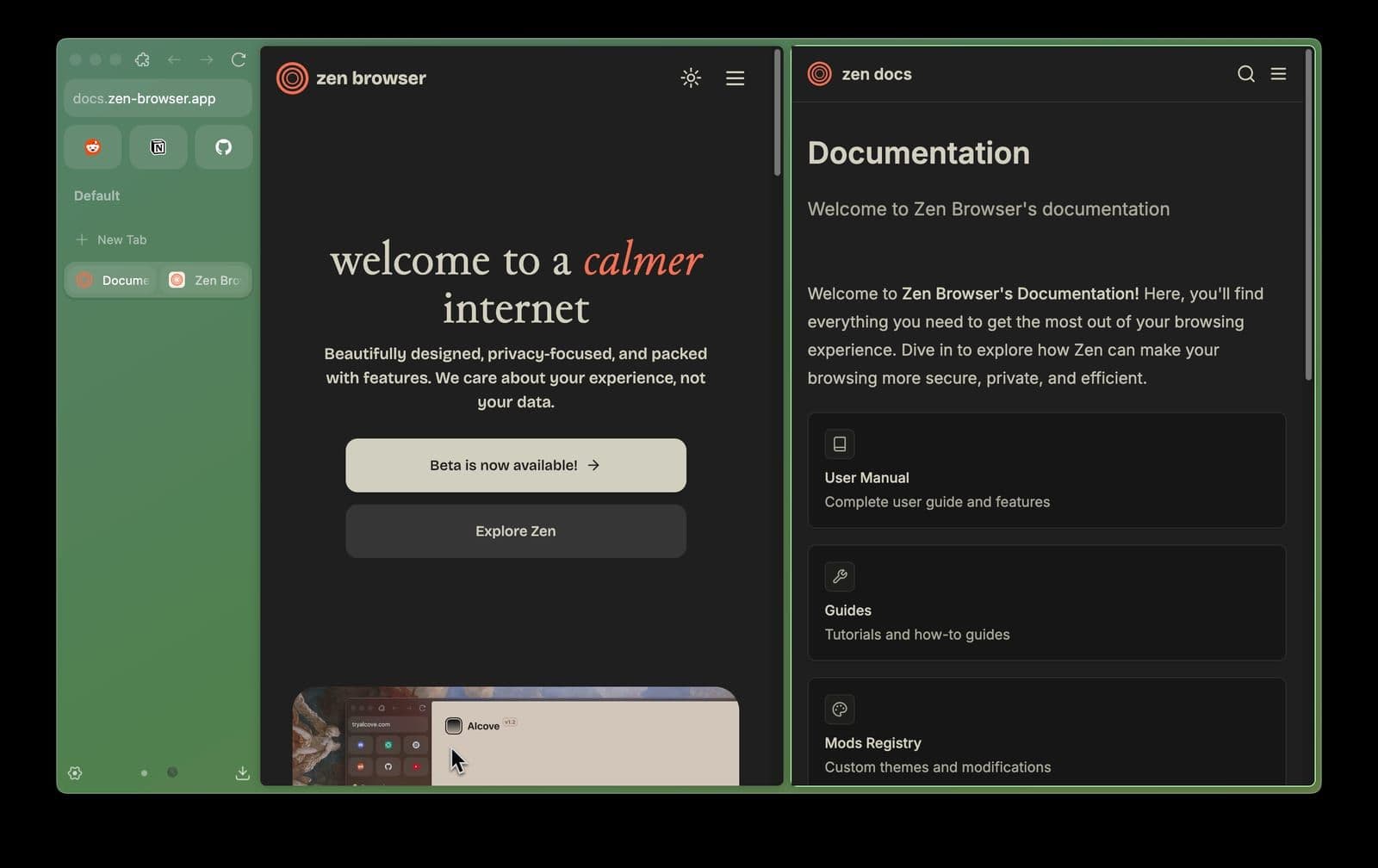
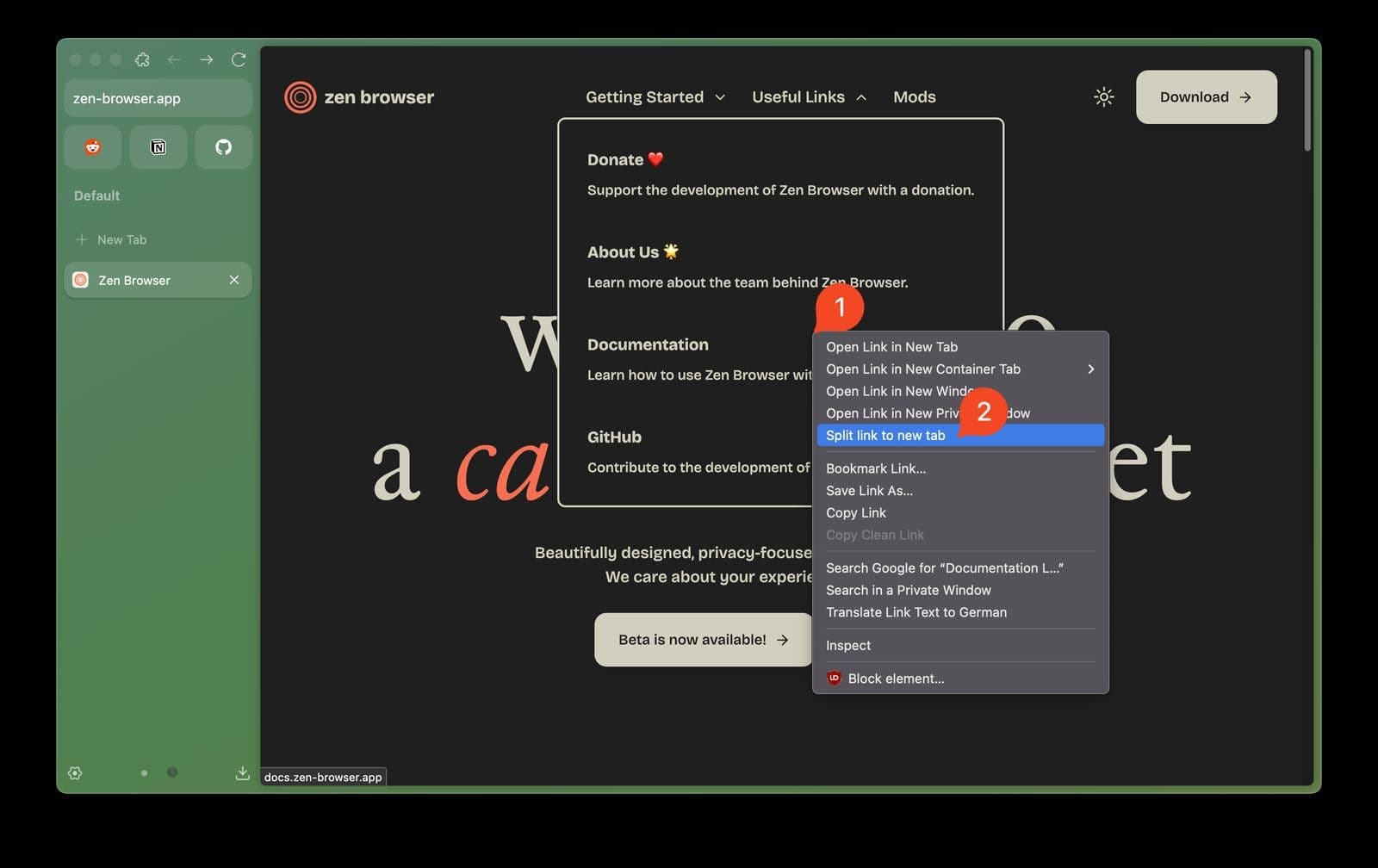
The homepage lists Workspaces to separate projects, Compact Mode to hide the tab bar when not needed, Glance for a quick link preview and Split View for two tabs side by side. The docs say Split View shows up to 4 tabs in horizontal, vertical or grid layouts. The Register (2 September 2024) praised the built-in vertical tab bar and Firefox extension support, though it was still alpha and tiling existing tabs was hard to figure out.
Limits to know
The FAQ says Zen has no Widevine license, so DRM content from Netflix, Spotify, Disney+, Prime Video, HBO Max and Apple Music does not play on Windows and macOS. It also says no Android or iOS versions are planned. The project is community-maintained and funded through sponsors and donations.
More analysis
Privacy and comparison
Zen's policy says no telemetry and no collection of history or search queries. Compared with stock Firefox, Zen removes telemetry and adds an Arc-style layout; people who want an organization-backed product or need DRM video may prefer Firefox, Brave or Vivaldi.
Screenshots
Plans & pricing
Prices last verified Nov 10, 2026
Zen Browser
PersonalFree
Free and open source under MPL-2.0, with no paid tier. The project is supported by sponsors and community donations through Patreon and Ko-fi.
- Free plan limits
- No feature limits are listed.
- Free trial
- No free trial
Cancellation & refunds
Not applicable; the browser is free.
Privacy
Zen's privacy policy (updated 5 February 2025) states it collects no telemetry or crash reports, no IP address, browsing history, search queries or form data, and allows no third-party trackers. Zen says it stripped Firefox's built-in telemetry. The policy also says the browser may make external connections at startup to check for updates, add-ons, connectivity and geolocation or push services; these may be logged by third parties and can be disabled in about:config. Sync uses Firefox Sync, with encrypted data stored on Mozilla's servers rather than Zen's. These are the developers' own statements; no independent audit was found to confirm them.
Zen Browser alternatives
 7.7/10
Mozilla Firefox
Mozilla's open-source browser with tracker blocking on by default and its own Gecko engine
 7.6/10
Google Chrome
The world's most-used browser, with data synced through your Google Account
Frequently asked questions
Is Zen Browser free?
Yes. Zen is free and open source under MPL-2.0, and no paid plan is listed.
Can Zen play Netflix?
Not on Windows or macOS. The FAQ says Zen has no Widevine license so DRM content does not play, and suggests Firefox or the service's own app.
Does Zen work with Firefox extensions and sync?
Yes. The privacy policy says you can install add-ons from addons.mozilla.org, and the FAQ says Zen integrates with Firefox Sync through a Mozilla account.
Is there a mobile version of Zen?
No. Zen is available for macOS, Windows and Linux, and the FAQ says no Android or iOS versions are planned.
Review evidence & sources12
Scores
- Ease of use
- 7.4
- Features
- 7.8
- Value for money
- 9.0
- Performance
- 6.8
- Support
- 5.8
- Privacy & security
- 8.2
Why this score
The Firefox base keeps it familiar and vertical tabs and split view are documented; The Register found tiling existing tabs hard to figure out in the 2024 alpha. The interface is English-only.
Why this score
Workspaces, Glance, a 4-tab split view, tab folders, Zen Mods and a vertical tab bar; no mobile version and no DRM.
Why this score
Entirely free and open source, with no paid tier or ads listed.
Why this score
No independent benchmark was found. Release notes show Windows crashes with security software and a Linux WebGL color bug were only fixed in 1.24.1b.
Why this score
Documentation, an FAQ, Discord, a status page and GitHub issue tracking, but no official company support channel.
Why this score
Self-declared no telemetry and no tracking plus open source; held below 9 because no independent audit was found and startup connections remain.
Sources
- Vendor-providedOfficial homepageNov 10, 2026
- Vendor-providedOfficial download pageNov 10, 2026
- Vendor-providedOfficial privacy policyNov 10, 2026
- Vendor-providedOfficial release notesNov 10, 2026
- Vendor-providedOfficial About pageNov 10, 2026
- Vendor-providedDocs: FAQNov 10, 2026
- Vendor-providedDocs: Split ViewNov 10, 2026
- Vendor-providedGitHub repositoryNov 10, 2026
- storeFlathub listingNov 10, 2026
- Community-reportedWikipedia: Zen BrowserNov 10, 2026
- pressThe Register (2024-09-02)Nov 10, 2026
- pressThe Business Standard (2024-09-20)Nov 10, 2026
Specs & compatibility
- Developer
- Zen Browser contributors
- Headquarters
- Unknown Region
- Launched
- 2024
- Category
- Utilities
Capabilities
- Open source
- Integrations
- Works offline
Platforms
- Windows
- macOS
- Linux
Interface languages
- English
Integrations
- Firefox extensions
- Firefox Sync (Mozilla account)
- Zen Mods
Support
- Community forum
- Help center
Change history
- Feature.v1.24.1b moved to Firefox 159.0.1 and fixed Windows crashes and a Linux WebGL color bug.
- Feature.Release of v1.24b on Firefox 159.0.
- Feature.Release of v1.17b on Firefox 144.0.
Full change history (6)
- Update.Last-updated date shown on Zen's privacy policy.
- Update.The Register reviewed Zen's 1.0.0-a.32 alpha, praising the vertical tab bar and Firefox extension compatibility.
- Launch.First release of Zen Browser, per Wikipedia.
About the author
Reviews & comments
Written by readers with a verified email address.
No reviews yet. Have you used Zen Browser? Share your real experience.
Reader reviews are counted separately and do not affect the Editorial Team’s score.
No comments yet. Be the first to share your experience.
Comments are readers’ opinions, not content from the AppDuo Editorial Team.