Source-backed analysis10
Review basis
Research-based review: the AppDuo Editorial Team compiled it from official pages, documentation, app stores, press and user feedback, without hands-on testing. Every claim links to a source with the date it was checked.
10 reference sourcesInformation updated Nov 11, 2026
How we review
Sublime Text Review
Fast, lightweight code editor sold as a one-time license with 3 years of updates
By AppDuo Editorial Team · Fact-checked
- Windows
- macOS
- Linux
On this page
Decide at a glance
Our verdict
Suits people who want a compact, fast editor and are willing to buy a license rather than use a free tool. The trade-offs: the vendor's pages mention no AI features, many IDE-style features come from plugins, and the one-time license covers only 3 years of updates.
Best for: Developers who want an editor that opens files quickly and stays light
Skip it if: People who want a fully free editor
Pros
- GPU-rendered interface with native Apple Silicon and Linux ARM64 builds, per the homepage
- One personal key covers all of the owner's computers and operating systems
- One-time purchase; builds released within the 3 years stay usable afterwards
Cons
- A paid license is required for continued use after evaluation
- After 3 years, newer builds need an upgrade license
All pros and cons · Who is it for?
More pros
- Python API expanded in version 4 so plugins such as LSP work better, per the homepage
More cons
- The vendor's pages mention no AI features; LSP support comes from a plugin
- Interface appears English-only in the pages reviewed
Best for
- People who like customising through JSON settings and Python plugins
Skip it if
- People who need AI or full IDE features out of the box
Experience & key features
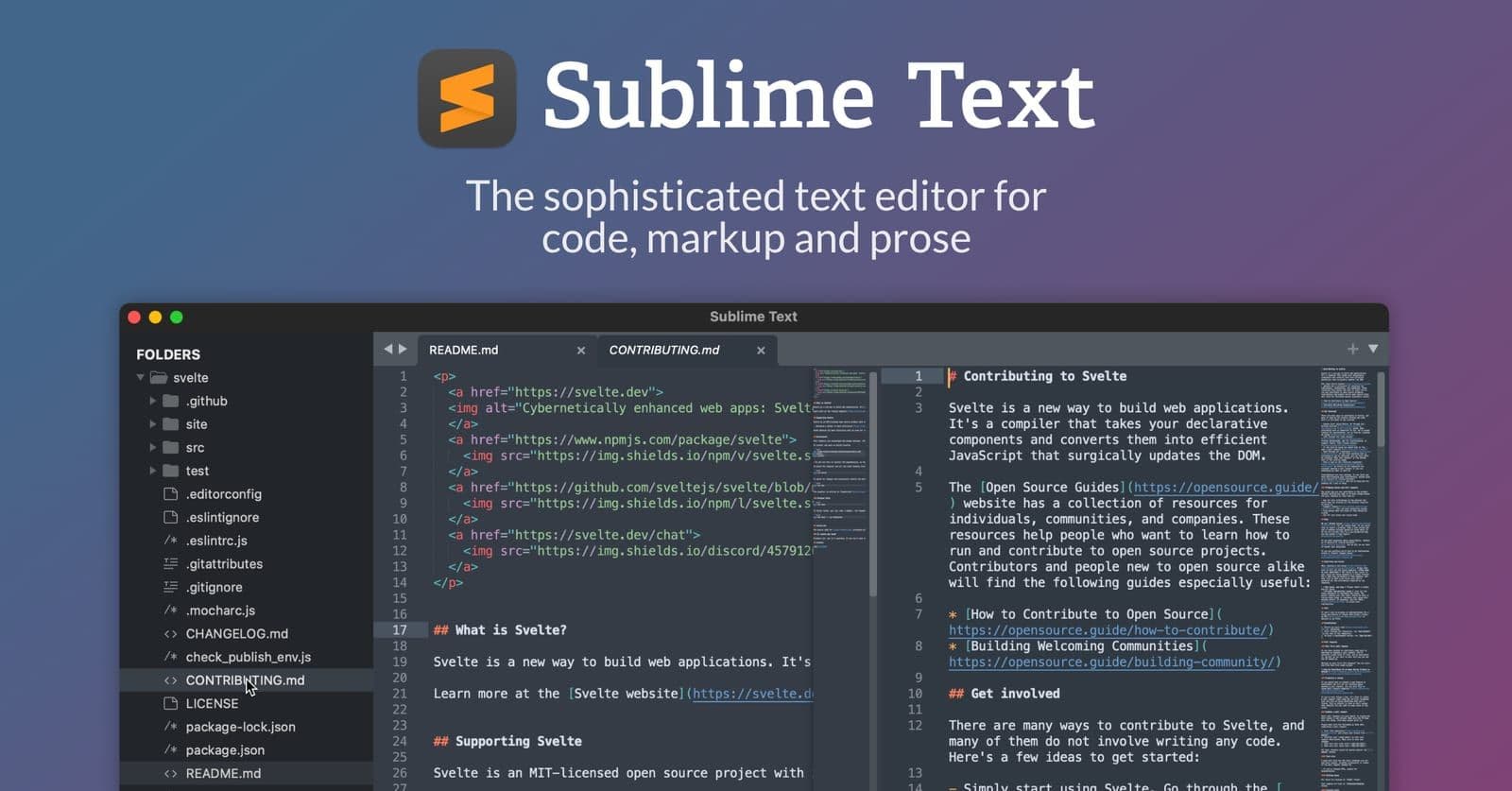
Sublime Text is a code editor from Sublime HQ; version 1.0 shipped for Windows on 18 January 2008, per Wikipedia. It runs on Windows, macOS and Linux, and the latest stable build on the download page is 4215, dated 25 September 2026.
Per the version 4 announcement (21 May 2021) and the homepage, the main points are GPU rendering, tab multi-select, completions based on project code, TypeScript/JSX support, a new syntax engine and a Python 3.8 API that stays compatible with version 3 packages. The docs also cover Git integration, build systems and a safe mode.
The personal license costs 99 USD one-time with 3 years of updates; newer builds after that need an upgrade. The business license is an annual per-seat subscription, from 65 USD/seat/year for the first 10 seats down to 50 USD/seat/year beyond 50. The two serve different buyers, so their prices are not directly comparable.
Compared with Visual Studio Code or Zed, Sublime Text is paid, the vendor's pages mention no AI, and LSP comes from a plugin. In return, the homepage stresses speed and a light footprint. It suits people who want a fast editor more than those who want a full IDE out of the box.
Screenshots

Plans & pricing
Prices last verified Nov 11, 2026
Personal
PersonalContact sales
One-time 99 USD with 3 years of updates; one key covers all of the owner's computers and operating systems.
Business
Business$5.42/mo/user
Annual per-seat subscription: 65 USD/seat/year for seats 1–10, 60 USD for 11–25, 55 USD for 26–50, 50 USD beyond 50. The monthly figure is 65 USD divided by 12.
- Free plan limits
- The pricing page says it can be downloaded and evaluated for free but a license must be bought for continued use; no evaluation period is stated.
- Free trial
- No free trial
Cancellation & refunds
The sales FAQ says refunds are available within 30 days of purchase by email. The same page warns that, due to high email volume, a timely reply is not always possible.
Privacy
The pages reviewed do not describe a privacy policy or what data the editor collects, so this review makes no claim about data transmission. Sublime Text is a local desktop editor; check Sublime HQ's own policy.
Sublime Text alternatives


Controversies & incidents
Issues documented by the press, regulators, courts or the vendor itself. Every item is sourced; unproven claims are labelled as allegations. Last researched: Nov 11, 2026
- Low impactAllegedBilling ·
Users objected to the 'LICENSE UPGRADE REQUIRED' banner
After the May 2021 update, some users saw a banner requiring a license upgrade and objected to the 3-year update policy.
Read the full account
Per a Sublime forum thread (26 May 2021), a user saw 'LICENSE UPGRADE REQUIRED' in the title bar after updating. A community member explained that licenses now include 3 years of updates, after which users can keep their current build or pay for an upgrade. Some users said their version 3 licenses had no expiry. Sublime HQ's sales FAQ states that version 3 licenses do not expire but moving to version 4 requires an upgrade fee. These are user reports on a forum, not findings by any authority.
Sources:Diễn đàn Sublime: LICENSE UPGRADE REQUIRED (2021-05)Bài giới thiệu Sublime Text 4Sales FAQ
Frequently asked questions
Is Sublime Text free?
You can download and evaluate it for free, but the pricing page says a license is required for continued use. The personal license is 99 USD.
Does the license expire?
Per the version 4 announcement, a key covers every build released within three years of purchase; newer builds need an upgrade.
Is there a refund?
Yes. The sales FAQ says refunds are available within 30 days of purchase by email.
Which operating systems are supported?
Windows 10 or later, macOS 10.13 or later, and Linux including ARM64 builds, per the download page.
Review evidence & sources10
Scores
- Ease of use
- 7.5
- Features
- 7.0
- Value for money
- 6.5
- Performance
- 8.0
- Support
- 6.0
- Privacy & security
- 6.5
Why this score
The homepage and docs cover Goto Anything and multiple selections; JSON-based configuration takes some getting used to. The interface appears English-only.
Why this score
Includes Git integration, build systems, a Python API and built-in TypeScript/JSX support. LSP comes via a plugin and the vendor's pages mention no AI, so it is narrower than full IDEs.
Why this score
99 USD one-time with 3 years of updates, while several comparable editors are free. On the vendor's forum, some users objected to the 3-year update policy.
Why this score
The homepage cites GPU rendering, lower memory use and faster load times, and TrustRadius's review summary notes users praising its speed. AppDuo has no independent measurements.
Why this score
Docs, a community forum and email. The vendor's own sales FAQ says that, due to high email volume, a timely reply is not always possible.
Why this score
No reported data incident was found, but no specific privacy policy could be read, so the score stays moderate.
What users say
- TrustRadius8.7/10 · 218
Sources
- Vendor-providedTrang chủ Sublime TextNov 11, 2026
- Vendor-providedTrang giá Sublime HQNov 11, 2026
- Vendor-providedTrang tải vềNov 11, 2026
- Vendor-providedBài giới thiệu Sublime Text 4Nov 11, 2026
- Vendor-providedTài liệu hướng dẫnNov 11, 2026
- Vendor-providedBản dev mới nhấtNov 11, 2026
- Vendor-providedSales FAQNov 11, 2026
- Community-reportedWikipedia: Sublime TextNov 11, 2026
- Community-reportedDiễn đàn Sublime: LICENSE UPGRADE REQUIRED (2021-05)Nov 11, 2026
- review-siteTrustRadius: đánh giá Sublime TextNov 11, 2026
Specs & compatibility
- Developer
- Sublime HQ
- Headquarters
- Australia
- Launched
- 2008
- Category
- Development
Capabilities
- Works offline
- Integrations
Platforms
- Windows
- macOS
- Linux
Interface languages
- English
Integrations
- Sublime Merge
- Package Control (gói bổ trợ bên thứ ba)
Support
- Community forum
- Help center
Change history
- Feature.Build 4215 is the latest stable build on the download page.
- Feature.First stable Sublime Text 4, with GPU rendering and native Apple Silicon support.
- Price.Keys are no longer tied to a major version; each key covers three years of updates.
Full change history (6)
- Feature.Sublime Text 3 officially released.
- Feature.Version 2 released, the first for Linux and OS X.
- Launch.Sublime Text 1.0 released for Windows.
About the author
Reviews & comments
Written by readers with a verified email address.
No reviews yet. Have you used Sublime Text? Share your real experience.
Reader reviews are counted separately and do not affect the Editorial Team’s score.
No comments yet. Be the first to share your experience.
Comments are readers’ opinions, not content from the AppDuo Editorial Team.