Source-backed analysis8
Review basis
Research-based review: the AppDuo Editorial Team compiled it from official pages, documentation, app stores, press and user feedback, without hands-on testing. Every claim links to a source with the date it was checked.
8 reference sourcesInformation updated Nov 12, 2026
How we review
Screen Studio Review
Mac screen recorder with auto-zoom and cursor smoothing, sold by subscription only
By AppDuo Editorial Team · Fact-checked
- macOS
On this page
Decide at a glance
Our verdict
A good fit for Mac users who make demos, tutorials and product videos and want a polished recording without much editing. The trade-offs: it is macOS-only, and since October 2025 new buyers can no longer get a one-time license.
Best for: People making product demos and tutorials on a Mac
Skip it if: Teams on Windows or Linux, since the app is macOS-only
Pros
- Automatic zoom, cursor smoothing, click effects and webcam layouts give a polished recording with little editing
- Transcript-based editing, noise reduction, captions, sensitive-data masking and face blurring (version 4.1)
- Per the homepage, recordings are stored and processed on the Mac; uploads happen only for shareable links, shared projects or optional cloud transcription
Cons
- macOS-only; the homepage says there are no near-future plans for Windows
- New customers can no longer buy the one-time 229 USD license; only the subscription remains, at 29 USD/month or 9 USD/month billed yearly
All pros and cons · Who is it for?
More pros
- Rated 4.9/5 on Product Hunt across 194 reviews
More cons
- The terms state that fees are non-refundable
- A Product Hunt reviewer, quoted by competitor Trainn, said a three-hour recording came to 40 GB
Best for
- Creators who turn screen recordings into vertical or square clips for social media
Skip it if
- Buyers who want a one-time purchase rather than a subscription
Experience & key features
Screen Studio is a macOS-only screen recorder made by Adam Pietrasiak, whose business is registered in Kraków, Poland. It first launched on Product Hunt on 9 November 2022, followed by version 3.0 on 6 February 2025 and version 4.0 on 1 November 2026.
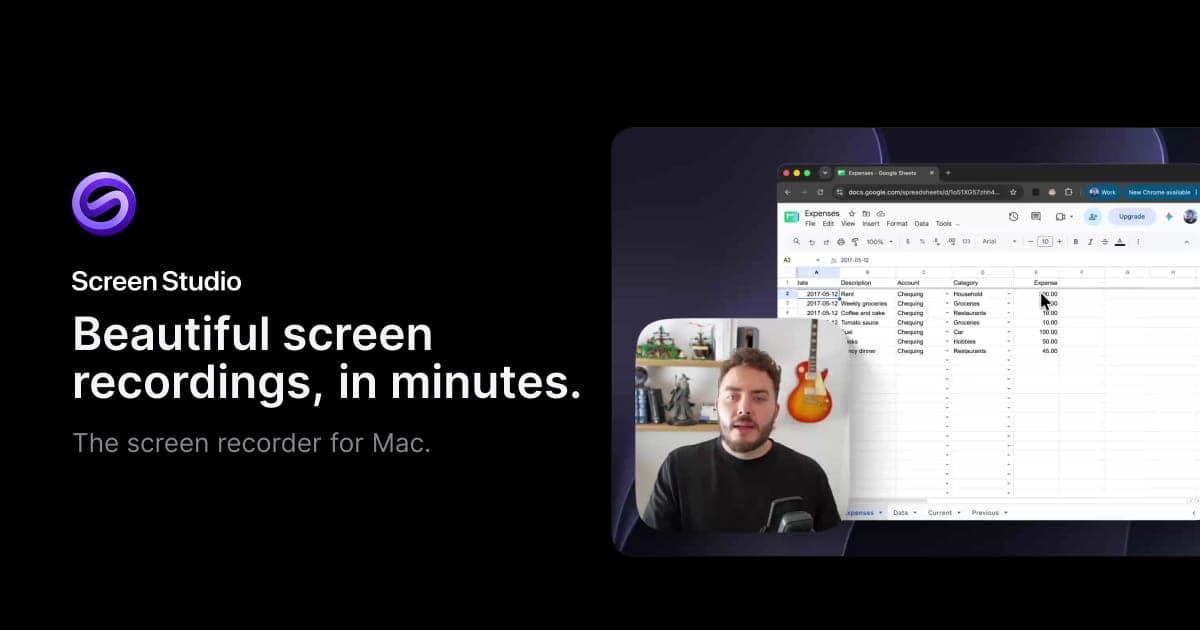
What sets it apart is automatic post-production: cursor-following zoom, motion smoothing, webcam layouts, backgrounds, captions and transcript-based editing. Version 4 adds the Glass Loupe magnifier, an on-device upscaler that sharpens zoomed text, webcam background removal (beta) and color grading with presets or LUT files. Per AlternativeTo on 26 October 2026, version 4.1 adds automatic sensitive-data hiding, face blur and ProRes export.
The homepage lists 29 USD/month, or 9 USD/month billed yearly, with every feature in both and 40% off for students and educators. In October 2025 the one-time 229 USD license was withdrawn for new customers. The founder told AlternativeTo that the price 'was not justified' and that a small self-funded team relies on subscriptions.
Screen Studio is built for quickly polished recordings rather than full video editing. For multi-layer editing or Windows, OBS Studio, Descript or CapCut may suit better depending on the need. Since the terms say fees are non-refundable, weigh that before paying for a year.
Screenshots
Plans & pricing
Prices last verified Nov 12, 2026
Screen Studio
Personal$29/mo/user
$9/mo billed yearly
Monthly and yearly plans include every feature: MP4 export up to 4K at 60 fps, shareable links and cloud transcription. Students and educators get 40% off.
- Free trial
- No free trial
Cancellation & refunds
The terms of service state that fees are non-refundable. You can cancel at any time; the subscription stays active until the end of the current term.
Privacy
Per the privacy policy, recordings and project files are stored and processed on your device and uploaded only when you create a shareable link (hosted on Cloudflare). The policy lists 14 processors, including Cloudflare, PostHog, Sentry, Lemon Squeezy and Speechify. Usage data for product development is collected only with consent, while Plausible runs without consent because it sets no tracking cookies. The policy calls blur and highlight creative editing tools, not privacy-redaction or legal-compliance tools, and notes that project files keep the original unblurred footage. The data controller is based in Kraków, Poland, and the policy is written for GDPR.
Screen Studio alternatives


Controversies & incidents
Issues documented by the press, regulators, courts or the vendor itself. Every item is sourced; unproven claims are labelled as allegations. Last researched: Nov 12, 2026
- Low impactResolvedBilling ·
One-time license withdrawn; some users objected
Per AlternativeTo, the 229 USD license was withdrawn for new customers and some users called the change misleading. The founder acknowledged the email was unclear and explained the reasoning.
Read the full account
AlternativeTo reported the change on 1 October 2025. Existing license owners get up to two years of free updates (eligibility through 25 September 2027), can keep using their version afterwards, and can buy a renewal without moving to a subscription. Per the article, some users called the change 'misleading'. The founder said the email was meant only for license owners and should have stated more clearly that renewals remain available after 2027; he also said the 229 USD price 'was not justified', had low adoption, and that a self-funded team of five relies on subscriptions.
Vendor response
The founder said the email should have been clearer about renewals after 2027 and explained the shift to subscriptions.
Sources:AlternativeTo (2025-10-01)
Frequently asked questions
Does Screen Studio run on Windows?
No. The homepage says it is macOS-only and there are no near-future plans for Windows.
Can I still buy a one-time license?
Not as a new customer. The homepage says one-time licenses are no longer sold, though existing licenses remain valid and can be renewed for updates.
Are my recordings uploaded?
Per the privacy policy, recordings are processed locally and uploaded only when you create a shareable link. Cloud transcription is optional and uploads your microphone audio; the version 4 page says filler-word detection needs a cloud transcript.
Is there a refund?
The terms of service say fees are non-refundable. You can cancel anytime; the subscription runs until the end of the paid term.
Review evidence & sources8
Scores
- Ease of use
- 8.2
- Features
- 8.3
- Value for money
- 6.8
- Performance
- 7.8
- Support
- 6.5
- Privacy & security
- 7.6
Why this score
Zoom and cursor smoothing are automatic, and Reel mode overlays the Instagram or TikTok interface to preview what gets covered. The sources checked mention no interface language other than English.
Why this score
Zoom, camera layouts, transcript editing, captions, masks, iPhone/iPad capture over USB and ProRes export since 4.1. Competitor Trainn reports that multi-track audio editing is limited.
Why this score
9 USD/month on yearly billing is moderate, but 29 USD/month on monthly billing is high. There is no one-time option and fees are non-refundable.
Why this score
The vendor says exports are up to 3x faster on Apple silicon Macs and new recordings up to 2x smaller. These are vendor figures; one reviewer reports very large files on long recordings.
Why this score
Support is by email ([email protected]); no chat or phone channel was found. The founder describes a self-funded team of five.
Why this score
Local processing by default, usage data only with consent, and a Poland-based controller under GDPR. Points off for 14 processors, cloud transcription uploading microphone audio, and the company's own note that blur is not a compliance-grade redaction tool.
What users say
- Product Hunt4.9/5 · 194
Sources
- Vendor-providedOfficial website and pricingNov 12, 2026
- Vendor-providedOfficial Screen Studio 4 pageNov 12, 2026
- Vendor-providedOfficial privacy policyNov 12, 2026
- Vendor-providedOfficial terms of serviceNov 12, 2026
- pressAlternativeTo (2025-10-01)Nov 12, 2026
- pressAlternativeTo on Screen Studio 4.1 (2026-10-26)Nov 12, 2026
- review-siteProduct Hunt listingNov 12, 2026
- review-siteTrainn review (a competing vendor)Nov 12, 2026
Specs & compatibility
- Developer
- Timpler Adam Pietrasiak (Screen Studio)
- Headquarters
- Poland
- Launched
- 2022
- Category
- Productivity
Capabilities
- AI features
Platforms
- macOS
Interface languages
- English
Support
Change history
- Feature.Version 4.0 launched on Product Hunt, ranking #1 of the day and #2 of the week.
- Feature.Version 4.1 added sensitive-data hiding, face blur and ProRes export (per AlternativeTo).
- Price.AlternativeTo reported that the one-time 229 USD license was withdrawn for new customers.
Full change history (5)
- Feature.Version 3.0 launched on Product Hunt, ranking #1 of the day and #1 of the year.
- Launch.Screen Studio launched on Product Hunt, ranking #1 of the day and #3 of the week.
About the author
Reviews & comments
Written by readers with a verified email address.
No reviews yet. Have you used Screen Studio? Share your real experience.
Reader reviews are counted separately and do not affect the Editorial Team’s score.
No comments yet. Be the first to share your experience.
Comments are readers’ opinions, not content from the AppDuo Editorial Team.