Source-backed analysis11
Review basis
Research-based review: the AppDuo Editorial Team compiled it from official pages, documentation, app stores, press and user feedback, without hands-on testing. Every claim links to a source with the date it was checked.
11 reference sourcesInformation updated Nov 10, 2026
How we review
OBS Studio Review
Free open-source screen recording and live streaming software for Windows, macOS and Linux
By AppDuo Editorial Team · Updated
- Windows
- macOS
- Linux
On this page
Decide at a glance
Our verdict
OBS Studio suits anyone who needs to record the screen or stream with multiple scenes and sources without paying. The trade-off is a dense interface that beginners often find steep, and support that relies mainly on documentation and the community.
Best for: Streamers and video makers who combine several sources (screen, webcam, images, browser) and broadcast to Twitch or YouTube
Skip it if: Users who only need a quick screen clip and want something with minimal setup
Pros
- Completely free and open source under the GPL, with no paid tier in the sources reviewed
- Unlimited scenes, custom transitions, Studio Mode, Multiview and an audio mixer with VST plugin support
- Supports hardware encoders NVENC, AMF, QuickSync and Apple VideoToolbox
Cons
- A dense interface that is easy to misconfigure; a review by Movavi (October 2025), which sells its own screen recorder, cites a confusing interface that can lead to streaming the wrong feed
- No dedicated customer support; help comes from the documentation portal, Discord and forums
All pros and cons · Who is it for?
Pros
- An Auto-Configuration Wizard on first launch, and a plugin API for native plugins plus Lua and Python scripts
- On Steam, 95% of 12,972 English reviews are positive
Cons
- Not a video editor; performance depends on hardware, encoder and scene complexity
Best for
- People who want a free, open-source screen recorder that can be extended with plugins
Skip it if
- Anyone needing post-production editing: OBS focuses on capture and streaming rather than video editing
Problems it solves
Experience & key features
What is OBS Studio?
OBS Studio is free, open-source software for video recording and live streaming. It was started by Lain Bailey with a first release in 2012. From 2013 a cross-platform rewrite, later renamed OBS Studio, was developed, and in 2016 the original OBS Classic lost support, leaving OBS Studio as the main version. It runs on Windows, macOS and Linux; version 33.0.1 was released on 29 October 2026.
How it works and key features
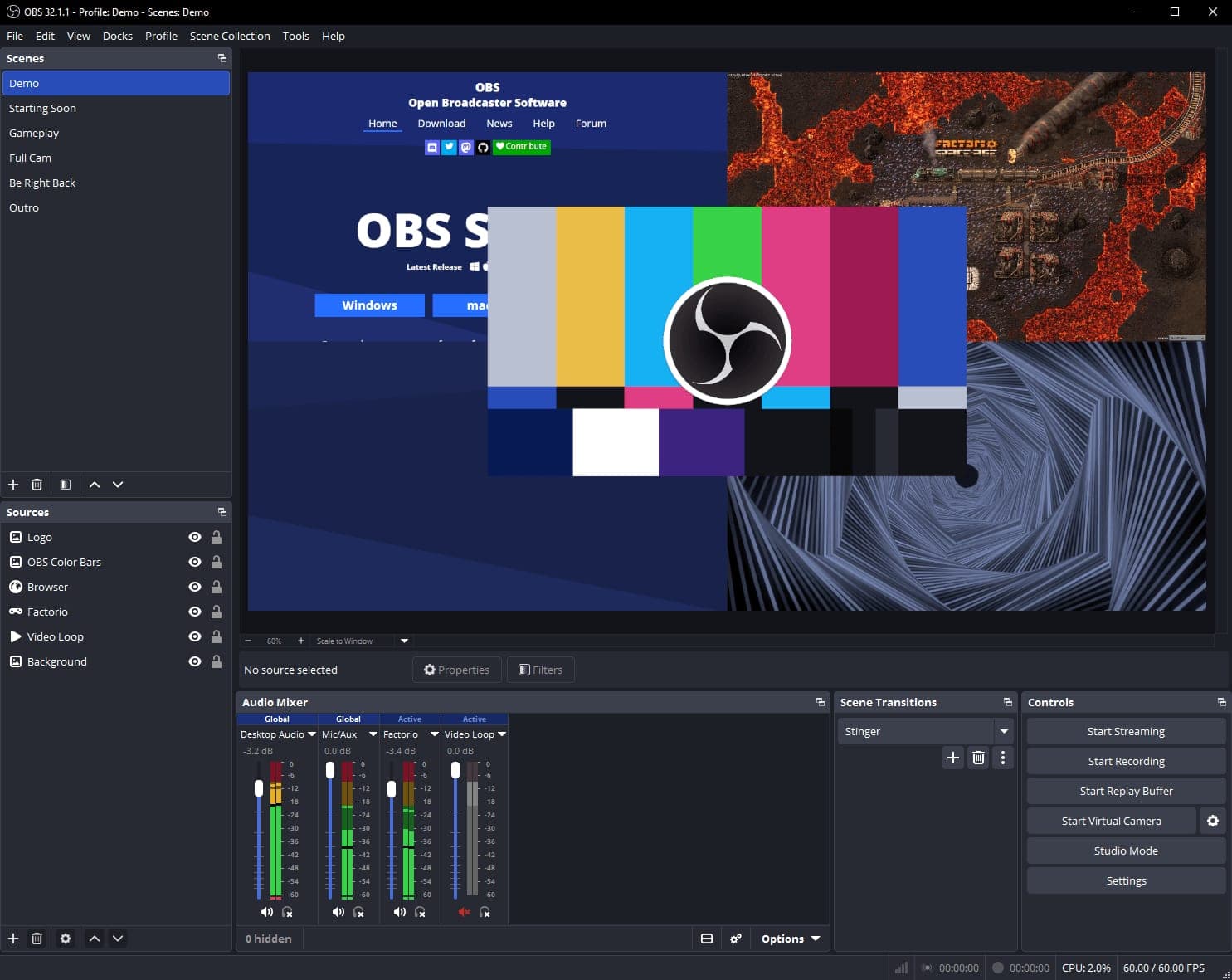
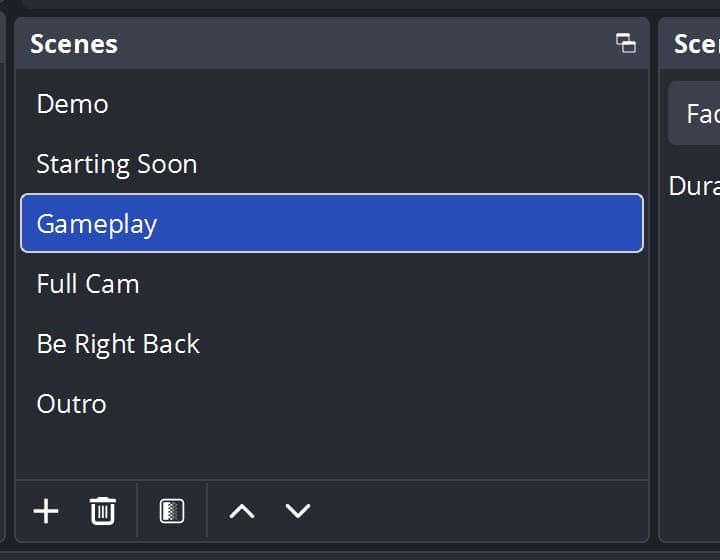
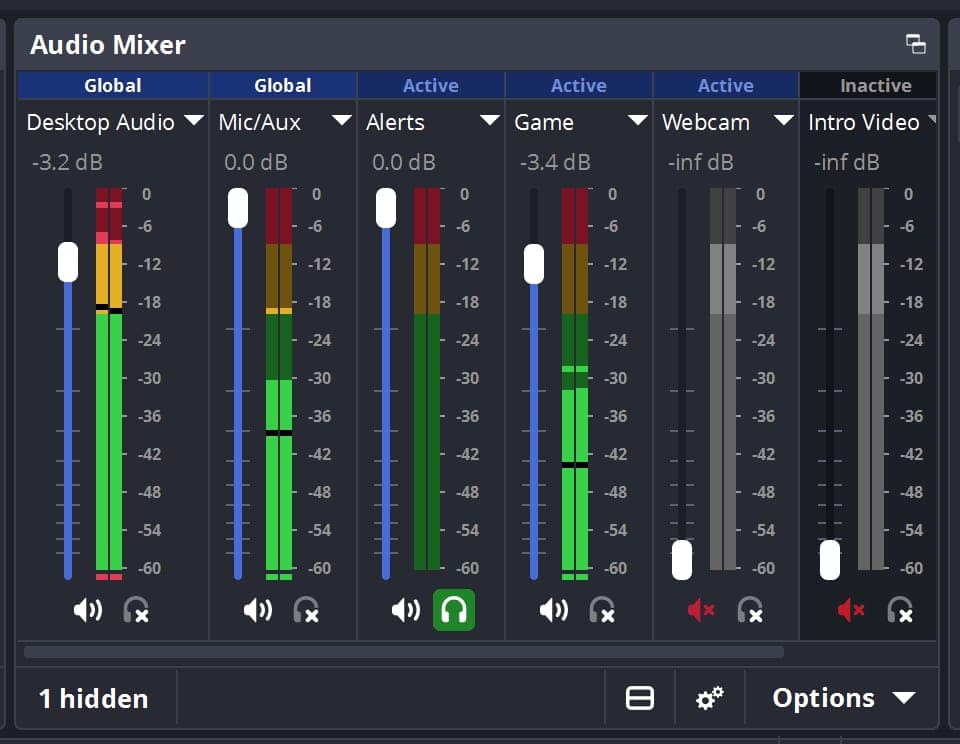
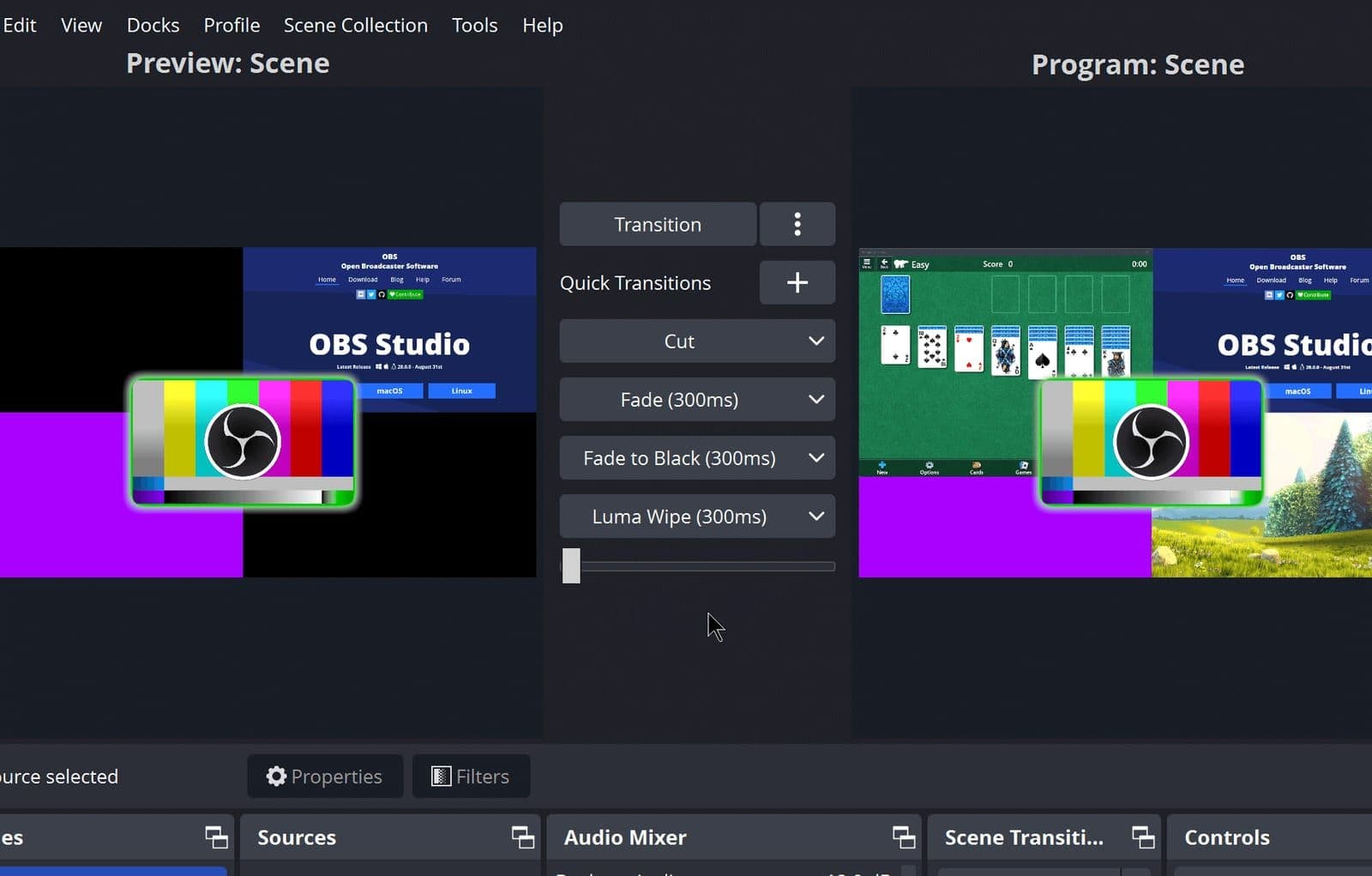
You build scenes from many sources: window or display capture, games, images, text, browser pages, webcams and capture cards. Scenes are unlimited and can have their own transitions. The audio mixer has per-source filters and supports VST plugins, alongside hotkeys, Studio Mode for previewing, Multiview and a dockable interface. On first launch the Auto-Configuration Wizard suggests settings based on your goal, hardware and network. According to the documentation, hardware encoders include NVENC, AMF, QuickSync and Apple VideoToolbox.
Pricing and funding
OBS Studio is free. The contribute page says the project relies on voluntary contributions through Open Collective and Patreon. Major sponsors include YouTube, Logitech and Twitch (Premier) and NVIDIA, AMD, Intel, Yamaha and Steinberg (Diamond). The sources reviewed show no paid plan or locked features.
More analysis
Who it is for
It suits people who want fine control over recording or live broadcasts. The weak point is the learning curve: a review by Movavi (October 2025), which sells a competing screen recorder, cites a confusing interface and possible system lag. Editors such as Descript cover the post-recording stage, while OBS focuses on capture and streaming.
Screenshots
Plans & pricing
Prices last verified Nov 10, 2026
OBS Studio
PersonalFree
Free and open source (GPL-2.0-or-later per Wikipedia). The project is funded by donations through Open Collective and Patreon, plus sponsors.
- Free plan limits
- The sources reviewed show no paid tier or locked features. The contribute page only lists sponsorship and donation levels.
- Free trial
- No free trial
Cancellation & refunds
Not applicable since the software is free. Voluntary donations are handled by Open Collective or Patreon.
Privacy
The privacy policy (updated 6 August 2025, issued by Wizards of OBS LLC) covers the websites, the OBS software and related services. It states that personal information is not sold or used for targeted advertising, and the websites use Google Analytics. It mentions collecting performance data, including crashing, network and tracing, but does not spell out what the desktop app itself sends. Data is stored and processed in the United States. Because the project is open source, the code is publicly viewable on GitHub; AppDuo has not audited the code to confirm what is transmitted.
Frequently asked questions
Is OBS Studio free?
Yes. It is free, open-source software. The project accepts voluntary donations, but the sources reviewed show no paid plan.
Which operating systems does OBS Studio run on?
The homepage lists Windows 10 and 11, macOS 13.0 or newer, and Linux. The documentation's system requirements page still says macOS 11 (Big Sur), which may be out of date, so treat the download page as authoritative.
Can OBS stream to Twitch and YouTube?
Yes. The Steam page and the GitHub README mention streaming to Twitch, YouTube and Facebook Live, and version 33.0.1 fixed Twitch and YouTube login crashes.
Does OBS collect user data?
The policy mentions collecting performance data, including crashing, network and tracing, and says personal information is not sold. It does not detail what the installed app sends.
Review evidence & sources11
Scores
- Ease of use
- 6.8
- Features
- 8.8
- Value for money
- 9.2
- Performance
- 7.8
- Support
- 6.5
- Privacy & security
- 7.5
Why this score
An Auto-Configuration Wizard and quick-start guide help, but newcomers still have to learn scenes, sources and encoders. Movavi (October 2025) calls the interface confusing.
Why this score
Unlimited scenes, Studio Mode, Multiview, audio mixer, plugin API and several hardware encoders. Marked down for having no post-production editing.
Why this score
Free and open source with no paid tier in the sources reviewed, and a feature set comparable to many paid tools. Scored in line with other free open-source tools such as 7-Zip; the only hidden cost is the time it takes to learn.
Why this score
Hardware encoders can offload the CPU. The documentation says results depend on the system and settings, and Movavi notes possible system lag.
Why this score
Documentation, guides, Discord and forums are extensive, but no support channel commits to a response time; in line with other free tools that rely on community help.
Why this score
Open source under the GPL, and the policy says data is not sold. Marked down because the policy mentions collecting performance data without saying what the desktop app sends, and the websites use Google Analytics.
What users say
- Steam (English reviews, % positive)95.0/100 · 12,972
Sources
- Vendor-providedOfficial homepageNov 10, 2026
- Vendor-providedOfficial contribute and sponsors pageNov 10, 2026
- Vendor-providedOfficial privacy policyNov 10, 2026
- Vendor-providedOfficial system requirementsNov 10, 2026
- Vendor-providedOfficial quick start guideNov 10, 2026
- Vendor-providedOfficial hardware encoding guideNov 10, 2026
- Vendor-providedGitHub releasesNov 10, 2026
- Vendor-providedGitHub repositoryNov 10, 2026
- storeSteam store pageNov 10, 2026
- Community-reportedWikipedia: OBS StudioNov 10, 2026
- review-siteMovavi: OBS Studio Review (2025-10-13)Nov 10, 2026
Specs & compatibility
- Developer
- OBS Project
- Headquarters
- United States
- Launched
- 2012
- Category
- Utilities
Capabilities
- Open source
- Works offline
- Integrations
Platforms
- Windows
- macOS
- Linux
Interface languages
- English
- Vietnamese
- French
- German
- Spanish
- Portuguese
- Japanese
- Chinese
- Korean
- Russian
- Thai
- Indonesian
Integrations
- Twitch
- YouTube
- Facebook Live
- Steam
- FFmpeg
- VST plugin
- Lua
- Python
Support
- Help center
- Community forum
- Video tutorials
Change history
- Feature.OBS Studio 33.0.1 fixes startup and Twitch/YouTube login crashes.
- Feature.OBS Studio 33.0.0: CEF updated from 127 to 150, plugin loading overhauled, NVENC enabled on Arm64, Ubuntu 24.04 support removed.
- Feature.OBS Studio released on Steam for Windows and Mac (Wikipedia gives March 2022).
Full change history (7)
- Update.A developer flagged TikTok's Live Studio app as apparently based on OBS Studio without credit, which Wikipedia says violated OBS's license.
- Company.OBS Classic loses support and OBS Studio becomes the primary version (Wikipedia gives only the year 2016).
- Update.Release date listed on the OBS Studio Steam page.
- Launch.First OBS release by Lain Bailey (Wikipedia gives August 2012 in the text and 1 September 2012 in the infobox).
About the author
Reviews & comments
Written by readers with a verified email address.
No reviews yet. Have you used OBS Studio? Share your real experience.
Reader reviews are counted separately and do not affect the Editorial Team’s score.
No comments yet. Be the first to share your experience.
Comments are readers’ opinions, not content from the AppDuo Editorial Team.