Source-backed analysis7
Review basis
Research-based review: the AppDuo Editorial Team compiled it from official pages, documentation, app stores, press and user feedback, without hands-on testing. Every claim links to a source with the date it was checked.
7 reference sourcesInformation updated Nov 10, 2026
How we review
Proton Authenticator Review
Proton's free, open-source 2FA app with end-to-end encryption on every platform
By AppDuo Editorial Team · Updated
- iOS
- Android
- macOS
- Windows
- Linux
On this page
Decide at a glance
Our verdict
Proton Authenticator suits people who want a free 2FA app that syncs between phone and desktop without tying them to one ecosystem. The trade-offs are a short track record (launched 31 July 2025) and that it only generates codes, with no password-manager autofill.
Best for: People moving from Google Authenticator or another 2FA app who want encrypted backup, sync and export
Skip it if: People who want a password manager that autofills with 2FA; this app only generates codes
Pros
- Free with no ads, and Proton says it will always be free on desktop and mobile
- No Proton account required; codes can stay on one device or sync through iCloud
- Imports from Google Authenticator, 2FAS, Aegis, Bitwarden Authenticator, Ente Auth and LastPass Authenticator, and can export
Cons
- Launched on 31 July 2025, so it has a shorter track record than long-established 2FA apps
- Official import list covers six apps; others depend on compatible export formats
All pros and cons · Who is it for?
More pros
- Open source, end-to-end encrypted sync and backup, and biometric or PIN lock
- Strong store ratings: 4.9/5 (17.8K reviews) on Google Play and 4.6/5 on the App Store
More cons
- Google Play's data-safety section says the app may collect personal info, which does not fully match Proton's "no data collection" claim
Best for
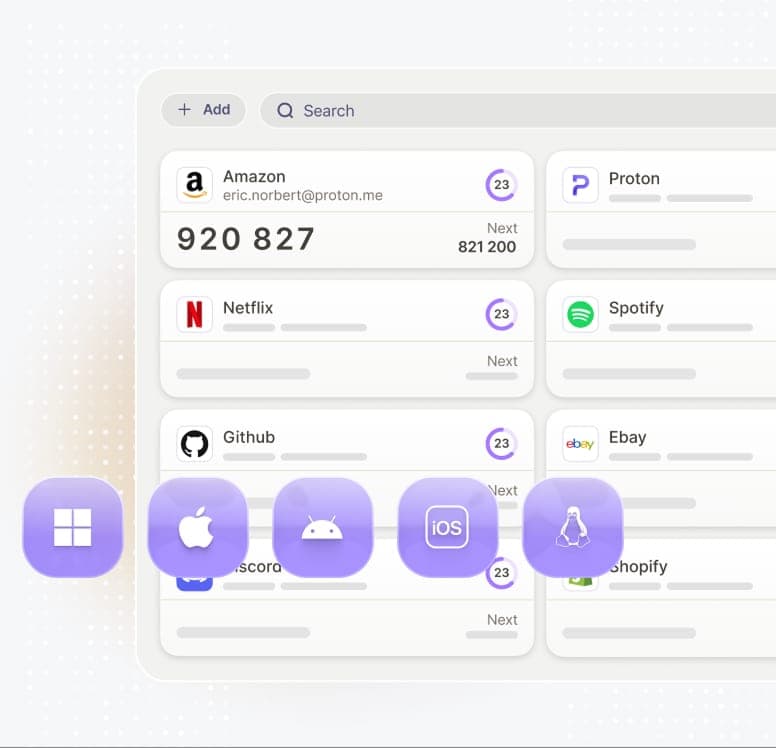
- Users spread across Android, iOS, Windows, macOS and Linux who want one app
Skip it if
- Intel Mac users, since the App Store listing requires macOS 14 and an Apple M1 chip or later
Problems it solves
Experience & key features
What Proton Authenticator is
Proton Authenticator is a free two-factor authentication (2FA) app from Proton AG, the company behind Proton Mail. According to the 31 July 2025 launch post, it generates one-time codes on the device, each expiring after 30 seconds. Proton argues SMS codes are exposed to SIM swapping, while authenticator apps generate codes locally, and it criticizes many competing apps for being closed source, relying on ads and trackers or lacking data export.
Features and platforms
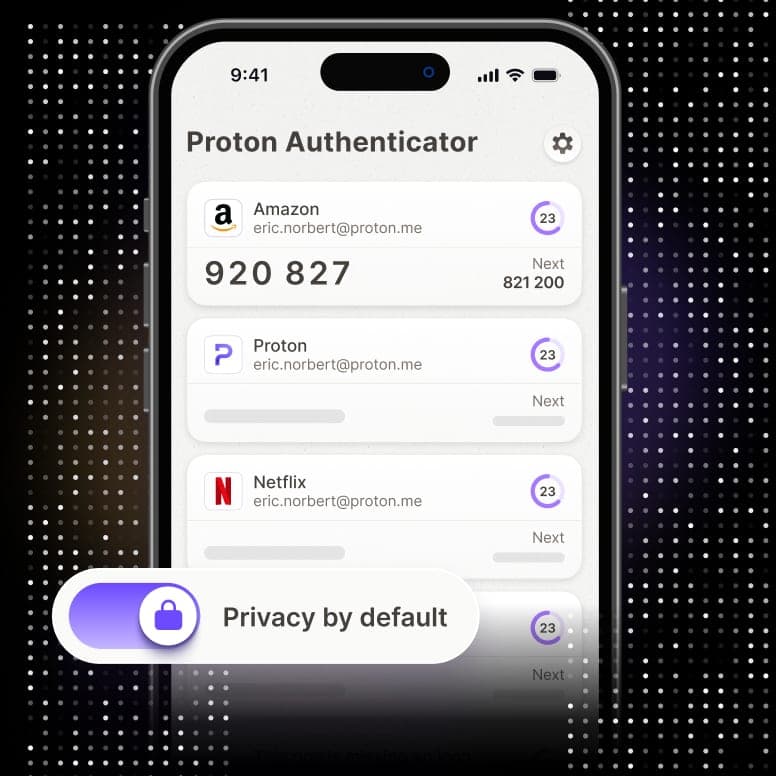
The app is available on iPhone, iPad, Apple Watch, Mac, Android, Windows and Linux; per the App Store, the Mac app needs macOS 14 and an M1 chip or later. The official page lists optional sync through a Proton Account, encrypted backups, Face or fingerprint unlock, search, custom icons, a next-code preview and offline use. Codes can be imported from Google Authenticator, 2FAS, Aegis, Bitwarden Authenticator, Ente Auth and LastPass Authenticator, and exported when needed.
Price and privacy
The app is entirely free with no ads, and Proton says it will always be free. There are three storage options, a Proton Account, iCloud or a single device, so an account is not mandatory. Per the official page, sync and backups are end-to-end encrypted and the source code is public for inspection. Still, Proton's policy notes that its apps may collect technical information to fix bugs, the App Store label lists diagnostics data, and Google Play says the app may collect personal info.
More analysis
Versus alternatives
Proton Pass already has built-in 2FA with autofill. According to Proton, the standalone app keeps 2FA codes separate from passwords, adding a layer of protection for people with higher security needs. Its strengths are Windows and Linux apps, import/export and end-to-end encrypted sync. Ente Auth is another open-source option in the same space.
Screenshots
Plans & pricing
Prices last verified Nov 10, 2026
Proton Authenticator
PersonalFree
Free on every platform with no ads. No Proton account is needed to use it; an account is required only to sync via Proton.
- Free plan limits
- The official pages state no limit on the number of codes or devices.
- Free trial
- No free trial
Cancellation & refunds
Not applicable; the app is free. Proton says it will always be free on desktop and mobile.
Privacy
Proton states the app has no ads, no trackers and no data collection, is open source, and that synced codes and backups are end-to-end encrypted. Codes are generated on the device and work offline. Users choose where to store them: a Proton Account, iCloud, or one device only. Proton's privacy policy (last updated 12 May 2026) says its apps may collect technical information such as analytics and crash reports to fix bugs, via Proton or platform providers such as Apple and Google; the company is based in Geneva, Switzerland and governed by Swiss law. The App Store label lists diagnostics only, not linked to identity. Google Play's data-safety section says the app may collect personal info, encrypts data in transit, allows deletion requests and shares nothing with third parties.
Proton Authenticator alternatives


Frequently asked questions
Is Proton Authenticator free?
Yes. The official page says it is free on all platforms, and Proton says it will always be free on desktop and mobile.
Do I need a Proton account?
No. An account is only needed for Proton sync; you can also use iCloud or keep codes on one device.
Can I import from Google Authenticator?
Yes. The official import list includes Google Authenticator, 2FAS, Aegis, Bitwarden Authenticator, Ente Auth and LastPass Authenticator.
Does it work offline?
Yes. Codes are generated on the device, so it works without a connection on mobile and desktop.
Review evidence & sources7
Scores
- Ease of use
- 8.3
- Features
- 7.8
- Value for money
- 9.3
- Performance
- 7.8
- Support
- 7.2
- Privacy & security
- 8.7
Why this score
Imports from older apps and previews the next code; the narrow scope keeps it simple.
Why this score
Sync, backup, import/export, biometric lock, custom icons and offline use across iOS, Android, macOS, Windows and Linux, plus Apple Watch. No password-manager style autofill.
Why this score
Completely free with no ads and no limits listed on official pages.
Why this score
Codes generate locally and offline, and store ratings are high (4.9 Google Play, 4.6 App Store). No independent reliability testing was found.
Why this score
A support center with articles on import, backup and Linux setup; chat or phone support for the free app was not verified.
Why this score
Open source, end-to-end encrypted sync and backup, no account required and a Swiss company. Points deducted because the policy allows diagnostic data collection and Google Play's data-safety section says personal info may be collected.
What users say
- App Store (US)4.6/5 · 792
- Google Play4.9/5 · 17,800
Sources
- Vendor-providedProton Authenticator official pageNov 10, 2026
- Vendor-providedProton blog: Authenticator launchNov 10, 2026
- Vendor-providedProton Authenticator supportNov 10, 2026
- Vendor-providedProton privacy policyNov 10, 2026
- Vendor-providedGitHub: ios-authenticator (GPL-3.0)Nov 10, 2026
- storeApp Store listingNov 10, 2026
- storeGoogle Play listingNov 10, 2026
Specs & compatibility
- Developer
- Proton AG
- Headquarters
- Switzerland
- Launched
- 2025
- Category
- Utilities
Capabilities
- Open source
- End-to-end encryption
- Works offline
- Mobile app
Platforms
- iOS
- Android
- macOS
- Windows
- Linux
Interface languages
- English
- French
- German
- Spanish
- Portuguese
- Russian
Integrations
- Proton Account
- iCloud sync
- Google Authenticator import
- 2FAS import
- Aegis import
- Bitwarden Authenticator import
- Ente Auth import
- LastPass Authenticator import
Support
- Help center
Change history
- Update.The Android app's Google Play listing shows its most recent update on this date.
- Update.Proton updated its privacy policy, which includes a section on native mobile and desktop apps.
- Launch.Proton launched Proton Authenticator, free on iOS, Android, macOS, Windows and Linux.
About the author
Reviews & comments
Written by readers with a verified email address.
No reviews yet. Have you used Proton Authenticator? Share your real experience.
Reader reviews are counted separately and do not affect the Editorial Team’s score.
No comments yet. Be the first to share your experience.
Comments are readers’ opinions, not content from the AppDuo Editorial Team.