Source-backed analysis8
Review basis
Research-based review: the AppDuo Editorial Team compiled it from official pages, documentation, app stores, press and user feedback, without hands-on testing. Every claim links to a source with the date it was checked.
8 reference sourcesInformation updated Nov 10, 2026
How we review
Google Authenticator Review
Google's free 2FA code app that works offline and can sync through a Google Account
By AppDuo Editorial Team · Updated
- Android
- iOS
On this page
Decide at a glance
Our verdict
Google Authenticator suits people who want a free, minimal two-step verification app, especially those already using many Google services. The trade-offs: code sync was reported in 2023 to lack end-to-end encryption, and it does less than password managers that also store TOTP codes.
Best for: People who want free, ad-free two-step verification for their Google Account and other services
Skip it if: Users who need end-to-end encrypted code backups or a desktop client
Pros
- Free, with no ads or in-app purchases
- Generates codes without an internet or mobile connection, per Google's help page
- Syncs codes through a Google Account; without an account, codes can still be moved to a new phone via QR codes
Cons
- Google Account sync launched in April 2023 without end-to-end encryption; the sources reviewed do not show it has since been added
- Android and iOS apps only, with no desktop version
All pros and cons · Who is it for?
Pros
- Privacy Screen requires a PIN, pattern or biometric check before the app opens
Cons
- Rated 3.9/5 on Google Play (about 691,000 ratings), well below its 4.8/5 on the App Store
- Older devices are being dropped: iOS version 5.2.0 requires iOS 17 or later, and Wikipedia lists iOS 14 support ending in 2024 and iOS 15 in 2026
Best for
- Users who need codes while offline or without mobile signal
Skip it if
- People who want passwords and 2FA codes in one app
Problems it solves
Experience & key features
What Google Authenticator is
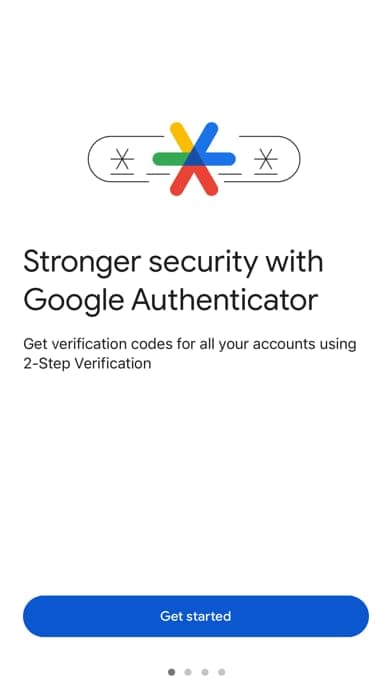
Google Authenticator is an app that generates one-time codes for two-step verification; the App Store lists Google LLC as the seller. According to Wikipedia, the first release came out on 20 September 2010. It produces six- to eight-digit codes using the TOTP (RFC 6238) and HOTP (RFC 4226) standards, so it works with Google accounts and many other services that support them. Google Play shows more than 100 million downloads.
How it works and key features
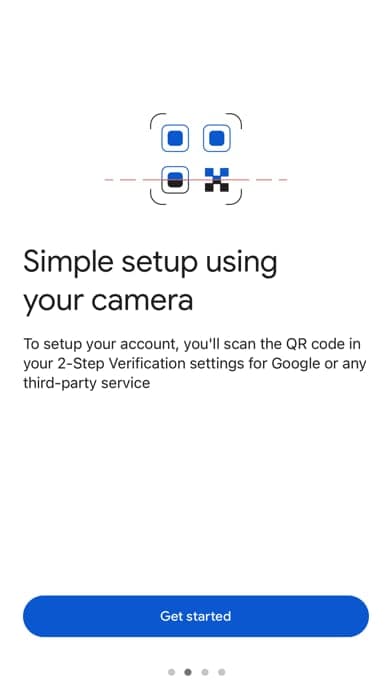
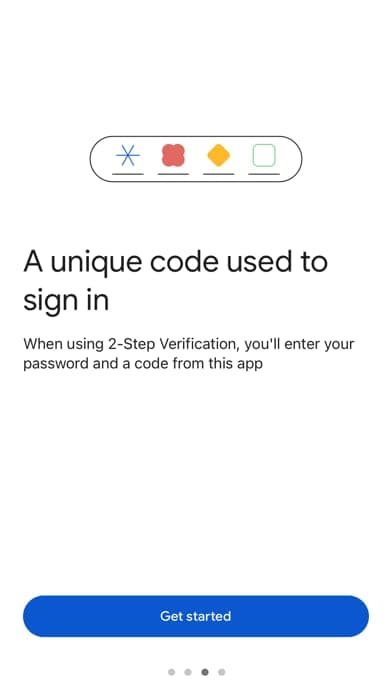
Per Google's help page, users turn on two-step verification in their account and scan a QR code, after which the app generates codes, including without a connection. Signing in with a Google Account syncs codes across devices; otherwise codes stay on the device and are moved to a new one through the Transfer codes export and QR scan. The app also offers search by name, drag-to-reorder and Privacy Screen. Since version 7.0 it uses the operating system's time and has dropped the manual time-correction setting.
Sync and the security debate
In late April 2023 Google added backup and sync of codes through the Google Account. MacRumors reported that researchers at Mysk analysed the sync traffic and found it was not end-to-end encrypted, meaning Google could in theory read the seeds behind the codes, and advised against turning it on. Google said end-to-end encryption would come in the future, noting it can lock users out of their data without a recovery path. The sources reviewed do not show whether it has since shipped; the current help page only says codes are encrypted in transit and at rest.
More analysis
Price and comparison
The app is free and has no paid plan. The category also includes password managers such as Bitwarden, 1Password, Proton Pass, Dashlane and LastPass, some of which can store TOTP codes alongside passwords; Google Authenticator is simpler but does less. On its 2-Step Verification page, Google recommends passkeys or hardware security keys for stronger phishing protection, and suggests authenticator apps for when there is no internet or mobile service.
Screenshots
Plans & pricing
Prices last verified Nov 10, 2026
Google Authenticator
PersonalFree
Free on the App Store and Google Play, with no ads or in-app purchases listed. Code sync requires signing in with a Google Account.
- Free plan limits
- The app has no paid plan.
- Free trial
- No free trial
Cancellation & refunds
Not applicable; the app is free.
Privacy
Google's help page says Authenticator codes are encrypted in transit and at rest. The sync feature introduced in April 2023, however, is not end-to-end encrypted: MacRumors reported that researchers at Mysk believed Google could read the seeds behind the codes, and Google said it plans to add end-to-end encryption "in the future". Without signing in, codes stay on the device. The App Store privacy labels (self-declared by the developer, not verified by Apple) list coarse location, contact info, contacts, user content, identifiers, usage data, diagnostics and other data as linked to the user's identity, used for analytics, personalization and app functionality. The Google Play Data safety section states that no data is shared with third parties, data is encrypted in transit and users can request deletion. Google's general Privacy Policy (effective 16 October 2026) says personal information is not shared outside Google except in listed cases, and that users can export or delete their account data at any time.
Google Authenticator alternatives

Frequently asked questions
Is Google Authenticator free?
Yes. It is free on both the App Store and Google Play, with no in-app purchases listed.
How do I move codes to a new phone?
If you are signed in with a Google Account, codes sync once you sign in on the new phone. Otherwise, on the old phone go to Transfer codes > Export codes to create a QR code and scan it with the new phone, per Google's help page.
Does it work offline?
Yes. Google states the app generates codes without an internet or mobile connection.
Is syncing codes through a Google Account safe?
Google says codes are encrypted in transit and at rest. In 2023 Mysk reported that sync lacks end-to-end encryption. If that concerns you, use the app without signing in, and codes stay on the device.
Review evidence & sources8
Scores
- Ease of use
- 8.0
- Features
- 6.5
- Value for money
- 9.0
- Performance
- 7.5
- Support
- 6.0
- Privacy & security
- 6.0
Why this score
Accounts are added by scanning a QR code, codes can be searched by name and reordered by drag, and on Android swiped to edit or delete, per Google's help page. It rates 4.8/5 on the App Store but only 3.9/5 on Google Play, which holds the score back.
Why this score
Covers TOTP/HOTP codes, Google Account sync, QR transfer and Privacy Screen; there is no desktop client and no password vault, unlike some category peers.
Why this score
Entirely free with no ads or in-app purchases, while covering the core function.
Why this score
A small app that works offline and, since version 7.0, takes time from the operating system instead of a manual setting, per the help page. No independent measurements were found, so the score stays in line with Google's other utility apps.
Why this score
Only Google's help pages; the sources reviewed show no dedicated direct support channel for the app.
Why this score
Codes are encrypted in transit and at rest, but sync is not end-to-end encrypted (Mysk, April 2023) and the App Store labels list many data types linked to identity. Google Play states no data is shared with third parties, and without signing in codes stay on the device.
What users say
- App Store (US)4.8/5 · 1,218,922
- Google Play3.9/5 · 691,304
Sources
- Vendor-providedGoogle Account Help - Get verification codes with Google AuthenticatorNov 10, 2026
- Vendor-providedGoogle Account Help - 2-Step VerificationNov 10, 2026
- Vendor-providedGoogle Privacy PolicyNov 10, 2026
- Vendor-providedGoogle Authenticator for Android on GitHub (archived)Nov 10, 2026
- storeApp Store listing (US)Nov 10, 2026
- storeGoogle Play listingNov 10, 2026
- Community-reportedWikipedia - Google AuthenticatorNov 10, 2026
- pressMacRumors (2023-04-27)Nov 10, 2026
Specs & compatibility
- Developer
- Google LLC
- Headquarters
- United States
- Launched
- 2010
- Category
- Utilities
Capabilities
- Works offline
- Mobile app
Platforms
- Android
- iOS
Interface languages
- Vietnamese
- English
- Japanese
- Chinese
- Spanish
- French
- Korean
- German
- Portuguese
- Russian
- Thai
- Indonesian
Integrations
- Tài khoản Google
- Dịch vụ hỗ trợ TOTP/HOTP
Support
- Help center
Change history
- Feature.Google released iOS version 5.2.0, which requires iOS 17 or later, per the App Store.
- Feature.Wikipedia lists Android version 7.2 released on 26 June 2026; support for iOS 15 also ended in 2026.
- Feature.MacRumors reported Google had added code sync through the Google Account; Mysk said it lacked end-to-end encryption and Google said it would add it later.
Full change history (5)
- Update.Google archived the open-source Android repository on GitHub, making it read-only; the official Play Store version remains proprietary.
- Launch.First release of Google Authenticator.
About the author
Reviews & comments
Written by readers with a verified email address.
No reviews yet. Have you used Google Authenticator? Share your real experience.
Reader reviews are counted separately and do not affect the Editorial Team’s score.
No comments yet. Be the first to share your experience.
Comments are readers’ opinions, not content from the AppDuo Editorial Team.