Source-backed analysis11
Review basis
Research-based review: the AppDuo Editorial Team compiled it from official pages, documentation, app stores, press and user feedback, without hands-on testing. Every claim links to a source with the date it was checked.
11 reference sourcesInformation updated Nov 10, 2026
How we review
Microsoft PowerToys Review
Microsoft's free, open-source suite of 25+ Windows utilities
By AppDuo Editorial Team · Updated
- Windows
On this page
Decide at a glance
Our verdict
PowerToys suits Windows users who want window management, key remapping, a launcher and small tools at no cost. The trade-offs are a power-user focus that means enabling and configuring utilities one by one, and Windows-only support.
Best for: Advanced Windows users and developers who want to customize keyboards, window layouts and command-line helpers
Skip it if: macOS or Linux users, since it is Windows-only
Pros
- Free and open source under MIT with no paid tier
- A wide range of utilities: FancyZones, Keyboard Manager, PowerRename, Color Picker, Text Extractor, ZoomIt and more
- Each utility can be turned on or off separately in Settings; diagnostic data is off by default
Cons
- Runs only on Windows 10 (version 2004 or later) and Windows 11
- Utilities are separate modules that can overwhelm newcomers, and recent hotfixes addressed crashes in File Locksmith and Quick Accent
All pros and cons · Who is it for?
Pros
- Command Palette has an extension ecosystem and can install apps through WinGet
- Rated 4.4/5 from over 3,600 ratings on the Microsoft Store
Cons
- Paste with AI requires you to configure a model provider, and online services may charge by usage
Best for
- Multi-monitor and multi-PC users, thanks to FancyZones, Workspaces and Mouse Without Borders
Skip it if
- Users who only need a basic task or two and do not want a large multi-utility suite
Problems it solves
Experience & key features
What PowerToys is
PowerToys is a free, open-source set of Microsoft utilities for advanced users and developers who want to customize Windows. According to Wikipedia, the first PowerToys for Windows 95 shipped on 17 November 1996, and Microsoft relaunched it for Windows 10 as an open-source GitHub project on 8 May 2019. The current version requires Windows 11 or Windows 10 version 2004 or newer and a 64-bit x64 or ARM64 processor.
Main utilities
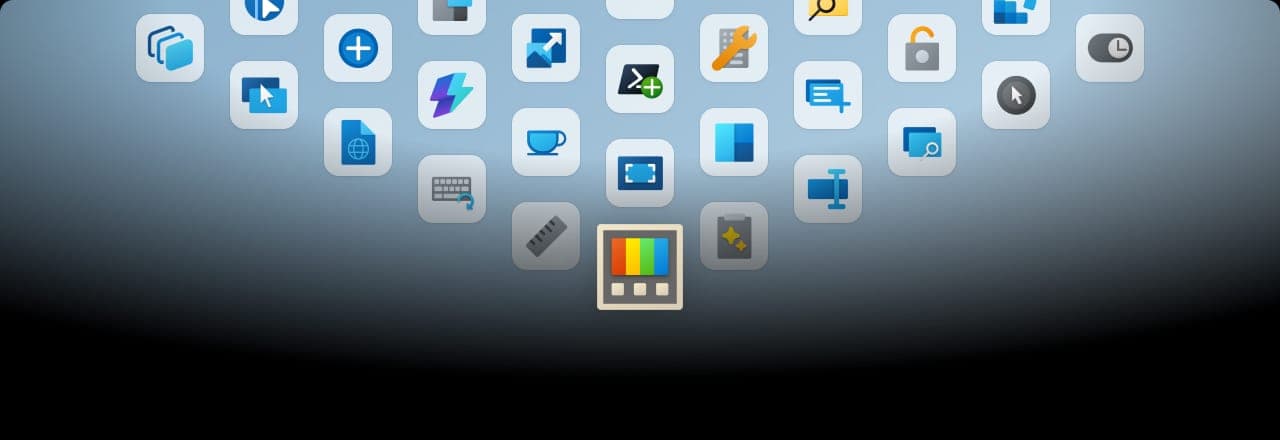
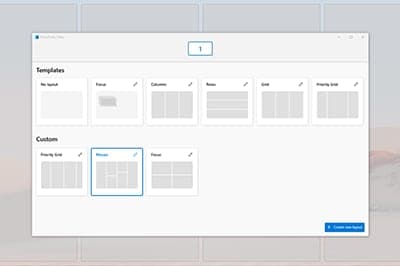
The official documentation lists 25+ utilities. They include FancyZones for window layouts, Keyboard Manager for remapping keys and shortcuts, PowerRename for regex bulk renaming, Text Extractor for on-screen OCR, Mouse Without Borders for sharing one keyboard and mouse across computers, and ZoomIt for presentations. Advanced Paste has an optional AI feature that supports OpenAI, Azure OpenAI, Mistral, Google and local models such as Ollama and Foundry Local.
Command Palette
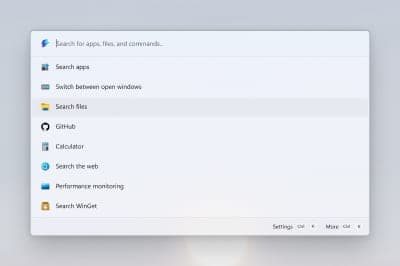
Command Palette is the newer launcher, opened with Win+Alt+Space, for launching apps, running commands, searching files, calculating and installing apps through WinGet. Windows Latest (1 April 2025) described it as the gradual replacement for PowerToys Run and noted a few features missing at launch. Current documentation also mentions a Dock, a quick-access shelf and an Extension Gallery.
More analysis
Install, price and privacy
It installs from GitHub, the Microsoft Store or WinGet, with Chocolatey and Scoop as community-maintained options. The app checks for updates automatically while running. It costs nothing, with no paid tier, and diagnostic data has been off by default since v0.86. The Microsoft Store listing shows English plus languages including Chinese, Japanese, Korean, French and German. Compared with commercial tools in this space, the main drawbacks are the Windows-only scope and having to enable each utility yourself.
Screenshots
Plans & pricing
Prices last verified Nov 10, 2026
PowerToys
PersonalFree
Free and open source under the MIT license, with no paid tier. Paste with AI is optional and needs a model provider you configure; online providers may charge by usage, while local models need no API key.
- Free plan limits
- No feature limits. Non-AI paste actions run locally on the device.
- Free trial
- No free trial
Cancellation & refunds
Not applicable; the app is free.
Privacy
PowerToys' data and privacy page on GitHub says diagnostic data covers usage, stability and performance, is completely optional and has been off by default since v0.86. The product metadata attached to events does not identify a user or device. Paste with AI is also off by default; when enabled, clipboard text and your prompt are sent to the provider you select, and local options such as Foundry Local, Ollama or Phi Silica are supported. Plain text, JSON, Markdown, file conversion and OCR actions run locally. The source code is public on GitHub for inspection.
Microsoft PowerToys alternatives
 8.1/10
LocalSend
Free, open-source file sharing between any devices on the same Wi-Fi
 7.8/10
Raycast
Keyboard-first launcher for macOS and Windows with AI and an extension store
Frequently asked questions
Is PowerToys free?
Yes. Microsoft describes PowerToys as a set of free, open-source utilities, and the GitHub repository uses the MIT license.
Which Windows versions does PowerToys run on?
Windows 11 or Windows 10 version 2004 (build 19041) or newer, on x64 or ARM64 processors.
Does PowerToys collect data?
Diagnostic data is optional and off by default since v0.86, according to the data and privacy page on GitHub.
How is Command Palette different from PowerToys Run?
Command Palette is the newer launcher, opened with Win+Alt+Space and extensible; per Windows Latest, it is meant to gradually replace PowerToys Run.
Review evidence & sources11
Scores
- Ease of use
- 7.2
- Features
- 9.0
- Value for money
- 9.3
- Performance
- 7.3
- Support
- 7.0
- Privacy & security
- 8.6
Why this score
The Settings home page lets you toggle each utility and see shortcuts, but with 25+ utilities aimed at power users there is a learning curve.
Why this score
The broadest range among free Windows utility suites covered in this research: window management, key remapping, launcher, OCR, bulk renaming, Mouse Without Borders. Held below 9.5 for being Windows-only.
Why this score
Entirely free under MIT, with no ads or paid tiers listed.
Why this score
Windows Latest found Command Palette caused no slowdowns in normal use at launch; no recent independent benchmark was found. October and November 2026 hotfixes fixed crashes and Mouse Without Borders pairing failures.
Why this score
Thorough documentation on Microsoft Learn and public issue tracking on GitHub; no direct email or chat support channel was found.
Why this score
Optional diagnostics off by default since 0.86, open source, AI features off by default, and local-model options are available.
What users say
- Microsoft Store (US)4.4/5 · 3,610
Sources
- Vendor-providedMicrosoft Learn: PowerToys overviewNov 10, 2026
- Vendor-providedMicrosoft Learn: Install PowerToysNov 10, 2026
- Vendor-providedMicrosoft Learn: Command PaletteNov 10, 2026
- Vendor-providedMicrosoft Learn: Advanced PasteNov 10, 2026
- Vendor-providedGitHub repositoryNov 10, 2026
- Vendor-providedGitHub releasesNov 10, 2026
- Vendor-providedGitHub release v0.90.0Nov 10, 2026
- Vendor-providedPowerToys data and privacyNov 10, 2026
- storeMicrosoft Store listingNov 10, 2026
- Community-reportedWikipedia: Microsoft PowerToysNov 10, 2026
- pressWindows Latest (2025-04-01)Nov 10, 2026
Specs & compatibility
- Developer
- Microsoft
- Headquarters
- United States
- Launched
- 1996
- Category
- Utilities
Capabilities
- Open source
- AI features
- Integrations
- Works offline
Platforms
- Windows
Interface languages
- English
- Chinese
- French
- German
- Spanish
- Portuguese
- Japanese
- Korean
- Russian
Integrations
- WinGet
- Windows Terminal
- OpenAI
- Azure OpenAI
- Ollama
- Foundry Local
- Mistral
- Google AI
Support
- Help center
- Community forum
Change history
- Update.Hotfix v0.102.3101.0 fixed File Explorer thumbnail generation and Mouse Without Borders pairing failures.
- Feature.v0.102.2933.0 added the Mouse Button Lock and CursorHide mouse utilities, a Command Palette quick-access shelf and snip dictation in ZoomIt.
- Feature.v0.90.0 added Command Palette, a launcher opened with Win+Alt+Space.
Full change history (5)
- Company.Microsoft relaunched PowerToys for Windows 10 as an open-source GitHub project.
- Launch.The first PowerToys for Windows 95 shipped with 15 tools.
About the author
Reviews & comments
Written by readers with a verified email address.
No reviews yet. Have you used Microsoft PowerToys? Share your real experience.
Reader reviews are counted separately and do not affect the Editorial Team’s score.
No comments yet. Be the first to share your experience.
Comments are readers’ opinions, not content from the AppDuo Editorial Team.