Source-backed analysis10
Review basis
Research-based review: the AppDuo Editorial Team compiled it from official pages, documentation, app stores, press and user feedback, without hands-on testing. Every claim links to a source with the date it was checked.
10 reference sourcesInformation updated Nov 10, 2026
How we review
LocalSend Review
Free, open-source file sharing between any devices on the same Wi-Fi
By AppDuo Editorial Team · Updated
- Windows
- macOS
- Linux
- Android
- iOS
- Web
On this page
Decide at a glance
Our verdict
LocalSend suits people who move files between phones and computers on different operating systems without accounts or the cloud. The trade-off is that both devices must be on the same local network, and it offers no internet sharing or long-term storage.
Best for: Multi-OS users (Windows, macOS, Linux, Android, iOS) who want an AirDrop-style tool that works everywhere
Skip it if: People who need to send files to remote recipients over the internet or want persistent share links
Pros
- Free and open source under Apache 2.0, no ads
- Runs on Windows, macOS, Linux, Android, iOS and has a web app
- No account or internet needed; direct device-to-device transfer over HTTPS with optional PIN
Cons
- Needs the same local network; if devices cannot see each other you may need to open port 53317 or disable AP isolation on the router
- The README says the app has no auto-update, so installing via a store or package manager is recommended
All pros and cons · Who is it for?
Pros
- Steady development: from 1.0.0 (Dec 2022) to 1.18.2 (Aug 2026), with a CLI since 1.18.0
- Good store ratings: 4.5/5 on the App Store and 4.4/5 on Google Play
Cons
- Recent security fixes: 1.17.0 patched a path traversal when saving files and 1.18.2 stopped following HTTP redirects sent by peers
Best for
- Privacy-minded users who want data to stay on the local network with no account
Skip it if
- Users on public networks or networks with AP isolation, where devices cannot see each other
Problems it solves
Experience & key features
What LocalSend is
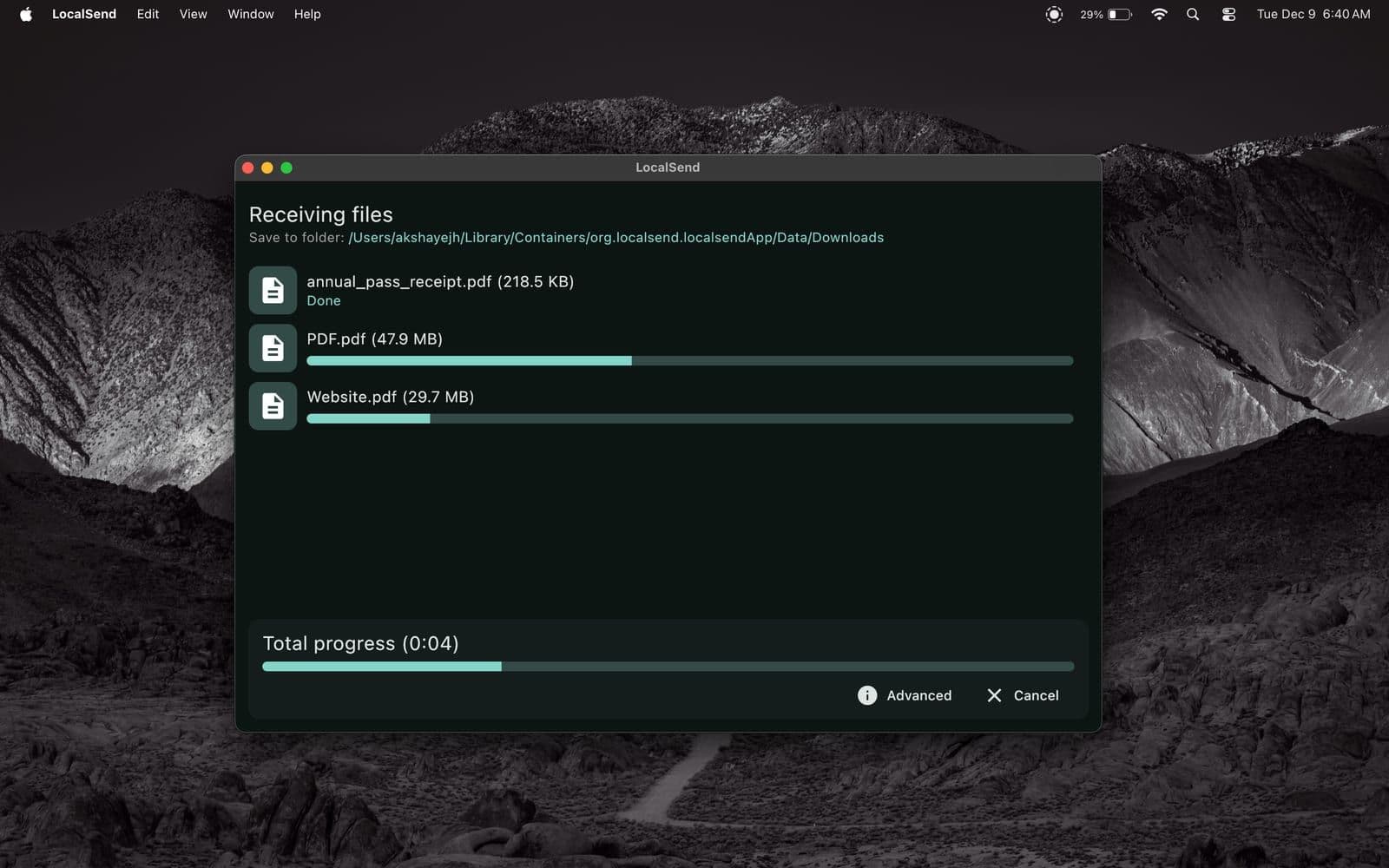
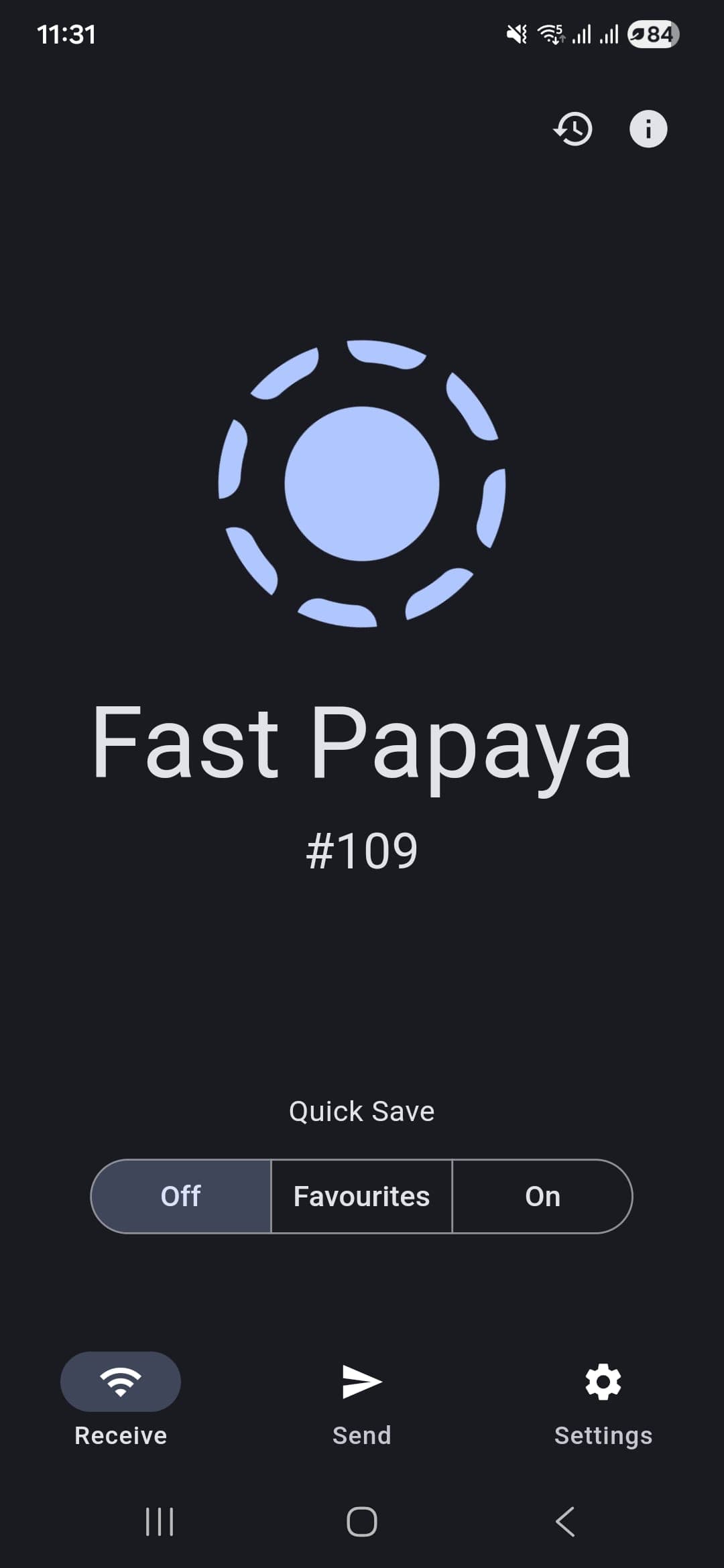
LocalSend is an open-source app for sending files and text messages to nearby devices over Wi-Fi or LAN, with no internet, account or intermediary server. The changelog dates version 1.0.0 to 29 December 2022. It is built with Flutter and available for Windows, macOS, Linux, Android and iOS, plus a web app. The homepage cites 93k+ GitHub stars and 35M+ downloads, and the GitHub page itself currently shows 98.3k stars.
How it works
According to the protocol documentation, devices announce themselves by UDP multicast to 224.0.0.167 on port 53317 and then talk over a REST API. The receiver runs the HTTP server; the sender asks first, and the receiver can accept, partly accept or reject. An optional PIN can be required, and each file uses a session-specific token. In HTTPS mode each device generates its own TLS certificate on the fly. For people without the app, the sender can share a link that the receiver opens in a browser.
Price and privacy
LocalSend is free under Apache 2.0, with no ads. The developer accepts voluntary donations, and the App Store lists tiers of $5, $10, $20 and $50. The privacy policy says no data is collected, and both the App Store and Google Play labels are consistent with that. The policy covers the app only; operating systems or other apps with device permissions may still collect their own data.
More analysis
Versus alternatives and limits
Unlike a service such as WeTransfer, data does not pass through any server, but that also means you cannot send to someone remote. The README recommends installing from a store or package manager because the app has no auto-update. The changelog records two security fixes: a path traversal bug in 1.17.0 and ending the following of HTTP redirects in 1.18.2. Source code and releases are public on GitHub.
Screenshots
Plans & pricing
Prices last verified Nov 10, 2026
LocalSend
PersonalFree
Free and open source under Apache 2.0. The website states there are no ads, tracking or hidden costs. Voluntary donations are accepted; the App Store listing shows in-app donation tiers of $5, $10, $20 and $50.
- Free plan limits
- The official site lists no feature or transfer-size limits; speed depends on the Wi-Fi or LAN.
- Free trial
- No free trial
Cancellation & refunds
Not applicable; the app is free. Donations on the App Store follow Apple's refund policy.
Privacy
The privacy policy (last updated 8 May 2024) states the app does not collect, store, process or use personal or non-personal data. The App Store label reads "Data Not Collected" and the Google Play data-safety section lists no data collected or shared with third parties. Files travel directly between devices on the local network over HTTPS, with an optional PIN. The protocol documentation says encryption is a per-device setting (HTTP can be used for debugging) and that the browser download mode always uses plain HTTP because browsers reject self-signed certificates. The source code is public on GitHub.
LocalSend alternatives

Frequently asked questions
Is LocalSend free?
Yes. The official site says it is 100% free and open source, with no ads, tracking or hidden costs.
Does LocalSend need internet?
No. It uses the local Wi-Fi network, and per the homepage the data never leaves the local network.
Why can't my devices see each other?
The README suggests opening port 53317 and disabling AP isolation on the router.
Does LocalSend encrypt transfers?
The homepage says transfers are encrypted over HTTPS, with an optional PIN. The protocol docs say encryption is a per-device setting and the browser download mode uses plain HTTP.
Review evidence & sources10
Scores
- Ease of use
- 8.4
- Features
- 7.6
- Value for money
- 9.3
- Performance
- 8.0
- Support
- 6.5
- Privacy & security
- 9.0
Why this score
Devices discover each other via multicast with no sign-up, and the receiver accepts or rejects each transfer. Network issues such as AP isolation still need manual fixes.
Why this score
Sends files, folders and text, supports browser link sharing and a CLI. It works only on the local network, with no sync or storage.
Why this score
Fully free with no ads and no feature limits listed on the official site.
Why this score
The homepage claims transfers run at the full speed of the Wi-Fi network, and per the changelog v1.16.0 moved to a multithreaded Rust HTTP client that speeds up transfers when the sender is the bottleneck. No independent benchmark was found.
Why this score
A changelog, protocol docs and public issue tracking on GitHub; no direct chat or phone support was found.
Why this score
No data collection per the policy and store labels, open source, and data stays on the local network. Points held back because encryption is a per-device option and browser download mode uses plain HTTP.
What users say
- App Store (US)4.5/5 · 759
- Google Play4.4/5 · 16,300
Sources
- Vendor-providedLocalSend official websiteNov 10, 2026
- Vendor-providedLocalSend changelogNov 10, 2026
- Vendor-providedLocalSend privacy policyNov 10, 2026
- Vendor-providedGitHub repositoryNov 10, 2026
- Vendor-providedGitHub releasesNov 10, 2026
- Vendor-providedLocalSend app translations (GitHub)Nov 11, 2026
- Vendor-providedLocalSend imprintNov 11, 2026
- Vendor-providedLocalSend protocol repositoryNov 10, 2026
- storeApp Store listingNov 10, 2026
- storeGoogle Play listingNov 10, 2026
Specs & compatibility
- Developer
- Tien Do Nam
- Headquarters
- Germany
- Launched
- 2022
- Category
- Utilities
Capabilities
- Open source
- Works offline
- End-to-end encryption
- Mobile app
- Public API
Platforms
- Windows
- macOS
- Linux
- Android
- iOS
- Web
Interface languages
- English
- Vietnamese
- Chinese
- Japanese
- Korean
- German
- French
- Spanish
- Portuguese
- Russian
- Thai
- Indonesian
Integrations
- Homebrew
- F-Droid
- Windows share sheet
- macOS share menu
Support
- Help center
- Community forum
Change history
- Update.v1.18.2 stopped following HTTP redirects sent by peers (security fix) and added Armenian.
- Feature.v1.18.0 shipped the first CLI, receive via link, IPv6 support and checksums.
- Update.v1.17.0 fixed a path traversal vulnerability when saving files.
Full change history (7)
- Feature.v1.15.0 added PIN protection for links and receiving.
- Feature.v1.9.0 added directory sharing, browser-based sharing for non-users and protocol v2.
- Feature.v1.7.0 improved multicast device discovery and added a received-files history.
- Launch.Version 1.0.0, the initial release.
About the author
Reviews & comments
Written by readers with a verified email address.
No reviews yet. Have you used LocalSend? Share your real experience.
Reader reviews are counted separately and do not affect the Editorial Team’s score.
No comments yet. Be the first to share your experience.
Comments are readers’ opinions, not content from the AppDuo Editorial Team.