Source-backed analysis9
Review basis
Research-based review: the AppDuo Editorial Team compiled it from official pages, documentation, app stores, press and user feedback, without hands-on testing. Every claim links to a source with the date it was checked.
9 reference sourcesInformation updated Nov 11, 2026
How we review
invideo AI Review
AI video creation and editing tool with credit-based plans
By AppDuo Editorial Team · Updated
- Web
- iOS
- Android
On this page
Decide at a glance
Our verdict
invideo suits content creators who want several image, video and voice models plus an AI-agent editor in one place. The trade-off is fast credit consumption and low public ratings, with complaints centred on refunds and support, so read the terms before paying for a year.
Best for: Short-form, ad and social video makers who want to try several AI models in one interface
Skip it if: Buyers who need predictable costs: many public reviews say credits ran out before a finished video was produced
Pros
- Brings several image, video and audio models (Veo 3.1, Kling, Seedance, ElevenLabs and others) into one place
- Multitrack editor with an AI agent, real-time collaboration, and iOS and Android apps
- Connects to external agents such as Claude Cowork, ChatGPT Codex, Gemini and Grok via MCP
Cons
- Trustpilot score of 1.8/5 (1,029 reviews), with many reviewers citing fast credit use and difficult refunds
- Refunds only within 24 hours and only if no credits were used; credits are non-refundable, do not roll over and are forfeited on cancellation
All pros and cons · Who is it for?
More pros
- iOS app rated 4.5/5 from about 28,000 ratings
More cons
- User data may be used for model training; Experimental-tier providers may use content for model improvement
- English-only interface
Best for
- Small teams that want real-time shared editing
Skip it if
- People who need a non-English interface: the homepage and App Store listing are English-only
Experience & key features
What invideo is
invideo is an AI video creation and editing platform from Invideo, whose CEO is Sanket Shah. According to Inc42, the product began in 2017 as an enterprise-focused video tool before moving to generative AI. The homepage now describes it as an agentic video editor available on web, iOS and Android.
Key features
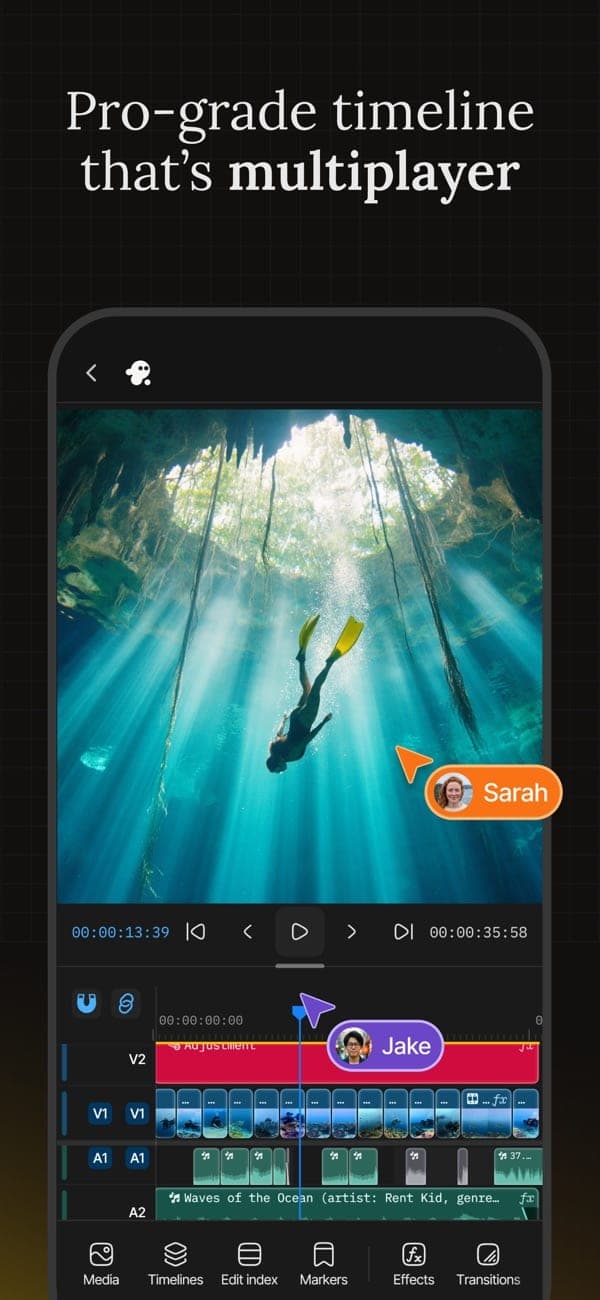
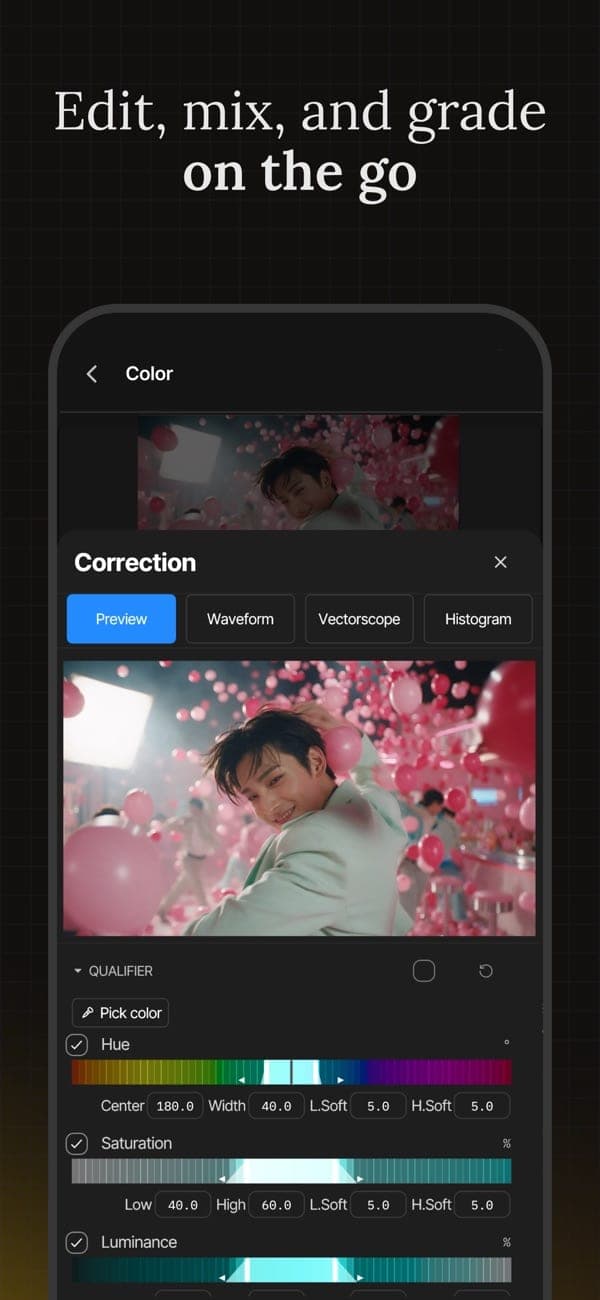
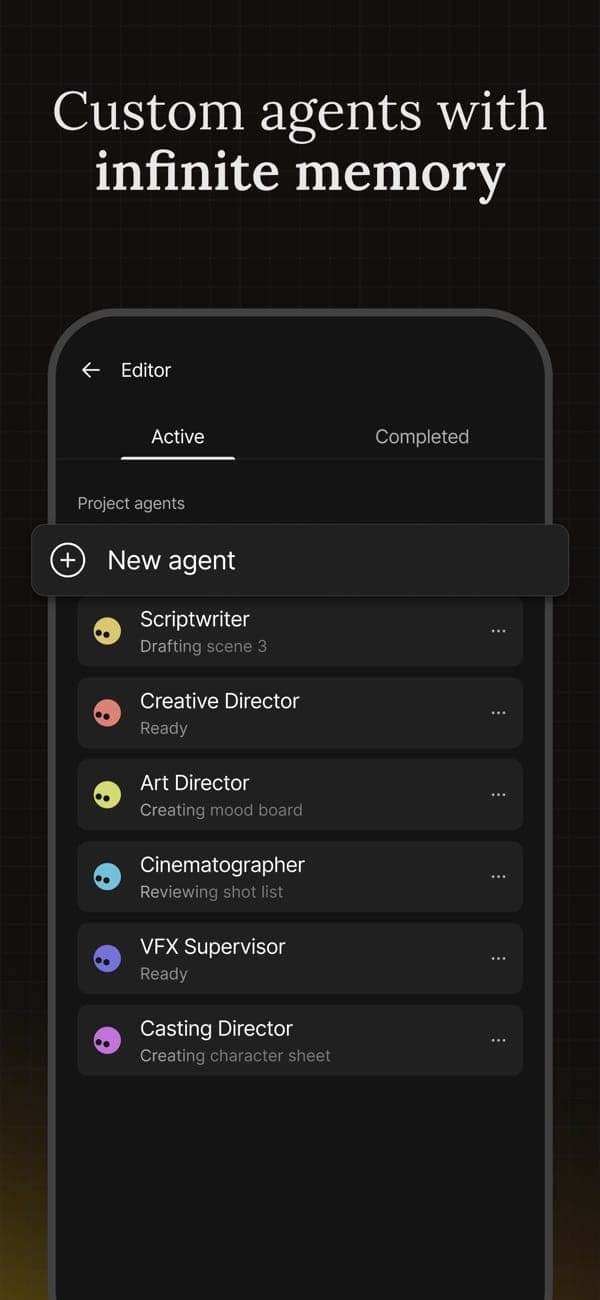
According to the homepage, users describe a scene in plain language and the agent edits on a multitrack timeline. The editor offers footage search, one-instruction edits across shots, script and storyboard writing, multiplayer editing with live cursors, and colour, audio and 3D tools. It lists models such as Google Veo 3.1, Kling, Wan and Seedance for video and ElevenLabs for audio, and lets external agents connect through MCP.
Pricing and value
The pricing page lists three per-seat plans: Basic $9, Pro $30 and Ultra $80 per seat per month billed monthly. Yearly billing takes 50% off, bringing Pro to $15 and Ultra to $40 per seat per month; for Basic the page shows both $4 and $5, but its savings figures work out to $54 per seat per year. Each seat gets 190, 1,000 or 3,000 credits a month, which do not roll over. No VND prices are published. Under the terms, refunds are considered only within 24 hours and if no credits were used, so a yearly plan is hard to reverse.
More analysis
Against alternatives
invideo leans toward bundling many third-party models and longer-form editing, compared with clip-focused tools such as Runway or Kling. For experienced editors, CapCut or Canva may be enough without AI-credit metering for ordinary editing. Before choosing, compare cost against the credits you would actually need and read the refund terms.
Screenshots
Plans & pricing
Prices last verified Nov 11, 2026
Basic
Personal$9/mo/user
$4.50/mo billed yearly
190 credits per seat per month, up to 5 seats (no guest seats), 100 GB storage. Yearly billing: the price table shows $4 per seat per month and the comparison table $5, while "save $54 per seat" and "$162 up front for 3 seats" point to $54 per seat per year ($4.50 a month).
Pro
Business$30/mo/user
$15/mo billed yearly
1,000 credits per seat per month, up to 10 seats plus 10 free guest seats (190 credits each), 300 GB storage. Yearly billing is 50% off.
Ultra
Business$80/mo/user
$40/mo billed yearly
3,000 credits per seat per month, up to 20 seats plus 20 free guest seats (190 credits each), 800 GB storage. Yearly billing is 50% off; the page's "save $472 per seat" does not match the $480 yearly gap between the two listed prices.
- Free plan limits
- The pricing page does not list a Free plan. Per the help pages, a cancelled account moves to Free at the end of the billing period and remaining credits, including add-on credits, expire. Free credits are described only as "Limited", extra credits cannot be used on Free, and the workspace and projects are kept.
- Free trial
- No free trial
Cancellation & refunds
Under the terms of service, fees are non-refundable for the billing period purchased. The only exception is a request within 24 hours of a purchase or renewal (or longer where local law requires) when no credits or premium features were used. Credits are never refundable. The help pages say each request is reviewed case by case; App Store purchases are refunded by Apple.
Privacy
The privacy policy says user data (prompts, uploads, outputs) may be used to train and fine-tune AI models; deleting data or closing the account stops further use but does not undo training already done. Third-party AI providers fall into two tiers: Standard providers are contractually barred from using content for their own purposes, while Experimental providers may use it for model improvement under their own terms. Avatar and voice-cloning features process facial and voice data, with consent that can be withdrawn in settings. User-generated content is deleted within 90 days of account deletion; payment records are kept for 7 years. The policy does not state where data is stored and points to a sub-processor list instead.
invideo AI alternatives
 7.7/10
Canva
Drag-and-drop design with a large template library, a free tier and AI tools
 7.2/10
HeyGen
AI presenter videos plus translation and lip-sync into 175+ languages
Controversies & incidents
Issues documented by the press, regulators, courts or the vendor itself. Every item is sourced; unproven claims are labelled as allegations. Last researched: Nov 11, 2026
- Medium impactAllegedBilling ·
Users report refund difficulty and fast credit use
Many Trustpilot reviewers say refund requests were declined once credits had been used. The company's terms do limit refunds to 24 hours and exclude credits.
Read the full account
Trustpilot gives invideo 1.8/5 from 1,029 reviews. According to those reviews, credits drain fast with little usable output, the AI agent consumed credits while only chatting, and cancelling or getting a refund was difficult. These are individual opinions not established by any authority. The terms of service state that fees are non-refundable for the billing period purchased, except for requests within 24 hours when no credits were used, and that credits are never refundable. The help pages say each request is reviewed individually, a plan counts as used if anything was generated or downloaded in the period, and remaining credits (including add-ons) expire on cancellation. No press coverage or regulator action on this was found.
Vendor response
The company has replied to 14% of negative Trustpilot reviews. Its help documentation says each refund request is reviewed individually at its discretion.
Sources:Trustpilot - invideoinvideo terms of serviceinvideo docs - refundsinvideo help - subscriptions and refunds
Frequently asked questions
Does invideo have a free plan?
Yes, though the pricing page does not list it. Per the help pages, a cancelled account drops to Free at the end of the billing period; Free credits are described only as "Limited", extra credits cannot be used, and existing projects are kept.
Can I get a refund?
Per the terms of service, only if you ask within 24 hours of a purchase or renewal and have used no credits or premium features. Credits are never refundable. App Store purchases are refunded through Apple.
Does invideo use my content to train AI?
It may. The privacy policy says user data may be used to train and fine-tune models. Deleting data or closing the account stops further use but does not undo earlier training.
Does invideo support Vietnamese?
No evidence of it. The homepage and App Store listing are English-only.
Review evidence & sources9
Scores
- Ease of use
- 6.8
- Features
- 8.0
- Value for money
- 5.5
- Performance
- 6.5
- Support
- 4.8
- Privacy & security
- 5.8
Why this score
Videos are made from a prompt and edited in plain language, with mobile apps; but the interface is English-only and some Trustpilot reviewers call the editor confusing and clunky.
Why this score
Covers many image, video and audio models, footage search, multitrack editing, collaboration, custom agents and external-agent connections.
Why this score
Yearly billing is half the monthly price (Pro $15 and Ultra $40 per seat per month; Basic $54 per seat per year), but credits do not roll over, refund terms are narrow and many reviews say credits drain fast.
Why this score
Output quality depends on the third-party model chosen. Some public reviews report generations stopping midway or ignoring instructions; these are user reports, not independently verified.
Why this score
Help docs and email support exist. Many Trustpilot reviews describe slow replies or AI-driven support loops with no route to a human; the company has replied to 14% of negative reviews.
Why this score
The policy is explicit about model training and retention, but it allows user data to be used for training, does not undo that on deletion and does not state where data is stored. Avatar and voice features process facial and voice data (consent can be withdrawn).
What users say
- App Store (US)4.5/5 · 28,000
- Trustpilot1.8/5 · 1,029
Sources
- Vendor-providedOfficial pricing pageNov 11, 2026
- Vendor-providedOfficial product pageNov 11, 2026
- Vendor-providedPrivacy policyNov 11, 2026
- Vendor-providedTerms of serviceNov 11, 2026
- Vendor-providedDocs - refundsNov 11, 2026
- Vendor-providedHelp - subscriptions and refundsNov 11, 2026
- storeApp Store listingNov 11, 2026
- review-siteTrustpilot reviewsNov 11, 2026
- pressInc42 - invideo revenue and growth (2024-04-19)Nov 11, 2026
Specs & compatibility
- Developer
- Invideo
- Headquarters
- Singapore
- Launched
- 2017
- Category
- AI
Capabilities
- AI features
- Real-time collaboration
- Mobile app
- Integrations
- Templates
Platforms
- Web
- iOS
- Android
Interface languages
- English
Integrations
- Claude Cowork
- ChatGPT Codex
- Grok
- Gemini
- MCP
Support
- Help center
- Community forum
Change history
- Company.Anshul Khandelwal became co-founder and CTO, per Inc42.
- Company.A $35 million Series B from existing investors, per Inc42.
- Company.A $15 million Series A led by Peak XV, per Inc42.
Full change history (5)
- Company.A $2.5 million seed round from Peak XV and others, per Inc42.
- Launch.According to Inc42, invideo started in 2017 as an enterprise-focused video product.
About the author
Reviews & comments
Written by readers with a verified email address.
No reviews yet. Have you used invideo AI? Share your real experience.
Reader reviews are counted separately and do not affect the Editorial Team’s score.
No comments yet. Be the first to share your experience.
Comments are readers’ opinions, not content from the AppDuo Editorial Team.