Source-backed analysis10
Review basis
The AppDuo team prepared this review by analysing product features, official documentation and user feedback to help you understand its strengths, limitations and suitability for your needs.
10 reference sourcesInformation updated Nov 10, 2026
How we review
By AppDuo Editorial Team · Updated
- Windows
- macOS
- Linux
On this page
Decide at a glance
Our verdict
Helium suits people who want a lean, free Chromium browser with ad blocking built in and no Google services. The trade-offs are its beta status, no sync, no DRM playback and a very small development team.
Best for: Privacy-minded users who want Chromium extensions and uBlock Origin without Google Chrome
Skip it if: Anyone who needs passwords or bookmarks synced across devices, or a mobile version
Pros
- Free, open source under GPL-3.0, with no ads
- Blocks ads, trackers and third-party cookies out of the box via a bundled uBlock Origin fork
- Supports Chromium extensions, with Chrome Web Store downloads routed through Helium's proxy
Cons
- Still beta; the download page itself warns that unexpected issues may occur
- No sync, no built-in password manager and no mobile app yet
All pros and cons · Who is it for?
Pros
- A specific privacy policy: no web requests on first launch and crash reports only with consent
- Vertical tabs, split view, tab groups and over 13,000 !bangs shortcuts
Cons
- No Widevine support, so DRM-protected content does not play
- Techlore notes a two-person team with no clear business model, and It's FOSS reports the bundled uBlock can break logins on some sites
Best for
- People who want a minimal secondary browser or a dedicated place to install web apps
Skip it if
- Anyone who streams Netflix, Spotify or Prime Video in the browser, since Widevine is not supported
Experience & key features
What Helium is
Helium is a desktop browser from imput, built on Chromium. According to its GitHub repository it originally branched from ungoogled-chromium and includes patches from Inox, Debian, Bromite, Iridium and Brave. It is available for macOS, Windows and Linux; the homepage says there is no mobile version yet. AlternativeTo lists its page as first added on 25 September 2025, and both the homepage and the download page describe it as beta.
Key features
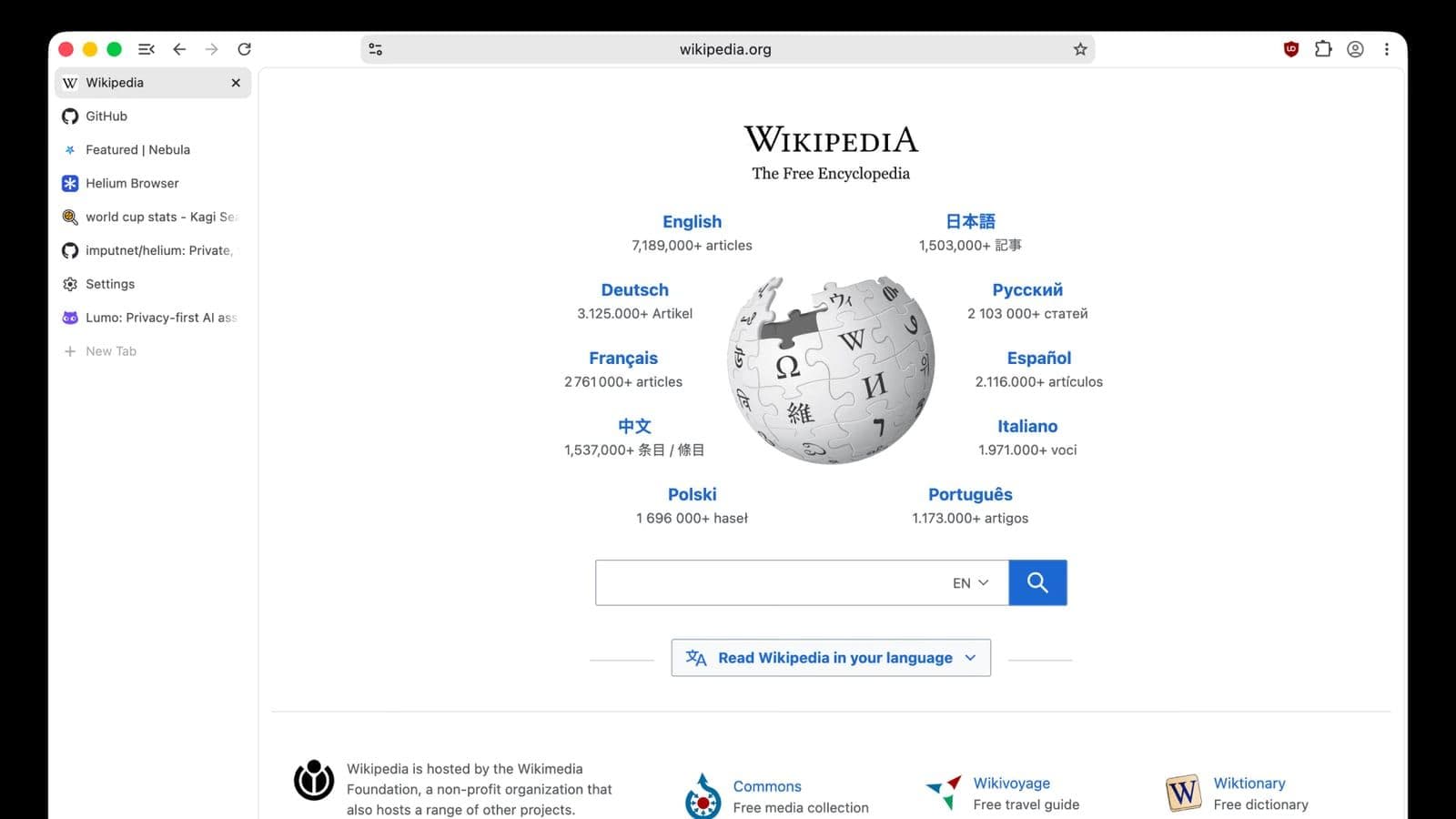
The homepage lists blocking of ads, trackers, cookie banners and third-party cookies by default, and says Helium adds noise to some web APIs to make fingerprinting harder. The blocker is a uBlock Origin fork that the team maintains; It's FOSS notes Helium keeps Manifest V2 support so this blocker works. The browser supports Chromium extensions and web app installs, vertical tabs, split view, tab groups, tab hibernation and !bangs shortcuts processed locally. Two gaps are stated plainly: there is no password manager or sync, and no Widevine, so DRM streaming services will not play.
Price, funding and privacy
Helium is free with no paid tier. The homepage says development is crowdfunded by users, though sponsorships are currently disabled because of issues with Stripe; Techlore could not find a clear business model. The team's "Transparency" post of 8 July 2026 commits to building releases from public repositories with no proprietary blobs, signed releases and no paid exceptions in the ad blocker. Helium's original code is GPL-3.0. These are the team's own statements; no independent audit was found.
More analysis
Versus alternatives
Techlore compared Helium with Brave and found similar performance, CPU and memory use and tracker blocking, but Brave offers sync and a more polished interface. Firefox and Zen are Gecko-based and have sync, while Helium is Chromium-based and suits people who want Chromium extension compatibility. Given the beta status and a two-person team, keeping a backup browser is a prudent step, as It's FOSS suggests.
Screenshots


Plans & pricing
Prices last verified Nov 10, 2026
Helium
Free
The homepage says Helium is free, with no adware-supported free tier and no paid "upgrade". Development is funded by user sponsorships, which are temporarily disabled because of issues with Stripe.
- Free plan limits
- No limits are stated; every feature is free.
- Free trial
- No free trial
Cancellation & refunds
Not applicable; the browser is free.
Privacy
The privacy policy (revision dated 16 July 2026) says Helium makes network requests only from user actions or features the user enabled, and that browsing data stays on the device where the maintainers cannot access it. Crash reporting is opt-in; the policy warns reports may unintentionally include fragments of process memory, including personal information, and are deleted automatically after up to 30 days. Anonymized service traffic logs are kept no longer than 24 hours. The website uses a self-hosted Plausible instance for anonymous analytics, and the site and updates are served through Cloudflare. The team says all source, including server-side services, is public and that users can point the browser at a self-hosted instance.
Helium alternatives
 7.7/10
Mozilla Firefox
Mozilla's open-source browser with tracker blocking on by default and its own Gecko engine
 7.6/10
Google Chrome
The world's most-used browser, with data synced through your Google Account
Frequently asked questions
Is Helium free?
Yes. The homepage says it is free with no paid tier and no adware, and its original code is GPL-3.0.
Which platforms does Helium run on?
macOS 13 Ventura or newer, Windows 10 or newer and Linux (a Fedora COPR repository, an APT repository for Debian, AppImage, tarball). There is no iOS or Android version yet.
Does Helium sync data across devices?
Not yet. The homepage says there is no sync and no built-in password manager, and Techlore calls this a major drawback.
Can I install Chrome Web Store extensions in Helium?
Yes, with downloads routed through Helium's proxy. It's FOSS (December 2025) noted that the Chrome Web Store still prompts to install Chrome, a bug reported on GitHub, but extensions still install.
Can Helium play Netflix?
No. The homepage says Helium does not support Widevine DRM, and It's FOSS and Techlore note that DRM content such as Netflix, Spotify and Prime Video will not play.
Review evidence & sources10
Scores
- Ease of use
- 7.5
- Features
- 6.5
- Value for money
- 8.5
- Performance
- 7.5
- Support
- 5.5
- Privacy & security
- 8.5
Why this score
First-run setup lets users pick which data categories to allow and the Chromium interface is familiar; Techlore, however, finds the UI barebones and it is still beta. The interface is English-only.
Why this score
Vertical tabs, split view, !bangs and extension support are present, but sync, a password manager, a mobile app and Widevine are missing.
Why this score
Free, open source and with no paid tier; the unclear funding is the one reservation.
Why this score
Techlore reported similar performance, CPU and memory use to Brave in its comparison; no broader independent benchmark was found.
Why this score
Only docs, a blog and GitHub for bug reports; no email or chat support is listed, and the team does not support self-hosted service setups.
Why this score
Open source, no in-browser analytics, a clear policy and self-hostable services; reduced because it is beta and crash reports may contain personal data.
What users say
- AlternativeTo4.7/5 · 14
Sources
- Vendor-providedHelium official homepageNov 11, 2026
- Vendor-providedHelium download pageNov 11, 2026
- Vendor-providedHelium privacy policyNov 10, 2026
- Vendor-providedHelium terms of useNov 10, 2026
- Vendor-providedHelium blog: Transparency (2026-07-08)Nov 10, 2026
- Vendor-providedHelium GitHub repositoryNov 10, 2026
- Vendor-providedhelium-macos GitHub releasesNov 11, 2026
- pressIt's FOSS review (2025-12-10)Nov 10, 2026
- pressTechlore review (2026-04-22)Nov 10, 2026
- review-siteAlternativeTo listingNov 11, 2026
Specs & compatibility
- Developer
- imput LLC
- Headquarters
- United States
- Launched
- 2025
- Category
- Utilities
Capabilities
- Open source
Platforms
- Windows
- macOS
- Linux
Interface languages
- English
Integrations
- Chrome Web Store
- uBlock Origin
Support
- Community forum
- Help center
Change history
- Feature.Helium releases macOS version 0.21.2.1 on GitHub.
- Update.Helium revises its privacy policy.
- Company.The team publishes "Transparency efforts behind the Helium Browser" and updates its terms of use.
Full change history (6)
- Update.Techlore publishes a review comparing Helium with Brave.
- Update.It's FOSS publishes a detailed review calling Helium a "Better Brave than Brave".
- Launch.Helium first listed on AlternativeTo.