Source-backed analysis9
Review basis
Research-based review: the AppDuo Editorial Team compiled it from official pages, documentation, app stores, press and user feedback, without hands-on testing. Every claim links to a source with the date it was checked.
9 reference sourcesInformation updated Nov 10, 2026
How we review
Gboard Review
Google's free keyboard with glide typing, voice, translation and emoji on Android and iOS
By AppDuo Editorial Team · Updated
- Android
- iOS
On this page
Decide at a glance
Our verdict
Gboard suits Android users who want a free, multilingual keyboard with glide typing, voice typing and Google Translate built in. The trade-offs: newer AI features reach only some phones and languages, the iOS app has not been updated since May 2022, and independent analyses report device metadata being sent to Google.
Best for: Android users who want a free multilingual keyboard with glide typing and emoji, GIF and sticker search
Skip it if: iPhone and iPad users who want an actively updated keyboard: the iOS app has had no new version since 2 May 2022
Pros
- Free on Android and iOS; Wikipedia lists 916 languages on Android (as of October 2019) and 125 on iOS
- Glide typing, offline voice typing, Google Translate, text-scan OCR, clipboard, Emoji Kitchen, one-handed and floating modes
- Also runs on Wear OS, Android TV and Google TV besides phones and tablets
Cons
- The AI writing tools work only on a list of supported Android phones and in 9 languages
- The iOS app has been stuck at version 2.3.19 (2 May 2022) and allows at most 3 languages at once
All pros and cons · Who is it for?
More pros
- More than 10 billion downloads and 4.5/5 from nearly 18.9 million ratings on Google Play
More cons
- Wikipedia cites Kaspersky and Wired analyses reporting that Gboard sends device metadata to Google
- Gboard Help has no dedicated privacy article
Best for
- People who switch languages often or want quick translation while typing
Skip it if
- Privacy-first users who do not want a keyboard sending device metadata to Google
Problems it solves
Experience & key features
What is Gboard?
Gboard is Google's keyboard. It launched on iOS in May 2016, initially English only. In December 2016 it replaced Google Keyboard on Android, whose Google Play listing dates to 5 June 2013 (per 9to5Google). In early 2025 Gboard on Android passed 10 billion downloads. The iOS app, by contrast, has stayed at version 2.3.19, released on 2 May 2022.
Key features
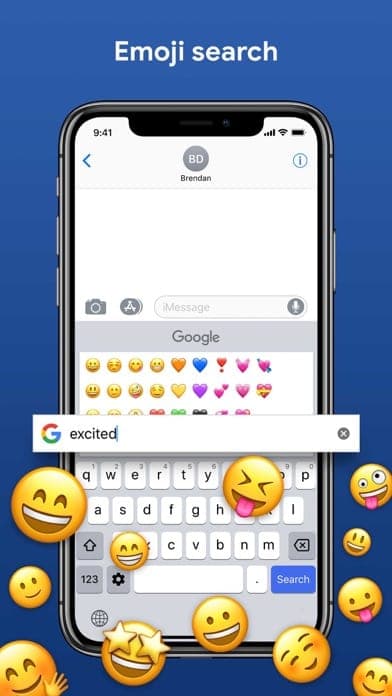
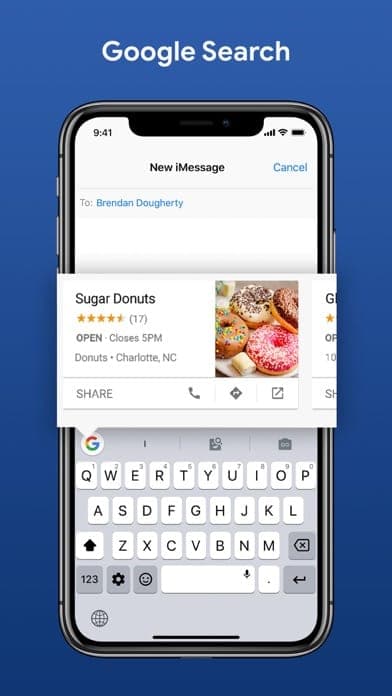
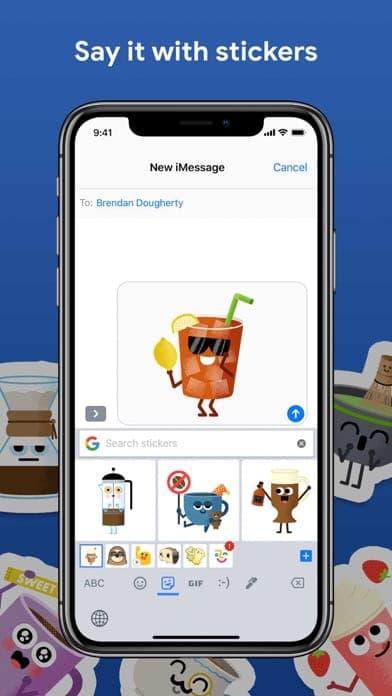
Gboard offers glide typing, auto-correction, word suggestions, emoji, GIF and sticker search, Emoji Kitchen, a clipboard, text-scan OCR, Google Translate, themes, one-handed mode and a floating keyboard. Offline voice typing is available on all Android devices. Supported Android phones (Pixel and several other brands) add writing tools: proofread, rephrase, professional or friendly tone, emojify, elaborate and shorten, for English, Simplified Chinese, French, German, Italian, Japanese, Korean, Portuguese and Spanish. On iOS, Google Search inside the keyboard needs Full Access.
Languages and pricing
Gboard is free with no paid tier. Vietnamese appears in the iOS help page's language list and in the App Store description, and Wikipedia lists it among the Latin QWERTY layouts. Google's help pages do not mention the Telex or VNI input methods, so check the Languages section in settings to see which are offered.
More analysis
How it compares
Gboard stands out for language coverage, built-in Google Translate and AI writing tools on supported phones. Microsoft SwiftKey is the closest rival; Laban Key is a keyboard built specifically for Vietnamese. iPhone users should note the iOS app has not been updated in years, and privacy-first users should weigh the independent metadata analyses above.
Screenshots
Plans & pricing
Prices last verified Nov 10, 2026
Gboard
PersonalFree
Free on Android and iOS. Some features, such as the writing tools (Proofread, Rephrase and others) and advanced voice typing, only run on selected Android phones such as Pixels.
- Free plan limits
- There is no paid tier. On iPhone and iPad Gboard supports up to 3 languages at a time. The Android writing tools need a phone from Google's supported list and cover 9 languages.
- Free trial
- No free trial
Cancellation & refunds
Not applicable; the app is free.
Privacy
The App Store description says Gboard sends your searches, voice input (for transcription) and usage statistics to Google, but nothing else you type, including passwords or chats. Words you type are stored on the device for spelling suggestions, are not accessible to Google or other apps, and can be cleared at any time. On iPhone, Full Access is needed for Google Search in the keyboard, and Google says only your searches are sent. The writing-tools help page states that your input text isn't shared with Google or any app, with rewriting done in an isolated environment on the device or in the cloud, and advanced voice typing keeps dictated text on the device except for the Fix it and detailed-edits features. However, Wikipedia cites independent analyses (Kaspersky, May 2024, and Wired) reporting that Gboard sends metadata such as device information, usage statistics and unique device identifiers to Google servers. The Gboard Help centre has no dedicated privacy article.
Gboard alternatives

Frequently asked questions
Is Gboard free?
Yes. Gboard is free on Android and iOS. Some AI features only run on supported Android phones.
Does Gboard support offline voice typing?
On Android, yes: 9to5Google says offline voice typing is on all devices. Google's help page notes that talk-to-text doesn't work with every language.
Can Gboard type Vietnamese?
Yes. Vietnamese is in Gboard's supported language list on iOS. Google's help pages do not say whether Telex or VNI is offered, so check the layouts in the language settings.
How many languages can Gboard use at once?
On iPhone and iPad up to 3 languages at a time, per the help page. The help pages consulted state no equivalent cap for Android.
Review evidence & sources9
Scores
- Ease of use
- 8.3
- Features
- 8.0
- Value for money
- 9.0
- Performance
- 7.4
- Support
- 6.3
- Privacy & security
- 6.2
Why this score
Simple setup on Android and iPhone, with strong ratings: 4.5/5 on Google Play (nearly 18.9 million) and 4.3/5 on the Vietnam App Store (9,506). Marked down for the 3-language cap on iOS.
Why this score
On Android the toolkit is broad: glide typing, offline voice, Google Translate, OCR, Emoji Kitchen, clipboard and AI writing tools. Marked down because AI features are limited by device and language, while the iOS app lacks much of this and has not been updated since May 2022.
Why this score
Entirely free, with no paid tier in the sources consulted.
Why this score
More than 10 billion Android downloads show wide adoption and offline voice typing exists, but the sources consulted include no independent latency or accuracy data.
Why this score
Gboard Help covers setup and features and points to a help community, but no direct support channel appeared.
Why this score
Google says typed content stays on the device; on iOS only searches, voice input and usage statistics are sent. Marked down because independent analyses (Kaspersky, Wired) report metadata and device identifiers being sent, and there is no dedicated Gboard privacy documentation.
What users say
- App Store (Vietnam)4.3/5 · 9,506
- Google Play4.5/5 · 18,932,476
Sources
- Vendor-providedGboard Help: set up Gboard on iPhone and iPadNov 10, 2026
- Vendor-providedGboard Help: word suggestions and fixing mistakesNov 10, 2026
- Vendor-providedGboard Help: writing toolsNov 10, 2026
- Vendor-providedGboard Help: advanced voice typing featuresNov 10, 2026
- storeApp Store listing (Vietnam)Nov 10, 2026
- storeiTunes Lookup API (rating, version history, languages, description)Nov 10, 2026
- storeGoogle Play listingNov 10, 2026
- Community-reportedWikipedia: GboardNov 10, 2026
- press9to5Google: Gboard 10 billion downloads (2025-02-26)Nov 10, 2026
Specs & compatibility
- Developer
- Google LLC
- Headquarters
- United States
- Launched
- 2016
- Category
- Utilities
Capabilities
- Works offline
- AI features
- Mobile app
Platforms
- Android
- iOS
Interface languages
- Vietnamese
- English
- Japanese
- Chinese
- Spanish
- French
- Korean
- German
- Portuguese
- Russian
- Thai
- Indonesian
Integrations
- Google Translate
- Google Search
- Emoji Kitchen
Support
- Help center
- Community forum
Change history
- Update.Gboard on Android passes 10 billion downloads on Google Play, per 9to5Google.
- Update.Gboard for iOS releases version 2.3.19 (adding Jyutping input for Cantonese); as of November 2026 it is still the latest version on the Vietnam App Store.
- Feature.Web results are removed from Gboard's Google Search feature.
Full change history (8)
- Feature.Emoji Kitchen, the emoji-mashup feature, is introduced.
- Update.Gboard passes 1 billion installs on Google Play.
- Feature.Gboard replaces Google Keyboard on Android, with more than 100 languages at launch.
- Launch.Gboard launches on iOS, supporting only English.
- Launch.Google Keyboard, Gboard's Android predecessor, is on Google Play (release date cited by 9to5Google).
About the author
Reviews & comments
Written by readers with a verified email address.
No reviews yet. Have you used Gboard? Share your real experience.
Reader reviews are counted separately and do not affect the Editorial Team’s score.
No comments yet. Be the first to share your experience.
Comments are readers’ opinions, not content from the AppDuo Editorial Team.