Source-backed analysis8
Review basis
Research-based review: the AppDuo Editorial Team compiled it from official pages, documentation, app stores, press and user feedback, without hands-on testing. Every claim links to a source with the date it was checked.
8 reference sourcesInformation updated Nov 10, 2026
How we review
Figma Review
Browser-based interface design tool built for teams working in one file
By AppDuo Editorial Team · Updated
- Web
- Windows
- macOS
- iOS
- Android
On this page
Decide at a glance
Our verdict
Figma suits design, engineering and product teams that need to work together in one file, from wireframes to developer handoff. The trade-off is a free plan capped at 3 files and prices that climb steeply at Organization and Enterprise.
Best for: UI/UX teams that collaborate live and hand off to developers
Skip it if: People who need deep vector illustration or photo-editing software
Pros
- Several people edit one file together, and viewers and commenters need no paid seat
- Dev and Collab seats cost far less than Full seats, which suits non-designers
- Publishes many security attestations such as SOC 2 Type 2, ISO 27001 and FedRAMP
Cons
- The Starter plan allows only 3 files in one folder
- Full seat price rises from 16 USD to 55 USD and 90 USD on higher plans
All pros and cons · Who is it for?
Pros
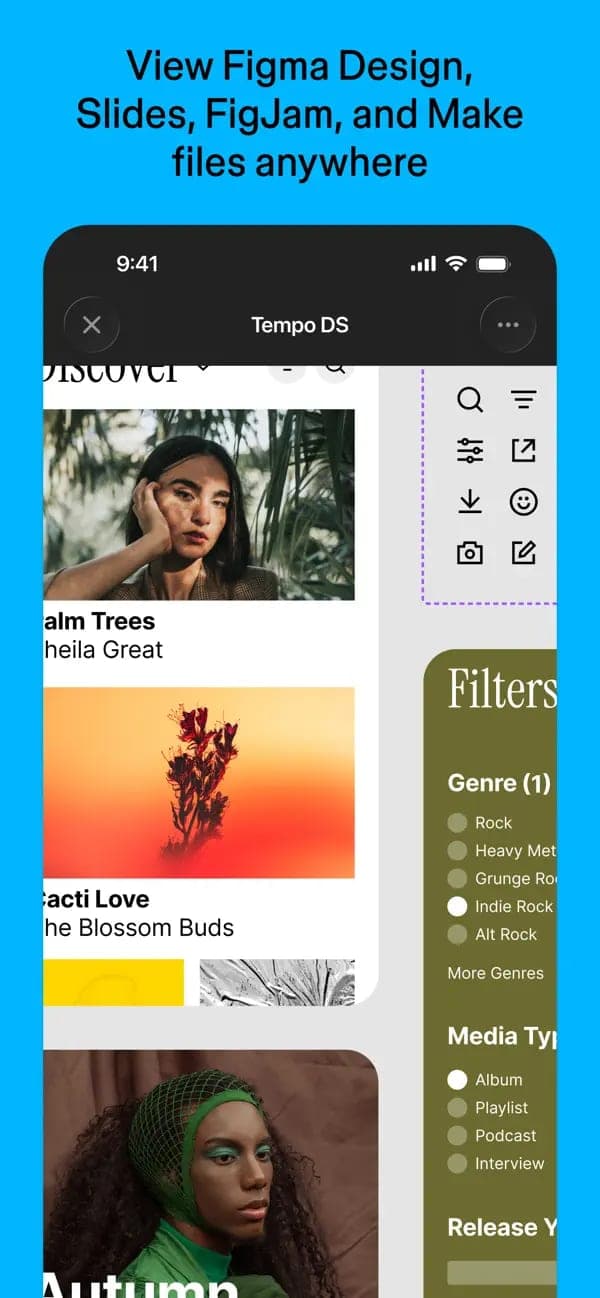
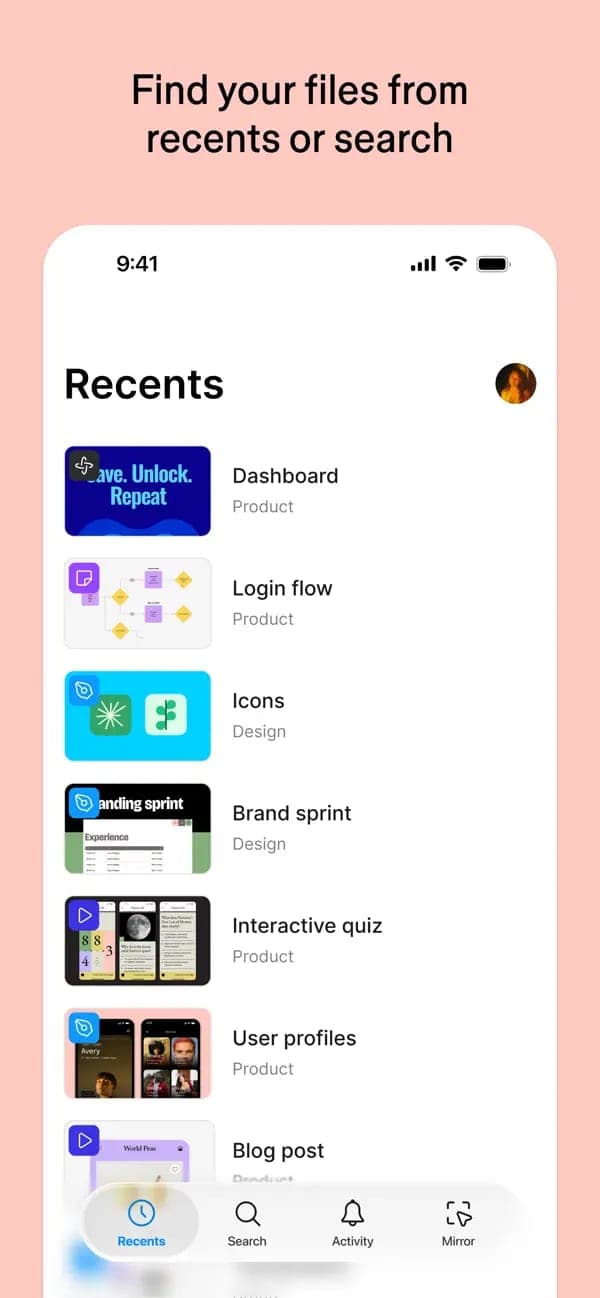
- Mobile app for viewing, commenting and mirroring desktop designs live
Cons
- Content on Starter and Professional is used for AI training by default
- Trustpilot score is only 1.8/5 (242 reviews), far below the store ratings
Best for
- Multi-department companies that want shared component libraries and fonts
Skip it if
- Solo users who want many projects without paying
Problems it solves
Experience & key features
What is Figma?
Figma is a design and collaboration suite from Figma, Inc., based in San Francisco. Per Wikipedia, Dylan Field and Evan Wallace founded the company in 2012; an invite-only preview began on 3 December 2015 and the first public release followed on 27 September 2016. It listed on the NYSE as FIG on 31 July 2025.
Key features
According to the pricing page, Figma bundles Figma Design, FigJam, Dev Mode, Slides, Buzz, Make, Draw, Motion, Specs and Sites. A Full seat covers all of them. A Dev seat gets full Dev Mode, FigJam, Slides, Buzz and Specs, plus view and comment access in Design files. A Collab seat gets FigJam, Slides, Buzz and Specs with the same view and comment access, but only basic inspection in Dev Mode.
Pricing and value
Starter is free but, per the help center, limited to one team with one folder and 3 files. On Professional a Full seat costs 20 USD per month billed monthly or 16 USD billed annually. Organization (55 USD) and Enterprise (90 USD) are annual only. Each seat type comes with its own AI credit allowance.
More analysis
Who it is for, and how it compares
Figma targets digital product teams where designers, developers and managers work around one file. For quick social graphics Canva fits better; for print-oriented vector art Adobe Illustrator is more purpose-built. This review is compiled from public sources.
Screenshots

Plans & pricing
Prices last verified Nov 10, 2026
Starter
PersonalFree
Free. Per Figma's help center: one team with one folder and 3 files, and 30 days of version history. The pricing page adds 150 AI credits per day, up to 500 per month.
Professional
Business$20/mo/user
$16/mo billed yearly
Full seat: 20 USD per month billed monthly or 16 USD per month billed annually, with 3,000 AI credits per month. Dev seat 15 USD per month (12 USD annually) and Collab seat 5 USD per month (3 USD annually), each with 500 AI credits per month. Unlimited files, projects and version history.
Organization
Business$55/mo/user
Billed annually only. Full seat 55 USD per month (3,500 AI credits), Dev seat 25 USD, Collab seat 5 USD. Adds shared libraries and fonts and centralized admin tools.
Enterprise
Business$90/mo/user
Billed annually only. Full seat 90 USD per month (4,250 AI credits), Dev seat 35 USD, Collab seat 5 USD. The Governance+ add-on brings controls such as IP allowlisting and enforced 2FA.
- Free plan limits
- Starter is limited to one team with one folder and 3 files. On paid plans, people who only view and comment need no seat.
- Free trial
- No free trial
Cancellation & refunds
Figma's pricing and help pages do not state a refund policy.
Privacy
Figma's security page lists SOC 2 Type 2, SOC 3, ISO 27001, ISO 27018, ISO 42001 (AI management system), C5, TISAX and FedRAMP. The AI help article says content training is on by default for Starter and Professional (team admins can turn it off) and off for Organization and Enterprise. Figma says it trains on general, de-identified design patterns and does not use Education or Government account data. On Google Play the developer declares that the mobile app may share location, personal info and four other data types with third parties.
Figma alternatives


Frequently asked questions
Is Figma free?
Yes, there is a free Starter plan, but per the help center it covers one team with one folder and 3 files. Unlimited files and projects require Professional.
What is the difference between Full, Dev and Collab seats?
A Full seat gets every Figma product. A Dev seat gets full Dev Mode, FigJam, Slides, Buzz and Specs, plus view and comment access in Design files. A Collab seat gets FigJam, Slides, Buzz and Specs with the same view and comment access, but only basic inspection in Dev Mode.
Does Figma train AI on my content?
Per the help center it is on by default for Starter and Professional (team admins can turn it off) and off for Organization and Enterprise. Figma says it uses de-identified data and does not use Education or Government account data.
Does Figma have a mobile app?
Yes, on iOS and Android. It is for viewing, commenting, sharing files, playing prototypes and mirroring desktop frames, not for full design work.
Review evidence & sources8
Scores
- Ease of use
- 8.0
- Features
- 8.8
- Value for money
- 6.8
- Performance
- 7.5
- Support
- 6.6
- Privacy & security
- 7.4
Why this score
Runs in the browser, supports many people in one file, and has a mobile app for viewing and commenting. The many products and seat types add a learning curve; this score rests on product descriptions.
Why this score
Covers Design, FigJam, Dev Mode, Slides, Buzz, Make, Draw, Sites, shared libraries and an MCP server. The scope is broader than most interface design peers.
Why this score
A 16 USD Full seat on annual billing (20 USD monthly) is reasonable and Dev and Collab seats are cheap. But Starter allows only 3 files, and Organization and Enterprise are 55 and 90 USD per seat.
Why this score
There are no independent performance benchmarks. The score rests on store ratings of 4.6/5 (App Store) and 4.2/5 (Google Play) and on availability across web and desktop.
Why this score
There is a help center, email and a community forum. Trustpilot scores 1.8/5 over 242 reviews, 47% of them one-star, which pulls this score down.
Why this score
Many attestations (SOC 2 Type 2, ISO 27001, ISO 42001, FedRAMP) and encryption in transit. The deduction: AI content training is on by default for Starter and Professional.
What users say
- App Store (US)4.6/5 · 21,000
- Google Play (US)4.2/5 · 65,200
- Trustpilot1.8/5 · 242
Sources
- Vendor-providedOfficial pricing pageNov 10, 2026
- Vendor-providedFigma security and compliance pageNov 10, 2026
- Vendor-providedHelp center: Figma plans and featuresNov 10, 2026
- Vendor-providedHelp center: Control AI features and content training settingsNov 10, 2026
- storeApp Store listing (US)Nov 10, 2026
- storeGoogle Play listingNov 10, 2026
- Community-reportedWikipedia: FigmaNov 10, 2026
- review-siteTrustpilot: figma.comNov 10, 2026
Specs & compatibility
- Developer
- Figma, Inc.
- Headquarters
- United States
- Launched
- 2016
- Category
- Productivity
Capabilities
- Real-time collaboration
- AI features
- Templates
- Integrations
- Mobile app
Platforms
- Web
- Windows
- macOS
- iOS
- Android
Interface languages
- English
- Japanese
- Korean
- Spanish
- French
- German
- Portuguese
Integrations
- Figma MCP Server
Support
- Help center
- Community forum
Change history
- Company.Figma lists on the NYSE as FIG, opening at 85 USD per share.
- Company.Adobe and Figma call off the merger; Adobe pays Figma a 1 billion USD termination fee.
- Feature.Dev Mode launches.
Full change history (7)
- Company.Adobe announces it will acquire Figma for about 20 billion USD.
- Feature.FigJam, the whiteboarding tool, launches.
- Launch.First public release.
- Launch.Free invite-only preview program starts.
About the author
Reviews & comments
Written by readers with a verified email address.
No reviews yet. Have you used Figma? Share your real experience.
Reader reviews are counted separately and do not affect the Editorial Team’s score.
No comments yet. Be the first to share your experience.
Comments are readers’ opinions, not content from the AppDuo Editorial Team.