Source-backed analysis10
Review basis
Research-based review: the AppDuo Editorial Team compiled it from official pages, documentation, app stores, press and user feedback, without hands-on testing. Every claim links to a source with the date it was checked.
10 reference sourcesInformation updated Nov 10, 2026
How we review
Google Classroom Review
Google’s free online classroom, tied into Drive, Docs and Meet
By AppDuo Editorial Team · Updated
- Web
- iOS
- Android
On this page
Decide at a glance
Our verdict
A fit for schools and teachers already on Google Workspace who need to assign, grade and communicate at no cost. The trade-offs: unlimited originality reports sit in the quote-only Education Plus edition, and the mobile apps rate poorly on both the App Store and Google Play.
Best for: Schools and teachers already using Gmail, Drive, Docs and Meet
Skip it if: Institutions that need a full LMS with multi-step courses and certificates
Pros
- Free for qualifying institutions and personal Google Accounts
- Tight integration with Drive, Docs, Forms, Meet, Calendar and YouTube
- Rubrics, reusable comment banks and bulk grading on the free edition
Cons
- Only 5 originality reports per class for free; unlimited needs Education Plus
- Education Plus pricing is not public
All pros and cons · Who is it for?
More pros
- 30+ Gemini AI tools at no charge for educators aged 18+
- Google states Workspace for Education data is not used to train AI
More cons
- Personal accounts are capped at 250 members per class and cannot add guardians
- The apps score only 2.1/5 on the App Store and 2.9/5 on Google Play
Best for
- Teachers who need a free assignment and grading tool
- Classes shared by several teachers (up to 50 per class)
Skip it if
- Self-learners who are not part of a class
Problems it solves
Experience & key features
What Google Classroom is
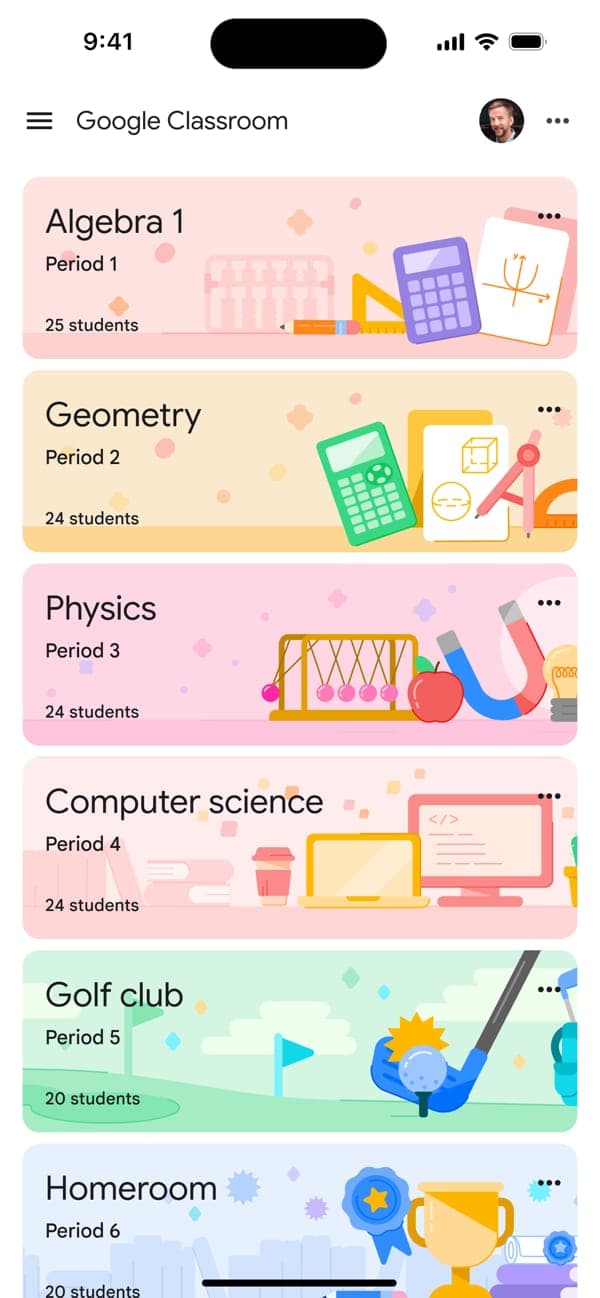
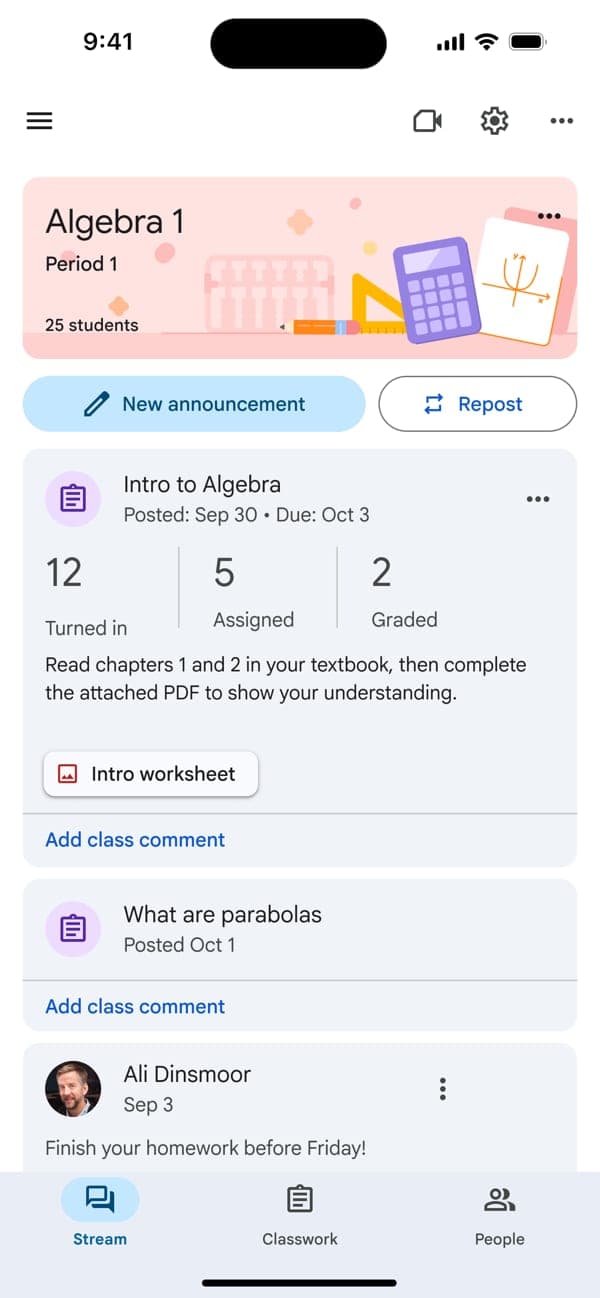
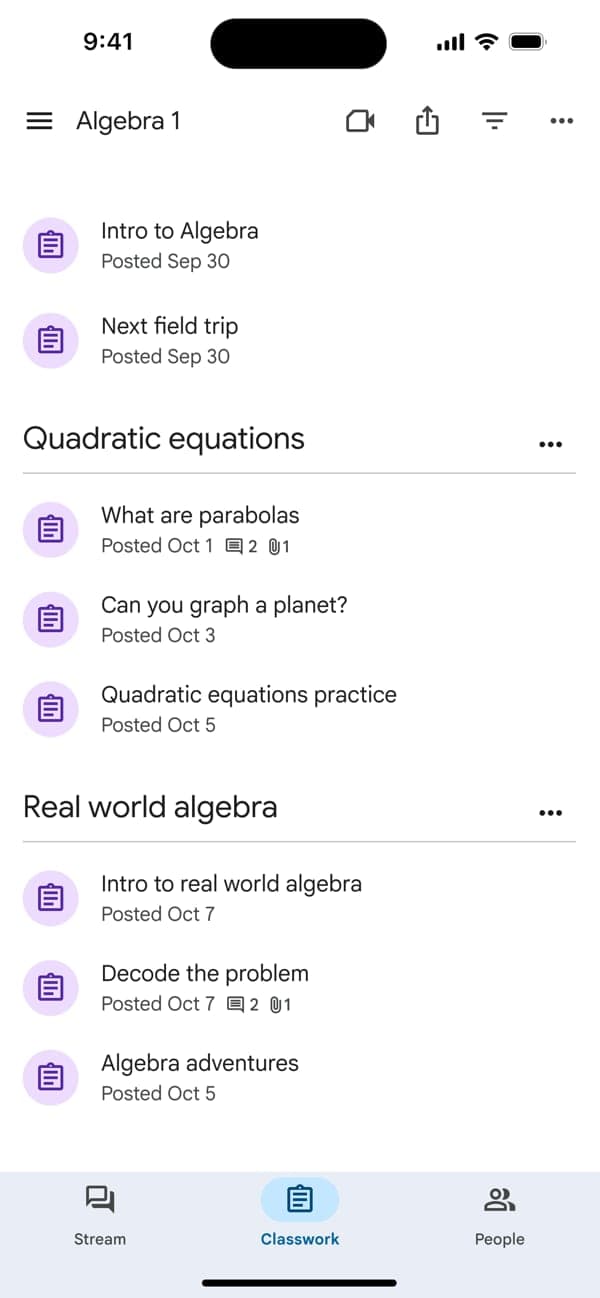
Google Classroom is the online classroom inside Google Workspace for Education. Teachers create classes, assign and grade work, post announcements and invite guardians to receive email summaries. Students see assignments, hand in work and read feedback in one place. It runs on the web, iOS and Android; Google reported about 150 million users in 2021.
Key features
Google’s product page lists rubrics, reusable comment banks, bulk grading, practice sets built from Google Forms, questions embedded in YouTube videos, Read Along for English reading practice, and analytics by class, student and assignment. Teachers can add App Hub add-ons, and schools can sync with Clever or student information systems such as PowerSchool, Infinite Campus and Skyward. Since 30 June 2025, educators aged 18+ on every Workspace for Education edition get 30+ Gemini AI tools in Classroom at no charge; admins can switch them on or off.
Pricing and limits
Education Fundamentals is free for qualifying institutions, while Education Plus needs an annual quote from sales. The clearest difference is originality reports: 5 per class on the free edition, unlimited on Plus, which also adds phone support. School accounts allow up to 1,000 members per class; personal Google Accounts allow 250 and cannot add guardians. Google notes that these limits can change.
More analysis
Compared with alternatives
Classroom is strongest at assigning and grading inside the Google ecosystem. It is not a game-based review tool like Kahoot!, nor an open-source LMS like Moodle with multi-step courses. Schools on Microsoft 365 may look at Microsoft Teams instead. The low App Store and Google Play scores are worth noting, although store ratings do not reflect how each school deploys it.
Screenshots
Plans & pricing
Prices last verified Nov 10, 2026
Education Fundamentals
BusinessFree
Free for qualifying institutions; personal Google Accounts can also use Classroom at no cost. 5 originality reports per class. Includes Gemini in Classroom for educators aged 18+ (English only at launch). Email and online support.
Education Plus
BusinessContact sales
Price not published; contact sales. Annual subscription. Unlimited originality reports with peer comparison, plus phone support.
- Free plan limits
- School accounts: up to 1,000 members and 50 teachers per class. Personal Google Accounts: up to 250 members per class, 30 classes created per day, 100 classes joined, and no guardians. Google says limits can change without notice.
- Free trial
- No free trial
Cancellation & refunds
The pages consulted state no refund policy. Education Plus is sold under contract through Google or its partners.
Privacy
Google says core Workspace for Education services such as Classroom, Drive and Gmail carry no ads and that personal information is never used or sold to third parties for ad targeting. For school accounts, data is owned by the institution, not Google, and is not used to train AI models. Google cites GDPR, FERPA and COPPA, plus ISO/IEC 27001, 27701 and 42001. On Google Play the developer declares no data shared with third parties and lists an independent security review. The App Store privacy label lists many data types linked to the user: location, contact info, contacts, user content, search history, identifiers, usage data and diagnostics. All of these are developer self-declarations.
Google Classroom alternatives
 7.6/10
Moodle
Open-source LMS: self-host for free or use MoodleCloud
 7.6/10
Kahoot!
Live quiz games for the classroom, with AI help for writing questions
Frequently asked questions
Is Google Classroom free?
Yes for qualifying institutions (Education Fundamentals) and personal Google Accounts. Education Plus is paid and Google does not publish its price.
How many people can join one class?
Per Google’s limits page: 1,000 members with school accounts, 250 with personal accounts, and up to 50 teachers per class.
Does Classroom use data to train AI?
Google for Education’s privacy page says Workspace for Education data is not used to improve or train AI models.
Who can use Gemini in Classroom?
Educators aged 18 or over on any Workspace for Education edition, based on the school’s age settings. At its 2025 launch it was English-only, and admins can turn it off.
Review evidence & sources10
Scores
- Ease of use
- 7.2
- Features
- 7.8
- Value for money
- 8.5
- Performance
- 7.0
- Support
- 6.8
- Privacy & security
- 7.8
Why this score
Google describes a paperless workflow with an automatic Drive folder per assignment. Yet 2.1/5 from about 37,000 App Store ratings and 2.9/5 from about 2.1 million Google Play reviews show many users are unhappy with the mobile apps.
Why this score
Covers assignments, rubrics, bulk grading, class and student analytics, App Hub add-ons and SIS sync with PowerSchool and Infinite Campus. It is not a full LMS, and some features are limited to Education Plus.
Why this score
Education Fundamentals and personal accounts are free and include 30+ Gemini tools for educators. Education Plus has no published price, so it is hard to compare.
Why this score
The product page claims 99% uptime, a vendor figure. Low ratings on both app stores pull this score down.
Why this score
The help center is detailed. Per the editions page, Education Fundamentals gets email and online support and Education Plus adds phone; teachers and students usually go through their school admin.
Why this score
No ads, school-owned data, no AI training, FERPA, COPPA, GDPR and ISO coverage, and no third-party sharing declared on Google Play. The App Store label still lists many data types linked to the user.
What users say
- App Store (US)2.1/5 · 37,240
- Google Play (US)2.9/5 · 2,100,000
Sources
- Vendor-providedGoogle for Education: Classroom product pageNov 10, 2026
- Vendor-providedGoogle for Education: compare editionsNov 10, 2026
- Vendor-providedGoogle for Education: privacy and securityNov 10, 2026
- Vendor-providedClassroom Help: Limits when using ClassroomNov 10, 2026
- Vendor-providedClassroom Help: roles and featuresNov 10, 2026
- Vendor-providedGoogle blog: Gemini in Classroom (2025-06-30)Nov 10, 2026
- Vendor-providedGoogle Workspace Updates: Gemini in Classroom for all edu editionsNov 10, 2026
- storeApp Store listing (US)Nov 10, 2026
- storeGoogle Play listing (US)Nov 10, 2026
- Community-reportedWikipedia: Google ClassroomNov 10, 2026
Specs & compatibility
- Developer
- Google LLC
- Headquarters
- United States
- Launched
- 2014
- Category
- Education
Capabilities
- Real-time collaboration
- Integrations
- AI features
- Mobile app
Platforms
- Web
- iOS
- Android
Interface languages
- English
- Vietnamese
- Spanish
- French
- German
- Japanese
- Korean
- Chinese
- Portuguese
- Russian
- Thai
- Indonesian
Integrations
- Google Drive
- Google Docs
- Google Forms
- Google Meet
- Google Calendar
- YouTube
- Clever
- PowerSchool
- Infinite Campus
- Skyward
- Follett Aspen
Support
- Help center
- Community forum
- Phone
Change history
- Feature.Gemini in Classroom, with 30+ AI tools, made free for educators on every Workspace for Education edition.
- Company.Google said Classroom had about 150 million users.
- Feature.Each class got its own Google Meet link. Also in 2020, Classroom added 10 languages and originality reports.
Full change history (8)
- Feature.Personal Google Accounts could create and teach classes.
- Feature.Personal Google Account users could join classes without a G Suite for Education account.
- Feature.iOS and Android apps launched.
- Launch.Classroom opened to all Google Apps for Education users.
- Launch.Google announced Classroom with a preview for some Google Apps for Education schools.
About the author
Reviews & comments
Written by readers with a verified email address.
No reviews yet. Have you used Google Classroom? Share your real experience.
Reader reviews are counted separately and do not affect the Editorial Team’s score.
No comments yet. Be the first to share your experience.
Comments are readers’ opinions, not content from the AppDuo Editorial Team.